
AI video editor for ads: from AI scenes to a finished ad video
An AI video editor for ads: AI scenes land on a real timeline and leave as an export-ready ad video.
 Meta Ads
 Google Ads
 TikTok Ads
 Snapchat Ads
 Moloco Ads

What is an AI video editor for ads?
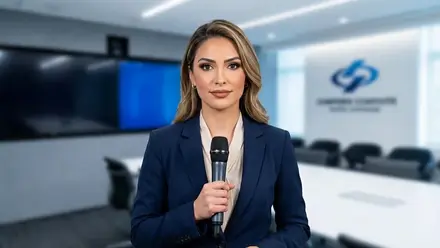
An AI video editor for ads is a browser-based timeline where AI-generated scenes, script and voice arrive already assembled, so a team fine-tunes an ad instead of building it from scratch.
- Takes the output of the AI Video Generator or AI Video Builder
- Captions, cuts, transitions, music and styling adjusted and previewed immediately
- Only what needs attention is changed; the rest stays as the AI produced it
- The final render goes to the media library and AI Campaign Builder
AI video editor for ads: finish your video in 5 steps
Scenes Land On A Timeline
Each AI-generated clip arrives as a separate scene in the correct aspect ratio, with its duration read from the video.
- The timeline preserves the shot order
- One place to inspect the full sequence before editing
Fine-Tune The Cut
Trim or reorder scenes and add transitions between them.
- The built-in player previews the current timeline immediately
- Pacing and cut decisions can be checked before the final render
Add Captions, Voice & Music
Captions are transcribed from the voice track automatically.
- Add or replace AI voice-over, background music, and sound effects
- Review wording, pronunciation, timing, and audio balance before export
Style Every Frame
Adjust text, animation, crop, and color at the element level or start from a one-click preset.
- The visual treatment stays consistent
- Individual scenes or captions can still be corrected
Render & Hand Off
A server render combines the approved timeline into a finished MP4.
- Download the file or move it into the media library
- Ready for the next campaign step
Get started in 5 steps
Connect the ad account
Meta, Google or TikTok, so approved assets can launch without export.
Paste a product URL or a brief
The product page, a reference or a fresh hypothesis is enough to start.
Generate the creative set
Hooks, copy, static images and video in 1:1, 4:5 and 9:16.
Review and localize
Keep the winners, regenerate the rest, re-render per market.
Launch through AI Campaign Builder
Approved assets move into a campaign tree with attribution attached.
Common questions
Open the next layer

Guides & resources
Put AI video editor for ads: from AI scenes to a finished ad video to work on your paid media.
Works with Meta, Google, TikTok, Snapchat and Moloco. Attribution is included.