
AI talking avatar for ads: from a photo to a lip-synced ad video
An AI talking avatar for ads: a photo and a script become a lip-synced talking ad — no camera, actor or studio.
 Meta Ads
 Google Ads
 TikTok Ads
 Snapchat Ads
 Moloco Ads
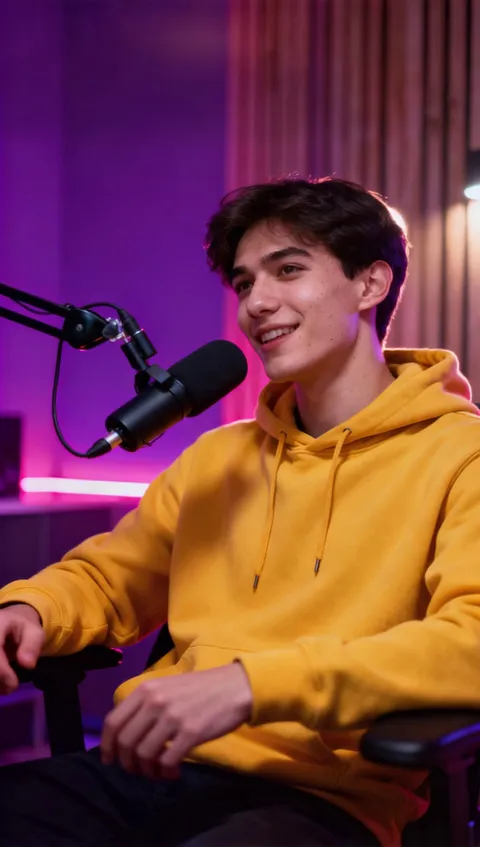
What is an AI talking avatar for ads?
An AI talking avatar for ads is a lip-synced video of a person speaking a script, generated from a single photo and a voice track, so a team can produce presenter-style ads without a camera, actor or studio.
- A photo, a chosen voice and a script; OmniHuman brings the image to life
- Each step feeds the next — photo, voice, script, render — with review before saving
- The finished clip lands in the media library for the AI Video Editor or AI Campaign Builder
- Generation is billed in tokens on top of 1% of ad spend, no subscription
AI talking avatar for ads: a talking video in 5 steps
Pick A Model
OmniHuman, specialized for human avatars, leads the lineup for realistic lip-sync and expressions.
- Pick it or another model in one click

Add Your Photo
Upload a photo — a person, a portrait, any face — and OmniHuman uses it as the face that will speak.
- No camera and no shoot required
- A clear, front-facing shot gives the model the most to work with
- Every expression comes from that one frame
Write Script & Voice
Type your script and pick a natural AI voice to generate the speech in one click — or upload your own audio track, up to 30 seconds.
- Your own track keeps an existing brand voice
- The generated voices are faster while the script is still moving
Generate Your Video
Hit Create and AI syncs the lips and facial expressions to the audio.
- Your photo speaks with your voice while you wait
- You can even leave the screen
Refine And Launch
Download the talking video or push it straight into a new ad set to launch as a campaign.
- Rerun it with a new voice or script


Get started in 5 steps
Connect the ad account
Meta, Google or TikTok, so approved assets can launch without export.
Paste a product URL or a brief
The product page, a reference or a fresh hypothesis is enough to start.
Generate the creative set
Hooks, copy, static images and video in 1:1, 4:5 and 9:16.
Review and localize
Keep the winners, regenerate the rest, re-render per market.
Launch through AI Campaign Builder
Approved assets move into a campaign tree with attribution attached.
Common questions
Open the next layer

Guides & resources
Put AI talking avatar for ads: from a photo to a lip-synced ad video to work on your paid media.
Works with Meta, Google, TikTok, Snapchat and Moloco. Attribution is included.