
Key Takeaways
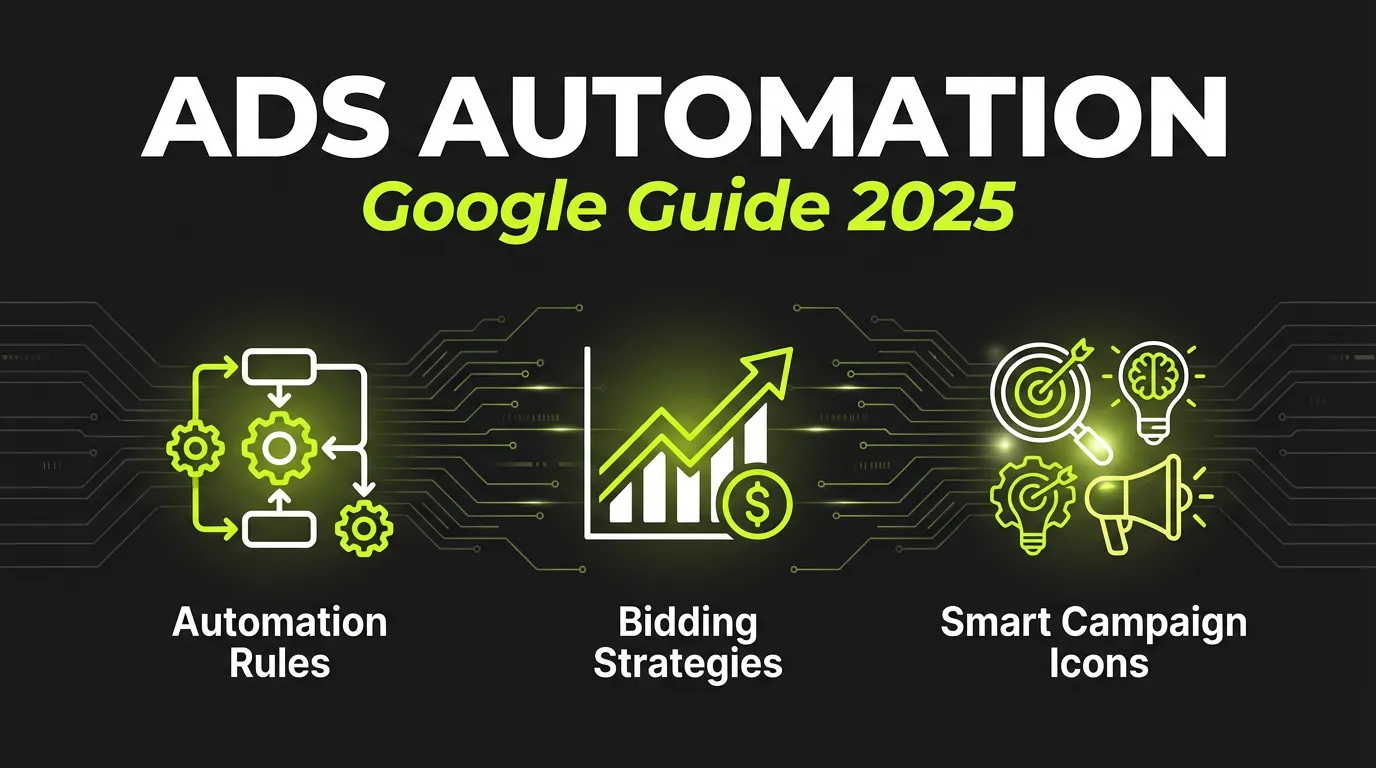
- Google Ads automation includes Smart Bidding, automated rules, and scripts
- Smart Bidding uses machine learning to optimize bids in real-time
- Automated rules can pause/enable campaigns based on performance
- Scripts offer advanced automation for power users
- Start with Smart Bidding before adding custom automation
What is Google Ads Automation?
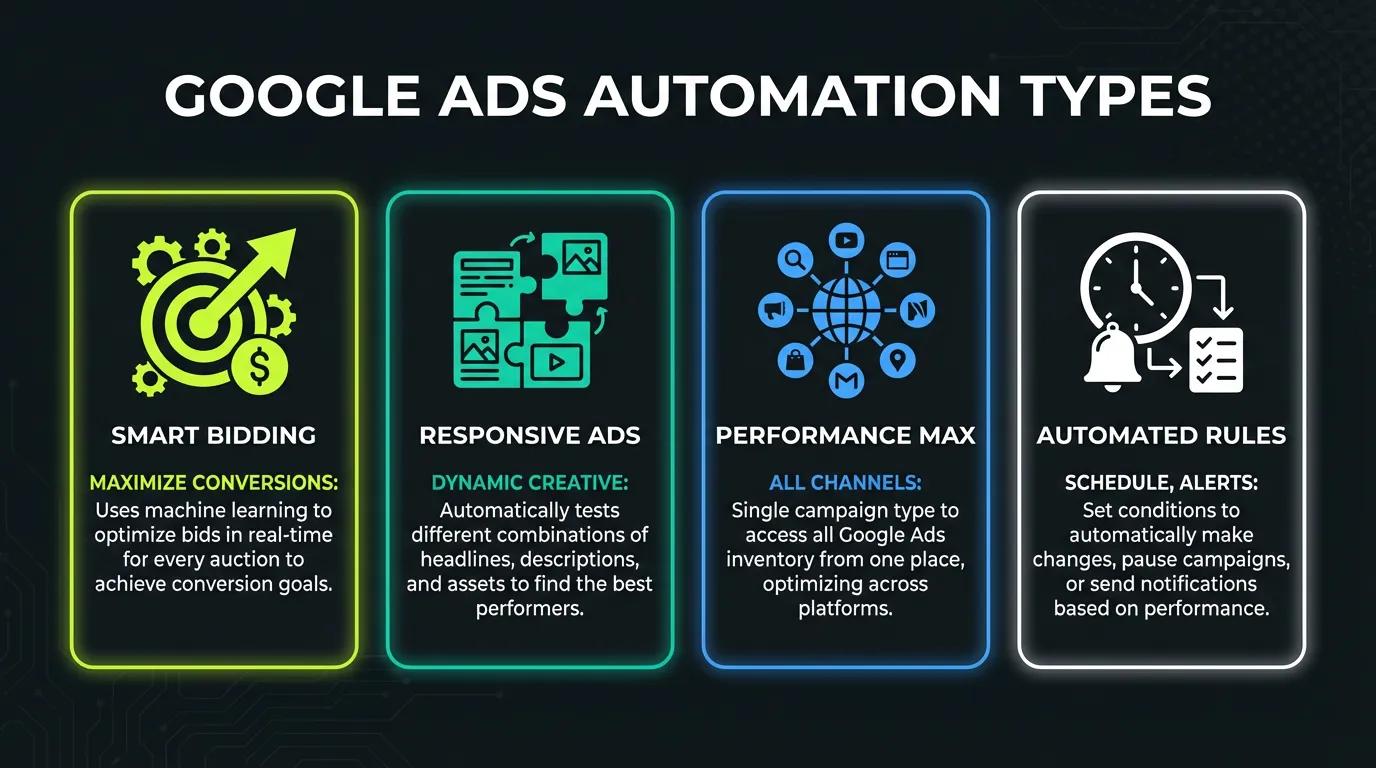
Google Ads automation refers to tools and features that automatically manage your campaigns without manual intervention. This includes:
Once you're ready to scale, AdBid gives you the workflow to plan, launch, and optimize without adding headcount.
| Type | Complexity | Control |
|---|---|---|
| Smart Bidding | Low | Low |
| Automated Rules | Medium | Medium |
| Google Ads Scripts | High | High |
| Third-party Tools | Varies | High |
:::highlight Why Automate? Google processes billions of signals per auction that humans can't analyze manually. Automation lets you leverage machine learning while saving hours of manual work. :::
Smart Bidding: The Foundation
Smart Bidding is Google's machine learning bidding system. It automatically sets bids for each auction based on:
- User device and location
- Time of day and week
- Remarketing lists
- Browser and OS
- Search intent signals
- And 100+ other factors
Smart Bidding Strategies
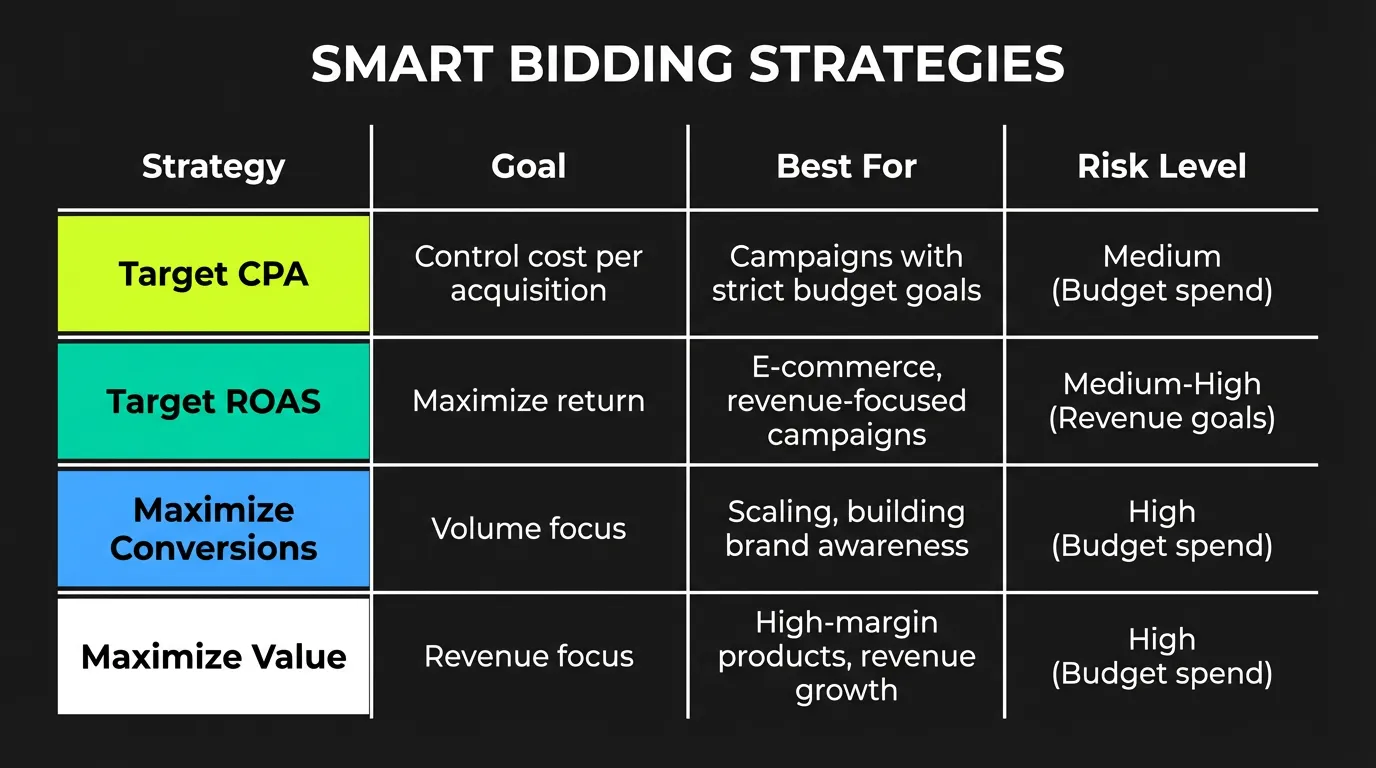
| Strategy | Goal | Best For |
|---|---|---|
| Target CPA | Hit cost per acquisition | Lead generation |
| Target ROAS | Hit return on ad spend | E-commerce |
| Maximize Conversions | Most conversions in budget | Growth phase |
| Maximize Conv. Value | Most revenue in budget | E-commerce |
| Enhanced CPC | Semi-automated bidding | Control + AI |
Setting Up Target CPA
- Go to campaign settings
- Select "Bidding" → "Change bid strategy"
- Choose "Target CPA"
- Set your target CPA
- Enable "Pay for conversions" (if available)
:::tip Finding Your Target CPA Start with historical CPA from the last 30 days. Give Google 2-3 weeks of learning time before adjusting. :::
Setting Up Target ROAS
For e-commerce, Target ROAS optimizes for revenue:
- Ensure conversion tracking includes values
- Select "Target ROAS" in bidding
- Set target as percentage (e.g., 400% = 4x ROAS)
- Monitor for 2-3 weeks
Smart Bidding Requirements
| Requirement | Target CPA | Target ROAS |
|---|---|---|
| Conversions/month | 30+ | 50+ |
| Conversion tracking | Required | Required |
| Conversion values | Optional | Required |
| Learning period | 1-2 weeks | 2-3 weeks |
Automated Rules: Set It and Forget It
Automated rules let you create if/then conditions that automatically adjust campaigns.
Common Automated Rules
1. Pause Low-Performing Keywords
IF: Keyword CPA > Target CPA × 2
AND: Clicks > 100
THEN: Pause keyword
Setup:
- Tools → Bulk Actions → Rules
- Create new keyword rule
- Set conditions and actions
- Choose frequency (daily, weekly)
2. Increase Budget for High Performers
IF: Campaign ROAS > 5x
AND: Impression Share Lost (Budget) > 20%
THEN: Increase budget by 20%
3. Pause Campaigns on Weekends
IF: Day = Saturday OR Sunday
THEN: Pause campaign
4. Enable Campaigns on Monday
IF: Day = Monday
AND: Time = 6:00 AM
THEN: Enable campaign
5. Alert on Spend Anomalies
IF: Daily spend > Budget × 1.5
THEN: Send email notification
Creating an Automated Rule (Step-by-Step)
- Navigate to Campaigns, Keywords, or Ads
- Click "Automate" in the menu
- Select rule type (pause, enable, change bid, etc.)
- Set conditions
- Define action
- Choose frequency
- Set notification preferences
- Name and save rule
:::warning Rule Limits Google limits automated rules to running once per day per rule. For more frequent changes, use scripts. :::
Google Ads Scripts: Power User Automation
Scripts let you write JavaScript code that runs on a schedule in your Google Ads account.
Popular Scripts
1. Budget Pacing Script Automatically adjusts daily budgets to hit monthly targets.
2. N-gram Analysis Identifies search terms to add or exclude based on performance.
3. Quality Score Tracker Logs historical Quality Score data (which Google doesn't store).
4. Anomaly Detection Alerts you when metrics deviate from normal ranges.
5. Broken URL Checker Pauses ads linking to 404 pages.
Basic Script Example: Pause High-CPA Keywords
function main() {
  var TARGET_CPA = 50; // Your target CPA
  var MIN_CLICKS = 100; // Minimum clicks to evaluate

  var keywords = AdsApp.keywords()
    .withCondition("Status = ENABLED")
    .withCondition("Clicks >= " + MIN_CLICKS)
    .withCondition("Cost / Conversions > " + TARGET_CPA)
    .get();

  while (keywords.hasNext()) {
    var keyword = keywords.next();
    keyword.pause();
    Logger.log("Paused: " + keyword.getText());
  }
}
Setting Up Scripts
- Tools & Settings → Bulk Actions → Scripts
- Click "+" to create new script
- Paste or write your code
- Click "Preview" to test
- Authorize access when prompted
- Schedule frequency (hourly to monthly)
- Save and enable
Script Resources
| Resource | URL | Description |
|---|---|---|
| Google Ads Scripts | developers.google.com/google-ads/scripts | Official documentation |
| Free Scripts Library | adalysis.com/scripts | Pre-built scripts |
| Script Templates | brainlabs.co.uk/scripts | Agency scripts |
Third-Party Automation Tools
Beyond Google's native tools, third-party platforms offer additional automation:
AdBid
- Cross-platform automation (Google + Meta + TikTok)
- AI-powered bid management
- Unified reporting
- Creative optimization
Optmyzr
- Advanced rules engine
- Budget management
- Account audits
- Shopping optimization
WordStream
- Smart automation
- Performance alerts
- Budget management
- Reporting tools
Comparison
| Tool | Platforms | Price | Automation Level |
|---|---|---|---|
| AdBid | Google, Meta, TikTok | $99+/mo | High |
| Optmyzr | Google, Microsoft | $249+/mo | Very High |
| WordStream | Google, Meta, Microsoft | $299+/mo | Medium |
| Native (Google) | Google only | Free | Medium |
Automation Strategy: What to Automate First
Phase 1: Smart Bidding (Week 1-2)
- Enable conversion tracking
- Choose appropriate bid strategy
- Set realistic targets
- Allow learning period
Phase 2: Basic Rules (Week 3-4)
- Pause overspending campaigns
- Enable budget alerts
- Manage ad scheduling
- Quality Score alerts
Phase 3: Advanced Rules (Month 2)
- Dynamic budget allocation
- Seasonal adjustments
- Competitor monitoring
- Performance-based pausing
Phase 4: Scripts (Month 3+)
- Custom reporting
- N-gram analysis
- Landing page monitoring
- Cross-account management
Common Automation Mistakes
❌ Mistake 1: Changing Targets Too Often
Smart Bidding needs time to learn. Changing targets weekly resets learning.
Fix: Wait at least 2 weeks between target changes.
❌ Mistake 2: Too Many Rules
Conflicting rules can create chaos.
Fix: Start with 3-5 essential rules, add gradually.
❌ Mistake 3: Ignoring Learning Period
Making changes during learning period confuses the algorithm.
Fix: Make significant changes (budget, targeting) outside learning periods.
❌ Mistake 4: Set and Forget
Automation isn't truly "set and forget." It requires monitoring.
Fix: Review automated actions weekly, adjust as needed.
❌ Mistake 5: Unrealistic Targets
Setting Target CPA 50% below historical CPA will fail.
Fix: Start with historical performance, improve gradually (10-20% at a time).
Measuring Automation Success
Track these metrics to evaluate your automation:
| Metric | What It Shows |
|---|---|
| Time saved | Hours/week freed up |
| CPA change | Cost efficiency |
| ROAS change | Revenue efficiency |
| Conversion volume | Growth impact |
| Error rate | Rule accuracy |
Before/After Template
| Metric | Before Automation | After (30 days) | Change |
|---|---|---|---|
| Time managing | X hrs/week | X hrs/week | -X% |
| CPA | $X | $X | -X% |
| ROAS | X.Xx | X.Xx | +X% |
| Conversions | X | X | +X% |
More from our The Ultimate Guide to Google Ads Automation Tools guide
The sections below were consolidated from our earlier article on the same topic.
Why Does Google Ads Automation Matter in 2026?
Automation matters because the scale and speed of modern auctions outstrip what any manual workflow can manage. Every impression triggers a real-time decision shaped by device, location, intent, and dozens of other signals. Teams that rely on automation free their time for strategy, creative testing, and account structure, the work that actually moves results.
Manual management breaks down for three reasons. First, bid decisions happen at auction time, far faster than anyone can adjust by hand. Second, the volume of keywords, placements, and audiences in a mature account is simply too large to review individually. Third, market conditions change overnight, and a campaign left unattended bleeds budget before anyone notices.
Citation capsule: Automation in Google Ads has shifted from optional to foundational because auction decisions occur in real time, at a frequency no manual process can match. Practitioners report that the largest gain is reclaimed time, which gets redirected toward strategy, creative iteration, and account structure rather than repetitive bid edits.
Think about the alternative for a moment. Could you really log in every hour to nudge bids across hundreds of campaigns? Automation isn't replacing the marketer. It's removing the tasks that burn hours and add little value, so the marketer can focus on the decisions machines still can't make well.
For a broader view of where automation fits in your overall strategy, see our performance marketing guide.
What Are Google's Native Automation Tools?
Google's own automation sits inside the platform and draws directly on auction-time signals that third-party tools can only estimate. These native systems form the foundation most advertisers build on, because they respond to data Google never fully exposes externally. Understanding them is the starting point for any automation plan.
Smart Bidding Strategies
Smart Bidding uses machine learning to set bids for each auction based on the likelihood of a conversion. Instead of one fixed bid, the system adjusts in real time for the specific user, device, time, and context. The four core strategies cover most goals:
- Target CPA: optimizes toward a cost per acquisition you define.
- Target ROAS: chases a return-on-ad-spend ratio, ideal for revenue-driven accounts.
- Maximize Conversions: spends the full budget to win as many conversions as possible.
- Maximize Conversion Value: prioritizes total revenue over raw conversion count.
The catch is that Smart Bidding is only as good as the data feeding it. Weak or misconfigured conversion tracking starves the algorithm of the signals it needs. Get your measurement right first by following our conversion tracking setup guide, then turn the bidding loose.
Performance Max Campaigns
Performance Max is Google's most automated campaign type. It runs across every channel Google owns, including Search, Display, YouTube, Gmail, Discover, and Maps, from a single campaign. You supply assets and goals, and the AI assembles and serves combinations across all that inventory.
The trade-off is control. Performance Max hands creative selection and placement decisions to Google, which speeds setup but reduces visibility into where ads run. To get the most from it without losing the plot, work through our Performance Max guide for 2026 before launching.
Citation capsule: Performance Max consolidates Search, Display, YouTube, Gmail, Discover, and Maps into one AI-driven campaign, trading granular placement control for reach and automation. Advertisers feed it assets and conversion goals, and Google's models handle combination and serving decisions across the full inventory.
How Do You Build an Effective Automation Stack?
An effective stack layers native bidding, third-party rules, and AI oversight rather than relying on any single tool. Each layer covers what the others miss: Google handles auction-time bids, rules engines enforce your guardrails, and AI platforms catch the patterns nobody set a rule for. The combination beats any one component used alone.
Start With Clean Data
Every automation layer depends on accurate conversion data. Before activating Smart Bidding or any AI tool, confirm your tracking fires correctly and counts the right actions. Strong Quality Score and reliable measurement give the algorithms the foundation they need to make good decisions.
Give Algorithms Room to Learn
Automated systems need a learning period before they perform. Switching strategies too often resets that learning and wastes the time invested. In practice, teams that let a strategy settle for a couple of weeks before judging it see far steadier results than those who tinker daily.
Layer in Oversight and Guardrails
Automation without monitoring is a recipe for surprise. Set rules and alerts that flag anomalies, then review them regularly. The goal is supervised autonomy: the machines run the routine, and you step in when something looks off. For a deeper walkthrough of optimization workflows, see our PPC optimization complete guide.
Keep Humans on Strategy
The last layer is judgment. Automation handles execution, but humans still own account structure, creative direction, audience strategy, and the calls that require business context. The most successful accounts treat automation as a partner, not a replacement.
Best Practices for Google Ads Automation
A short checklist keeps your automation honest. Practitioners who follow a disciplined process consistently outperform those who flip switches and walk away. Treat these as the operating rules for any automated account:
- Start with high-volume campaigns. Automation needs data, so begin where conversions are plentiful and the algorithm can learn fast.
- Verify tracking before automating. Bad data produces bad bids. Fix measurement first, every time.
- Layer gradually. Add native bidding, then rules, then AI oversight. Introducing everything at once makes problems impossible to diagnose.
- Monitor for anomalies daily. Even fully automated accounts need a human glance to catch what the rules didn't anticipate.
- Document your logic. Write down why each rule and strategy exists, so future reviews aren't guesswork.
Frequently Asked Questions
Is Smart Bidding better than manual bidding?
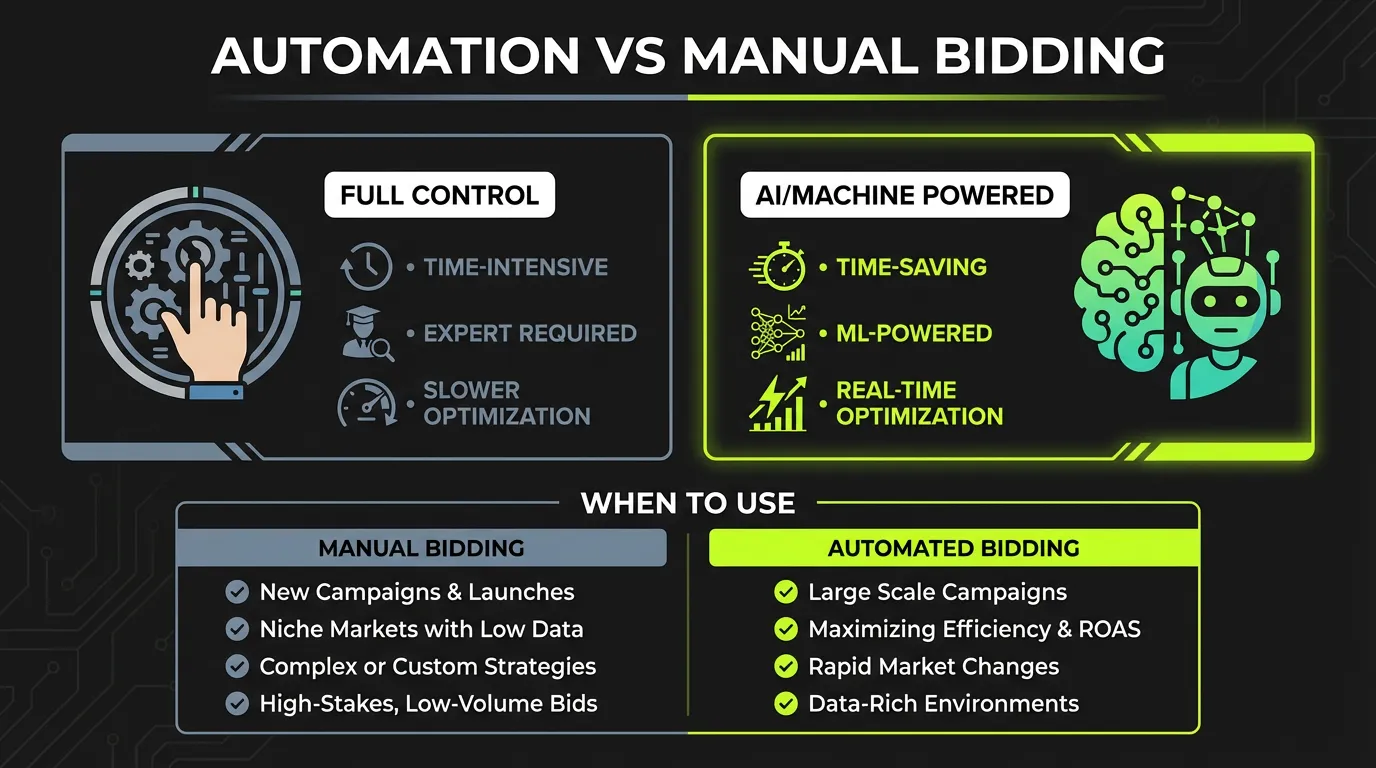
For most accounts with sufficient conversion volume, Smart Bidding outperforms manual bidding because it adjusts to auction-time signals no human can process in real time. Manual bidding still has a place in very low-volume campaigns or highly specialized situations where data is too thin for the algorithm to learn reliably.
How long does Google Ads automation take to show results?
Automated strategies need a learning period before they stabilize, generally a couple of weeks of consistent data. During this window, performance can swing as the system gathers signals. Avoid changing strategies or budgets mid-learning, since major edits reset the process and delay reliable results.
Do I still need third-party tools if I use Performance Max?
Often, yes. Performance Max automates within Google's ecosystem, but it offers limited visibility and no cross-account logic. Third-party tools add alerting, guardrails, and account-wide rules that protect spend and surface insights Google doesn't expose, making them a useful complement rather than a replacement.
Can automation fully replace a human marketer?
No. Automation excels at execution, real-time bidding, routine maintenance, and pattern detection, but it can't set strategy, judge creative quality, or weigh business context. The strongest accounts pair automated execution with human oversight, letting each focus on what it does best.
Conclusion
Google Ads automation is essential for managing campaigns efficiently at scale. Start with Smart Bidding, add automated rules for common tasks, and graduate to scripts for advanced needs.
The goal isn't to remove humans from the loop — it's to let machines handle repetitive optimizations while you focus on strategy.
:::tip Start Here Enable Target CPA or Target ROAS this week. Give it 2-3 weeks, then layer in your first automated rules. :::
Want to automate Google Ads alongside Meta and TikTok? AdBid provides unified automation across all major ad platforms. Start your free trial.