

Need the number now? Use the free CPM calculator on AdBid, then come back for the comparison.
A CPM Calculator helps translate spend and impressions into a cost-per-thousand figure you can compare across channels, placements, and markets. The best tools keep the math simple while clarifying what inputs mean, what assumptions are baked in, and how to avoid misleading comparisons. This article connects the dots between the options in the ranking, focusing on when each one fits common planning and reporting workflows. Expect practical guidance on inputs, output interpretation, and the small usability details that matter when you’re doing quick checks during planning, pacing, or post-campaign analysis.
Comparison table
| Rank | Tool | Best for | Key capabilities | Limitations | Access/source status |
|---|---|---|---|---|---|
| 1 | AdBid - CPM Calculator [1] | Marketers comparing delivery cost across markets, placements, and channels | Calculate CPM from cost and impressions; Calculate total cost from CPM and impressions | Benchmarks are industry averages and may vary widely | adbid.me [1] |
| 2 | Clickz — CPM Calculator [2] | Marketing professionals needing quick ad cost calculations | Calculates total campaign cost; Determines cost per 1,000 impressions | Lacks historical data tracking | clickz.com [2] |
| 3 | Omni Calculator — CPM Calculator [3] | Marketers who want quick CPM, cost, or impressions math from a simple formula | Cost formula using CPM and impressions; Impressions formula based on CPM and cost | Excerpt doesn’t show support for advanced campaign variables | omnicalculator.com [3] |
| 4 | Marketingdive — CPM Calculator [4] | Marketers who want a straightforward media cost-per-thousand estimator from minimal inputs | Two-of-three field calculation workflow; Inputs: Total cost, CPM rate, Ad impressions | No advanced fields beyond the three basics | marketingdive.com [4] |
| 5 | CPM Calculator ~ brought to you by BuySellAds ~ [5] | Advertisers and publishers who need quick CPM, impressions, or budget calculations | Two-field input calculates the third metric; Impressions field with plain-language definition | Only covers three core fields, no advanced breakdowns | cpmcalculator.com [5] |
| 6 | CPM Calculator [6] | Advertisers and publishers needing quick cost-per-thousand estimates | Two-in, one-out impressions/CPM/budget calculation; Clear CPM definition tied to cost per thousand | Focused on CPM math; advanced forecasting isn’t promised | cpmcalc.net [6] |
| 7 | Upwork — CPM Calculator [7] | Quickly estimating cost-per-thousand rates for marketing campaign evaluation | Calculates CPM rate (cost per mille); Supports cost per thousand impressions framing | Limited documented capabilities beyond CPM-rate calculation | upwork.com [7] |
| 8 | Refinity — CPM Calculator [8] | Marketers comparing reach efficiency across display, video, and social campaigns | Inputs for total ad spend and impressions; CPM formula shown: (spend ÷ impressions) × 1,000 | Limited to CPM output without deeper campaign breakdowns | refinity.io [8] |
| 9 | Grin — Free CPM Calculator [9] | Marketers estimating campaign efficiency from impressions and spend | Fill any two inputs to calculate the third; Inputs: total cost, CPM, and impressions | No support for additional metrics beyond CPM and impressions | grin.co [9] |
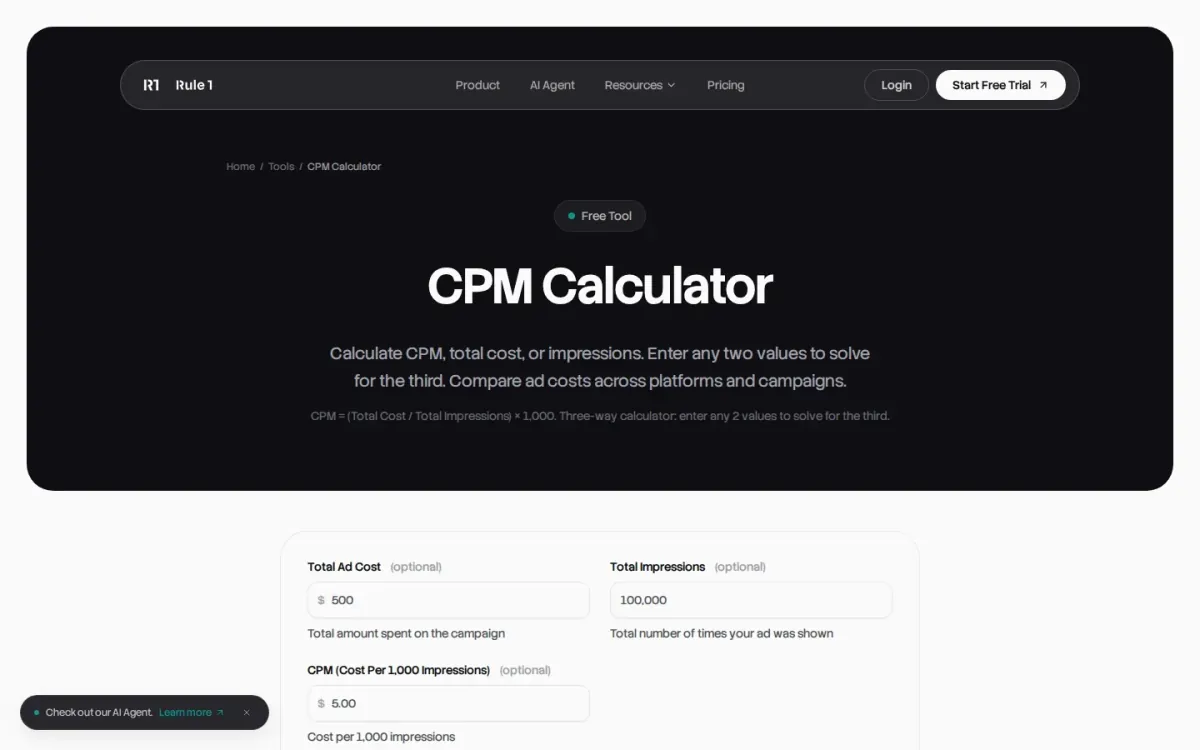
| 10 | Rule1 — Free CPM Calculator [10] | Marketers comparing impression-based ad costs across campaigns | Three-way calculator: enter any two values; Solves CPM, total cost, or impressions | No built-in benchmarking or advanced what-if analysis | rule1.ai [10] |
How we evaluated the tools
Each pick is scored using a weighted editorial rubric. Task fit (30%) checks whether the tool supports common CPM use cases and output clarity. Features and automation (20%) cover formula options, reverse calculations, and helpful guidance. Ease of use (15%) looks at speed, layout, and error prevention. Integrations and workflow (15%) assess export, sharing, and compatibility with planning processes. Access transparency (10%) reviews clarity on what’s required to use it. Limits, support, and transparency (10%) consider constraints, explanations, and documentation quality.
- Source basis: checks start with adbid.me [1] and continue through every linked official product page.
Scores are editorial assessments on a 100-point scale rather than customer ratings. Product pages supply the feature and access facts, and the same weighted rubric applies to every entry.
The order reflects fit for this comparison, not market share or brand familiarity. Each product links back to an official source so readers can verify current details.
1. AdBid
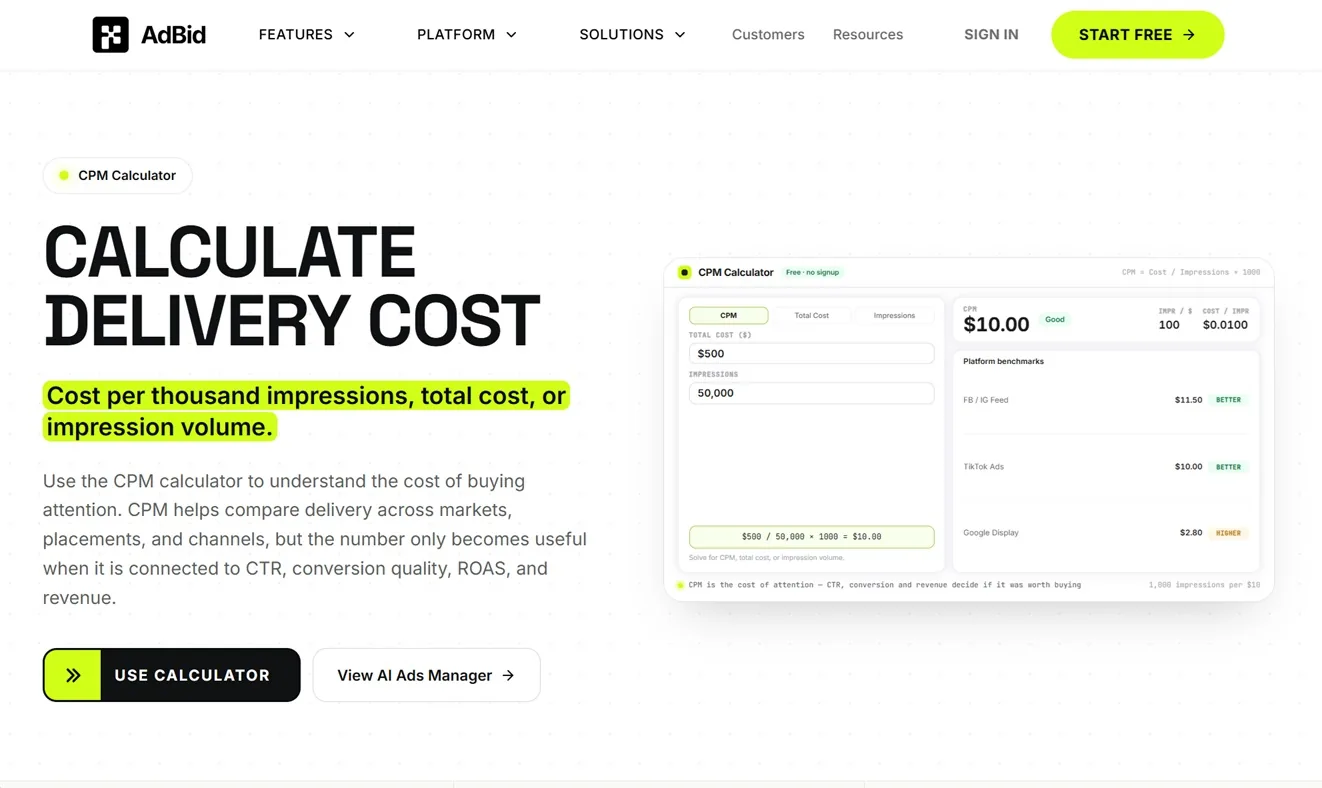
Best for: Marketers comparing delivery cost across markets, placements, and channels.
AdBid
CPM Calculator computes cost per thousand impressions, total cost, or impression volume from the same relationship.
It frames CPM as “cost pressure,” helping teams compare paid reach across geos and placements without treating a single metric as a budget decision.
Features and trade-offs
Key features
- Calculate CPM from cost and impressions.
- Calculate total cost from CPM and impressions.
- Calculate impressions from CPM and budget.
- CPM benchmarks by major ad platforms.
The page adds practical context: read CPM alongside CTR, conversion rate, and revenue quality to avoid optimizing for cheap but low-value attention. It also notes auction competition and seasonality can drive sudden CPM jumps, separate from account changes.
Why it ranks here
Clear three-way calculator plus strong guidance on interpreting CPM with CTR, conversion quality, and revenue signals.
Pros
- Explains when low CPM can be misleading.
- Highlights auction pressure, competition, and seasonality effects.
- Includes actionable tips to lower CPM.
Limitations
- Benchmarks are industry averages and may vary widely.
Access and verdict
Access: Current access details: adbid.me [1]. Verdict: A well-explained calculator that pairs quick math with smart interpretation guidance, making CPM comparisons more meaningful.
2. Clickz — CPM Calculator

- Official source: clickz.com [2].
Best for: Marketing professionals needing quick ad cost calculations.
Clickz provides a direct tool for calculating campaign costs, CPM, or total impressions. Users input two of three variables—total cost, CPM, or impressions—to determine the missing metric instantly.
Key features
It calculates total campaign cost; Determines cost per 1,000 impressions.
Also documented: Finds total number of impressions; Inputs two of three variables.
This online utility focuses on core advertising metrics, offering clear inputs for cost per 1,000 impressions and campaign budget. It's designed for rapid, on-the-fly calculations without complex features.
Clickz — CPM Calculator — why it ranks here
Its direct approach and single-purpose design make it highly efficient for specific advertising cost computations.
Strengths: Streamlined, single-purpose interface; Quickly solves for missing metric; Directly uses standard ad inputs.
Limitations: Lacks historical data tracking; No advanced analytical functions.
Access: Current access details: clickz.com [2]. Verdict: A simple, effective calculator for essential advertising campaign cost analysis. The final choice depends on the surrounding workflow and constraints.
3. Omni Calculator — CPM Calculator
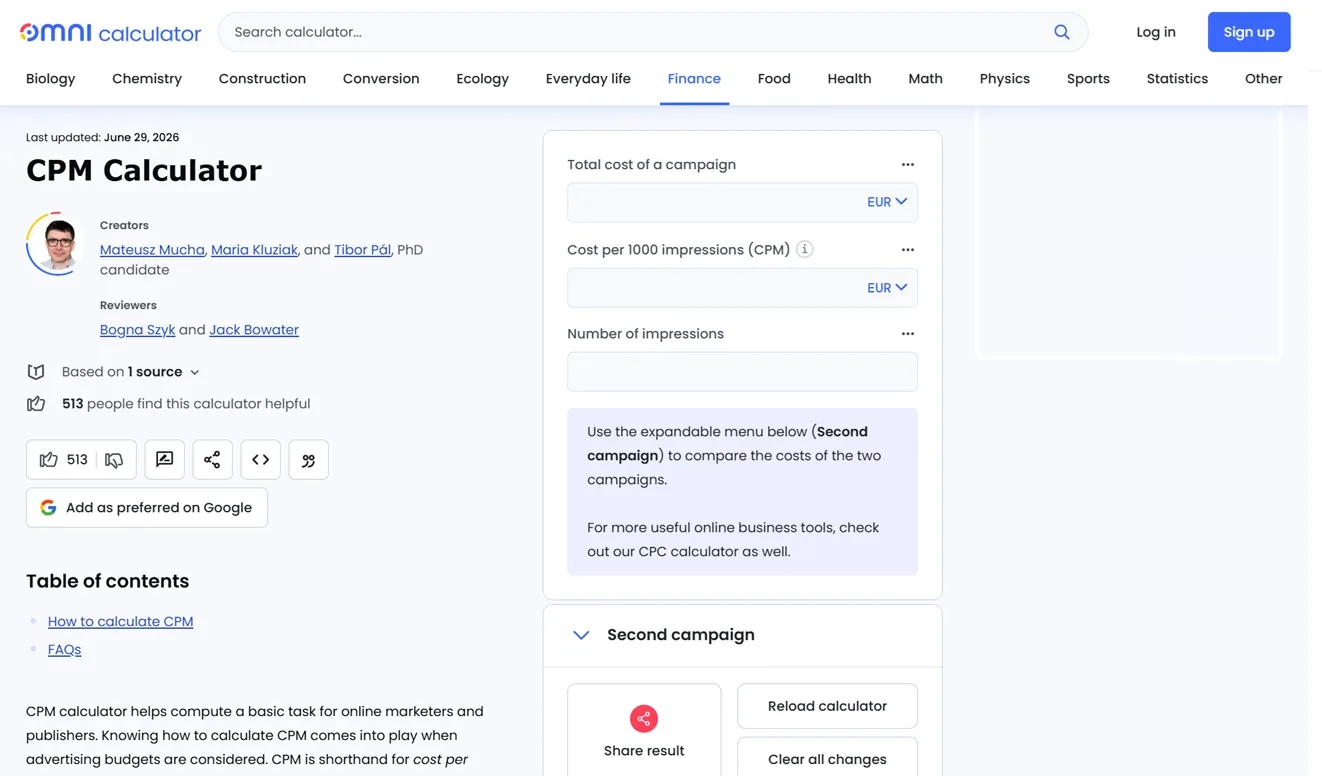
Official source: omnicalculator.com [3].
Best for: Marketers who want quick CPM, cost, or impressions math from a simple formula.
Omni Calculator — CPM Calculator lays out the core relationship between CPM, impressions, and total cost in plain terms. It’s especially handy when you need to sanity-check campaign inputs and understand how changing one variable affects the others.
Key features
- Cost formula using CPM and impressions.
- Impressions formula based on CPM and cost.
- Step-by-step “How to calculate” guidance.
- Finance-focused calculator page layout.
The page includes step-by-step guidance for calculating cost from CPM and impressions, and for estimating impressions from known spend and CPM. That clarity makes it easier to avoid unit mistakes and keep media planning calculations consistent.
Quick assessment
Strongest points: Explains the math in straightforward language; Covers both cost and impressions scenarios; Keeps the focus on CPM relationships.
Main limitations: Excerpt doesn’t show support for advanced campaign variables.
Why it ranks here: Ranks well for clear, formula-first explanations that cover cost and impressions without extra clutter.
Access: Current access details: omnicalculator.com [3]. Verdict: A solid pick when you want quick CPM calculations plus a clear reminder of the underlying formulas.
4. Marketingdive — CPM Calculator
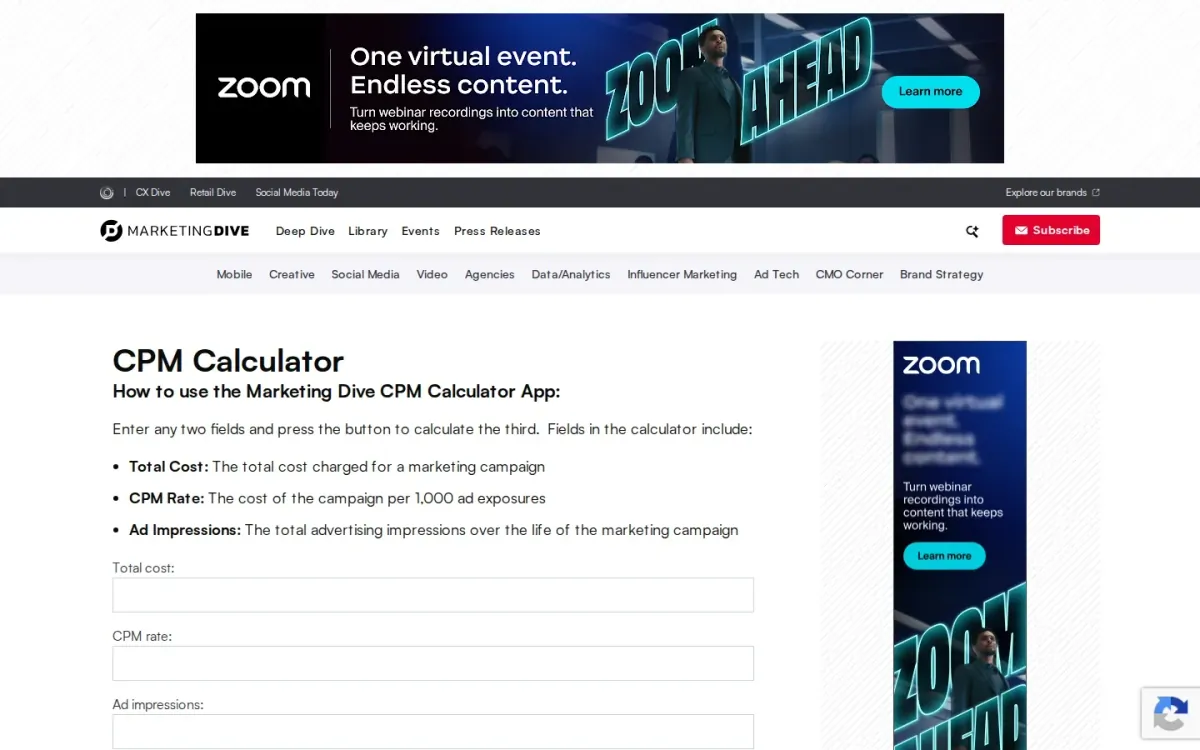
- Official source: marketingdive.com [4].
Best for: Marketers who want a straightforward media cost-per-thousand estimator from minimal inputs.
Marketingdive — cpm workflow focuses on the core math behind display and campaign buying. It lets you enter any two values and calculate the third, keeping the workflow simple when you’re sanity-checking media math during planning or reporting.
Key features
Two-of-three field calculation workflow; Inputs: Total cost, CPM rate, Ad impressions.
Also documented: Single-button compute for the missing value; Simple layout for quick checks.
The form centers on three fields—Total cost, CPM rate, and Ad impressions—so you can quickly switch between budgeting, forecasting reach, or back-solving an effective rate. It’s best suited to quick, single-scenario calculations rather than deep analysis.
Marketingdive — CPM Calculator — why it ranks here
It earns a solid mid-pack spot for clear inputs and flexible two-of-three calculation, but lacks advanced options beyond the basics.
Strengths: Calculates cost, impressions, or rate from two inputs; Keeps inputs limited to the essentials; Good for quick planning and reporting math.
Limitations: No advanced fields beyond the three basics; Not designed for multi-scenario comparisons.
Access: Current access details: marketingdive.com [4]. Verdict: Marketingdive — cpm workflow is a clean, no-frills cost-per-thousand estimator for quick answers when you already know two key numbers.
5. CPM Calculator ~ brought to you by BuySellAds ~
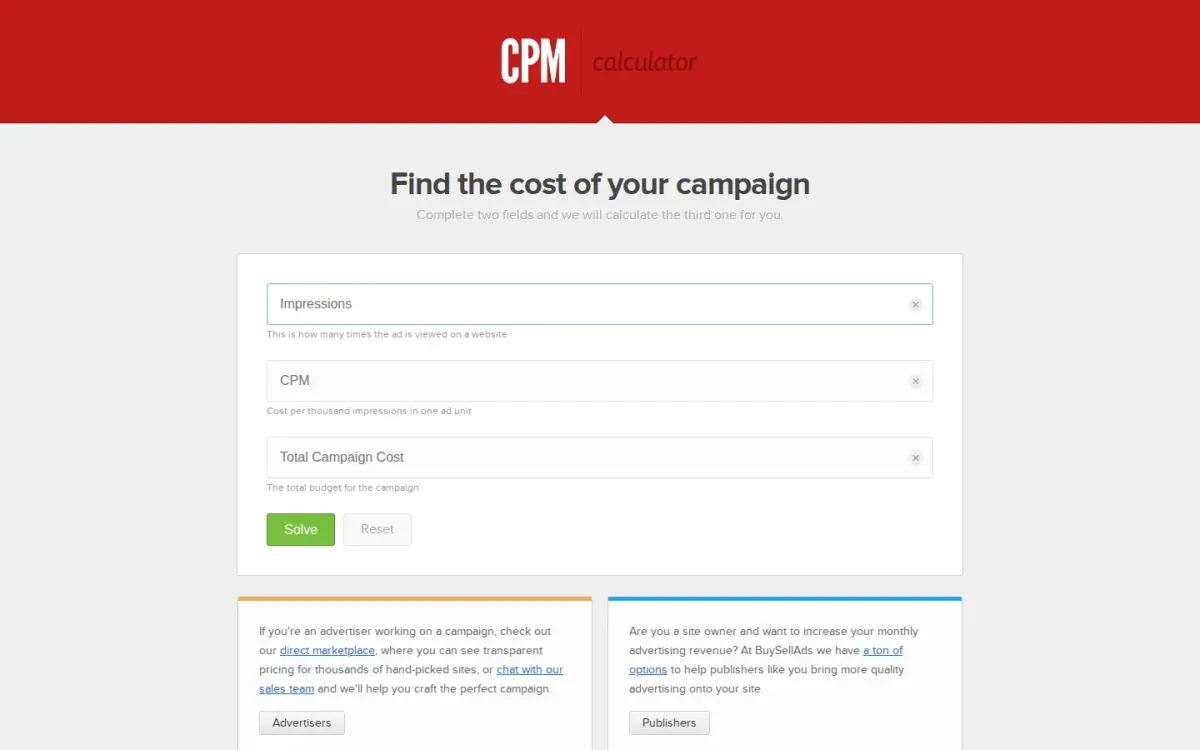
Official source: cpmcalculator.com [5].
Best for: Advertisers and publishers who need quick CPM, impressions, or budget calculations.
Cpm workflow ~ brought to you by BuySellAds ~ focuses on a straightforward media-rate calculator that helps you find campaign cost relationships. Enter any two fields and it calculates the third, keeping the workflow minimal and focused on planning.
Key features
- Two-field input calculates the third metric.
- Impressions field with plain-language definition.
- CPM input described as cost per thousand impressions.
- Solve and Reset controls for quick reruns.
The page clarifies what each input means—impressions as ad views, cost per thousand impressions for an ad unit, and total campaign budget. It also includes Solve and Reset actions, making it easy to rerun scenarios without extra steps.
Why it ranks here
Ranks well for clarity and speed: two inputs produce the missing metric, with plain definitions that reduce common planning mistakes.
Pros
- Very low friction for quick scenario planning.
- Clear definitions help avoid input confusion.
- Reset makes repeated comparisons straightforward.
Limitations
- Only covers three core fields, no advanced breakdowns.
- No saved history for comparing multiple runs.
Access: Current access details: cpmcalculator.com [5]. Verdict: A clean media-rate calculator for fast CPM, impressions, and budget math when you want answers without extra configuration.
6. CPM Calculator
Official source: cpmcalc.net [6].
Best for: Advertisers and publishers needing quick cost-per-thousand estimates.
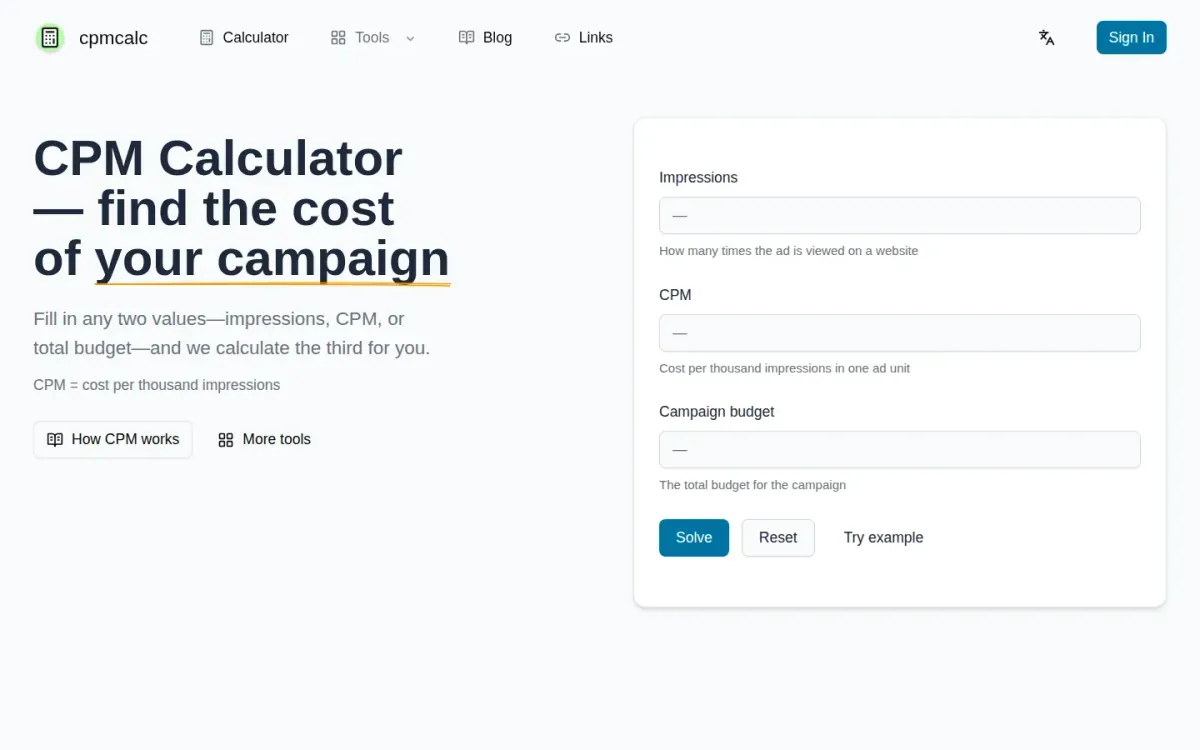
Cpm workflow focuses on straightforward media math: enter any two of impressions, CPM, or total campaign budget and it returns the missing value. The page also explains CPM as cost per thousand impressions, keeping definitions close to the inputs.
Key features
- Two-in, one-out impressions/CPM/budget calculation.
- Clear CPM definition tied to cost per thousand.
- Browser-based with mobile-friendly layout.
- Session-only inputs with no account required.
Because it runs in the browser with no install, cpm workflow fits quick checks during planning, RFP reviews, or partner deck discussions. It’s mobile friendly, includes a Try example option, and keeps inputs in-session without requiring an account.
Quick assessment
Strongest points: Simple Solve and Reset controls for quick iterations; Try example helps sanity-check inputs immediately; Email support available via support@cpmcalc.net.
Main limitations: Focused on CPM math; advanced forecasting isn’t promised; Optional signed-in features may appear later.
Why it ranks here: Ranked #6 for clear two-in/one-out workflow, solid on-page definitions, and handy links to related ad-metric calculators without extra setup.
Access: Current access details: cpmcalc.net [6]. Verdict: A practical advertising rate calculator for quick CPM, impression, and budget checks, with clear definitions and minimal friction.
7. Upwork — CPM Calculator
- Official source: upwork.com [7].
Best for: Quickly estimating cost-per-thousand rates for marketing campaign evaluation.
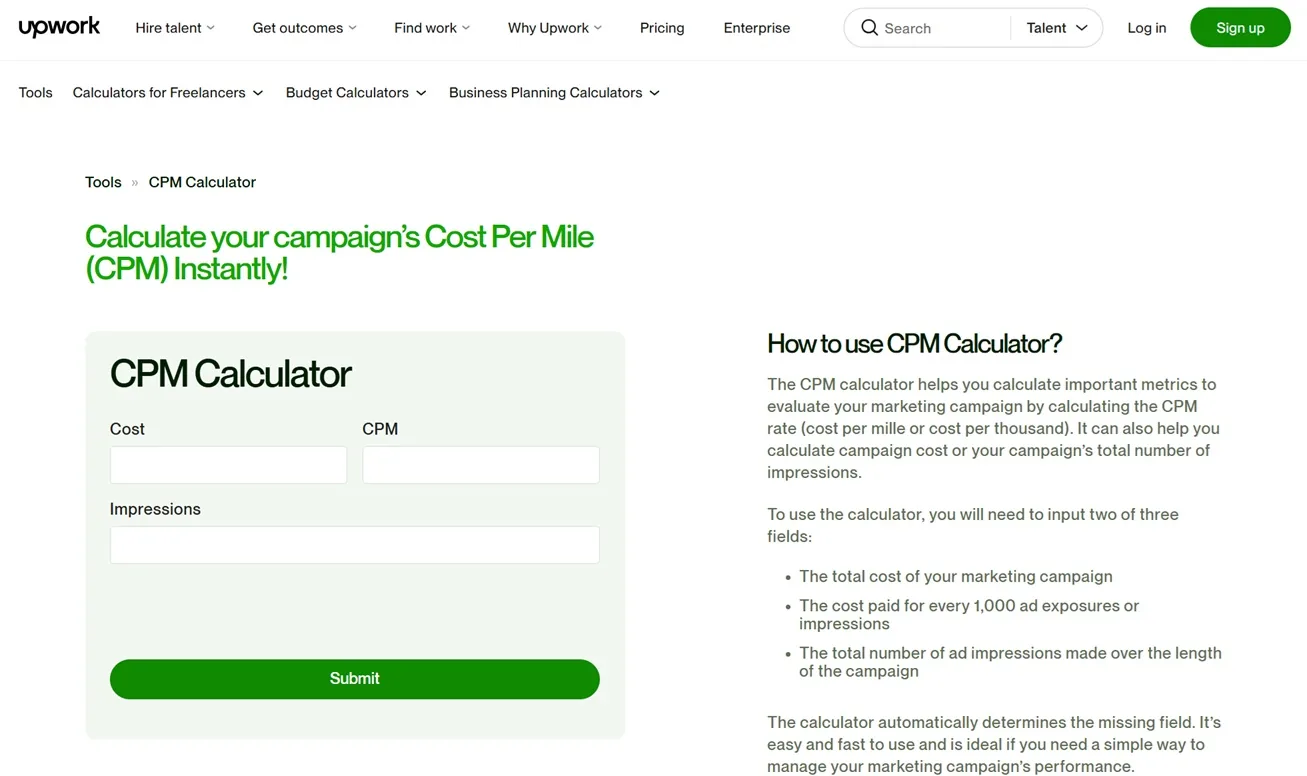
Upwork — cpm workflow focuses on a core media-buying need: calculating CPM rate (cost per mille, or cost per thousand) to evaluate marketing campaigns. It’s a straightforward option when you want a quick metric check without extra reporting layers.
Key features
It calculates CPM rate (cost per mille); Supports cost per thousand impressions framing.
Also documented: Positions CPM as a campaign evaluation metric.
The page frames CPM as an “important metric” for campaign evaluation, making it useful for sanity-checking performance discussions and aligning stakeholders on terminology. Expect a narrow scope centered on CPM math rather than broader analytics or channel-specific breakdowns.
Upwork — CPM Calculator — why it ranks here
Ranks mid-pack for clarity and focus on CPM evaluation, but offers limited documented functionality beyond the core CPM-rate calculation.
Strengths: Clear emphasis on CPM for campaign evaluation; Explains CPM as cost per thousand impressions.
Limitations: Limited documented capabilities beyond CPM-rate calculation.
Access: Current access details: upwork.com [7]. Verdict: A simple CPM-rate estimator for quick campaign evaluation conversations, best when you only need the core metric and definitions.
8. Refinity — CPM Calculator
- Official source: refinity.io [8].
Best for: Marketers comparing reach efficiency across display, video, and social campaigns.
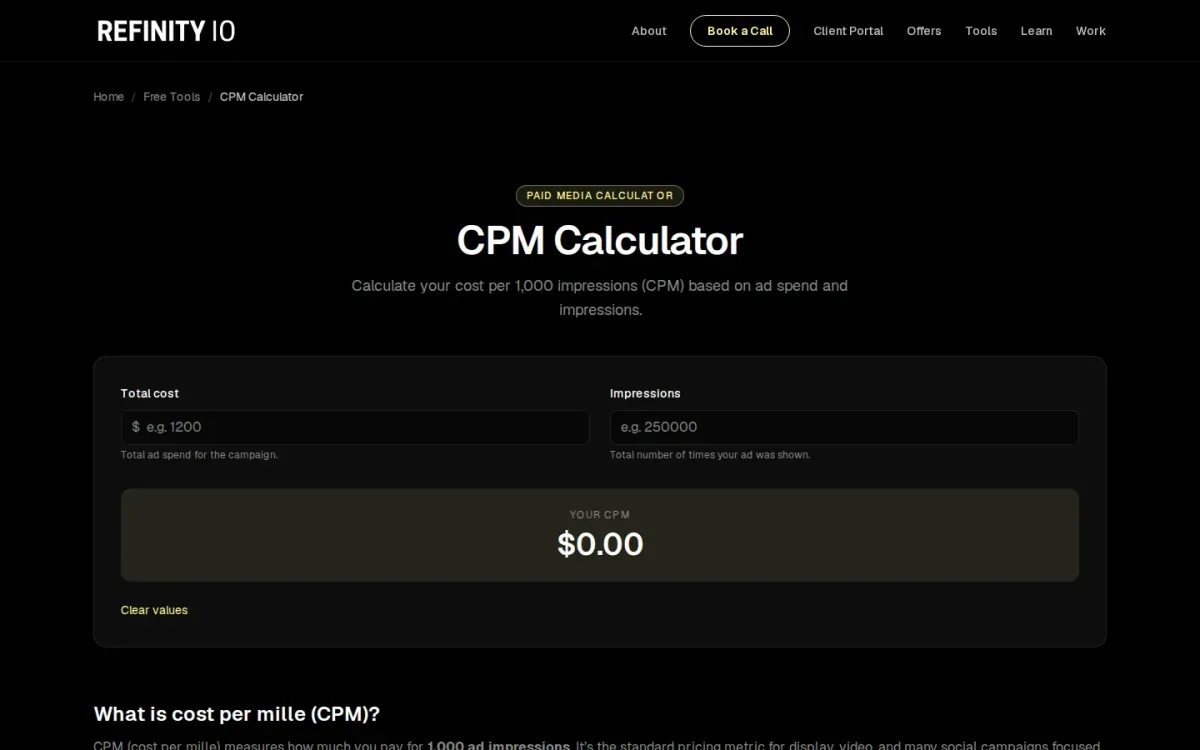
Refinity — cpm workflow computes cost per 1,000 impressions from total ad spend and total impressions, then shows the result clearly. It also explains what an impression measures—visibility and reach rather than engagement—so the metric stays grounded in campaign goals.
Key features
Inputs for total ad spend and impressions; CPM formula shown: (spend ÷ impressions) × 1,000.
Also documented: Channel benchmark ranges for 2024–2025; FAQ guidance on “good” CPM and optimization.
Beyond the formula, Refinity adds plain guidance on what “good” looks like and why CPM shouldn’t be optimized alone. The page includes 2024–2025 benchmark ranges by channel and reminds you to judge CPM alongside CTR, conversion rate, CPA, and ROAS.
Refinity — CPM Calculator — why it ranks here
Strong educational framing and benchmark context elevate a simple reach-cost calculator, though it stays focused on a single metric output.
Strengths: Clear definitions of impressions versus engagement; Benchmarks across Google, Meta, TikTok, Snapchat, X, Threads; Practical advice to consider CTR, CPA, and ROAS.
Limitations: Limited to CPM output without deeper campaign breakdowns; Benchmark ranges may not match every niche audience.
Access: Current access details: refinity.io [8]. Verdict: Refinity suits quick CPM checks plus context for interpreting results, especially when you want benchmarks and guardrails against optimizing reach cost in isolation.
9. Grin — Free CPM Calculator
Official source: grin.co [9].
Best for: Marketers estimating campaign efficiency from impressions and spend.
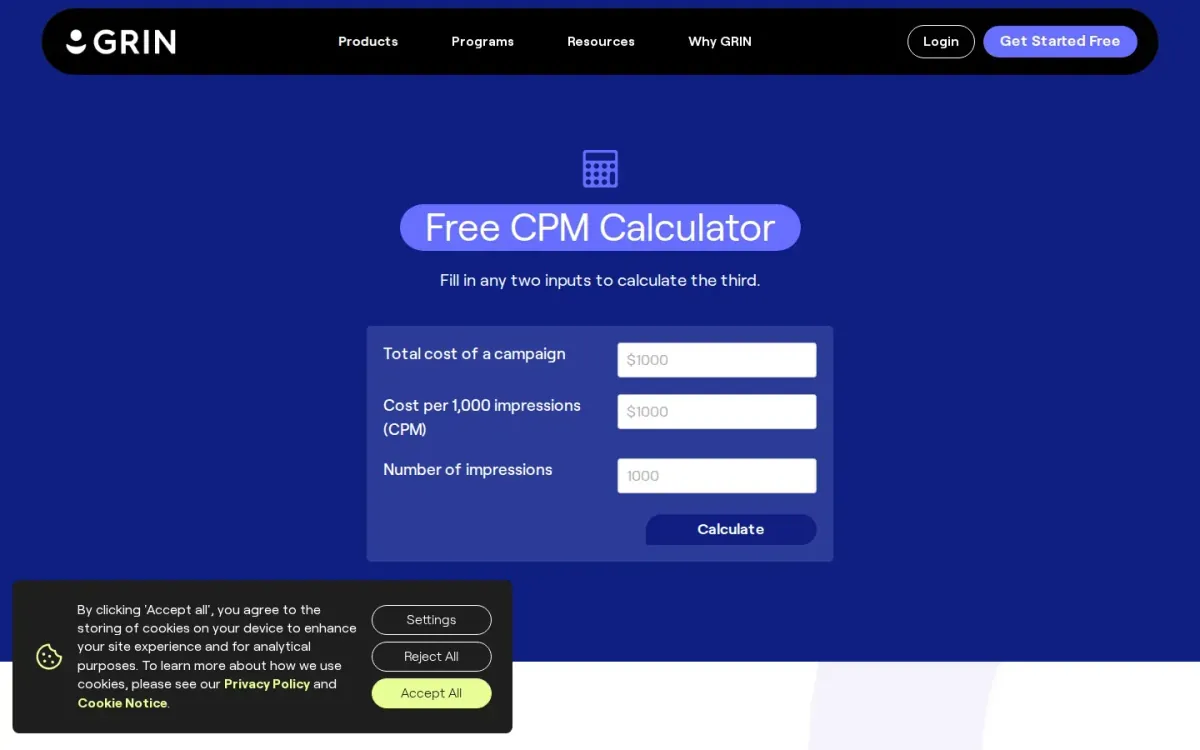
Grin’s Free cpm workflow is a simple media cost estimator that lets you enter any two values—total campaign cost, CPM, or impressions—and calculates the third. It’s geared toward creator and advertising campaigns where impression delivery matters.
Key features
- Fill any two inputs to calculate the third.
- Inputs: total cost, CPM, and impressions.
- CPM definition plus example calculations.
The page also clarifies what CPM means and how to compute impressions from CPM using the formula Impressions = (Total Cost / CPM) x 1,000. Helpful guidance reminds you to include costs like gifted products and creator flat rates.
Why it ranks here
Clear inputs and practical definitions make it easy to sanity-check impression economics, but it’s limited to a single metric and manual entry.
Pros
- Straightforward three-field calculator with numeric guidance.
- Explains what counts toward total campaign cost.
- Includes formulas and examples for learning.
Limitations
- No support for additional metrics beyond CPM and impressions.
- Requires manual entry for each scenario.
Access: Current access details: grin.co [9]. Verdict: Grin works well for quick CPM math and clearer campaign cost assumptions, but it won’t replace deeper media planning spreadsheets.
10. Rule1 — Free CPM Calculator
Official source: rule1.ai [10].
Best for: Marketers comparing impression-based ad costs across campaigns.
Rule1 — Free cpm workflow is a simple media rate calculator that solves CPM, total cost, or impressions when you enter any two values. It’s built for quick cross-platform comparisons and keeps the core formula visible: (Total Cost / Total Impressions) × 1,000.
Key features
- Three-way calculator: enter any two values.
- Solves CPM, total cost, or impressions.
- Displays the CPM formula used.
- Notes CPM context across ad platforms.
The three-way layout makes it easy to sanity-check campaign math and understand how cost and reach trade off. Rule1 also explains what CPM means in advertising and recommends evaluating it alongside click-through rate, conversion rate, and ROAS.
Quick assessment
Strongest points: Straightforward inputs for cost and impressions; Good for quick campaign-to-campaign comparisons; Helpful explanation of CPM and related metrics.
Main limitations: No built-in benchmarking or advanced what-if analysis.
Why it ranks here: Clear three-input workflow and formula transparency, but it stays basic and doesn’t include deeper benchmarking or scenario modeling.
Access: Current access details: rule1. Verdict: A clean, no-nonsense media rate calculator for quick CPM math and comparisons, best when you already track performance metrics elsewhere.
How to choose
Workflow fit
Start by confirming the exact inputs you have most often: spend and impressions, or CPM and budget, or CPM and impressions. Choose a tool that supports reverse calculations so you can solve for the missing variable without manual rearranging.
Validation
Look for clear definitions (what counts as an impression, rounding rules, and currency handling) to prevent inconsistent reporting. If CPM is only one step in your workflow, prioritize calculators that are easy to share, copy, or export into a spreadsheet. Finally, prefer pages that explain interpretation so you don’t optimize for cheap reach while ignoring outcomes like clicks or conversions.
Final recommendations
Shortlist
- CPM Calculator when you want quick math plus practical guidance that helps interpret CPM comparisons across channels and placements.
- If you only need a minimal, single-purpose page for quick checks, Clickz or Upwork can be a straightforward fit.
Before rollout
- For formula clarity and flexible “solve for” options, Omni Calculator is a strong choice when you want the underlying math spelled out.
- If you’re comparing reach efficiency but want guardrails against over-focusing on CPM alone, Refinity adds helpful context without complicating the workflow.