
Key Takeaways
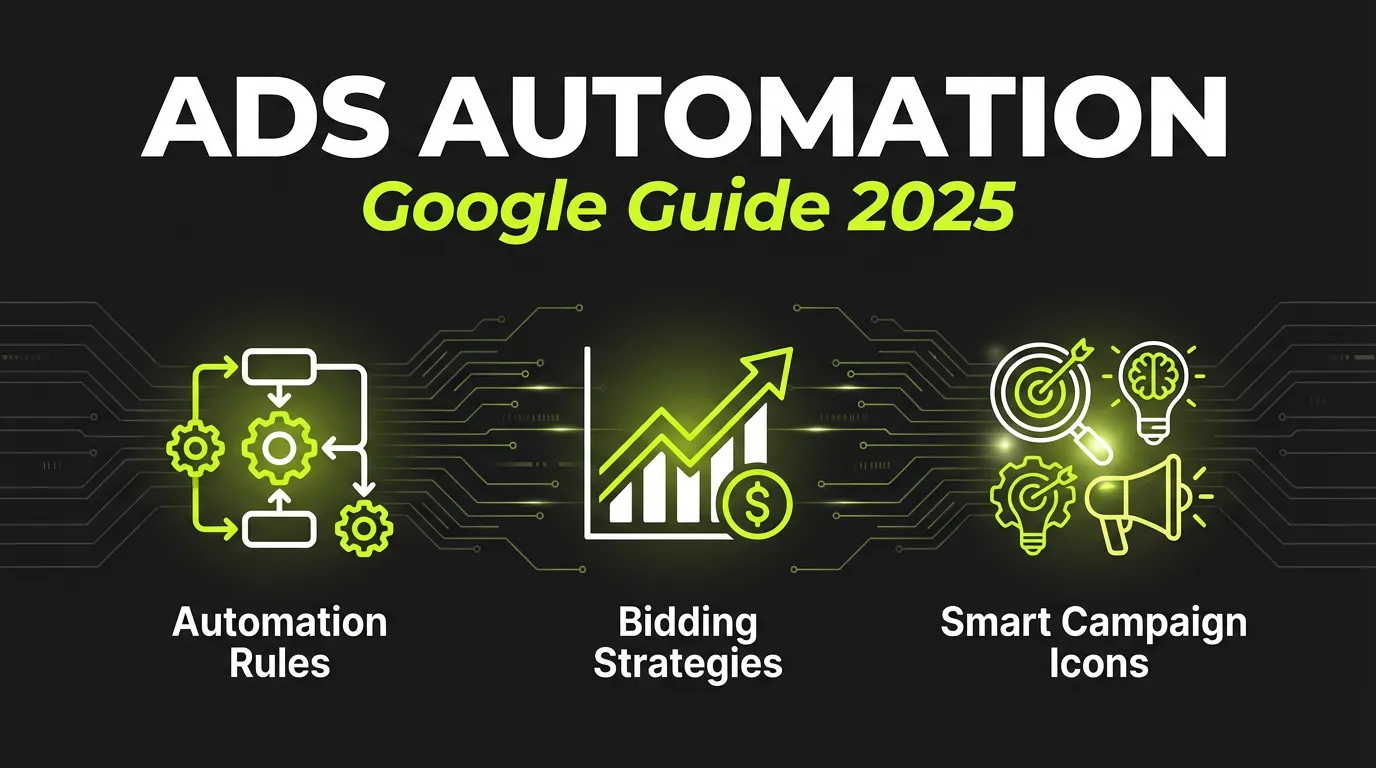
- Google Ads automation includes Smart Bidding, automated rules, and scripts
- Smart Bidding uses machine learning to optimize bids in real-time
- Automated rules can pause/enable campaigns based on performance
- Scripts offer advanced automation for power users
- Start with Smart Bidding before adding custom automation
What is Google Ads Automation?
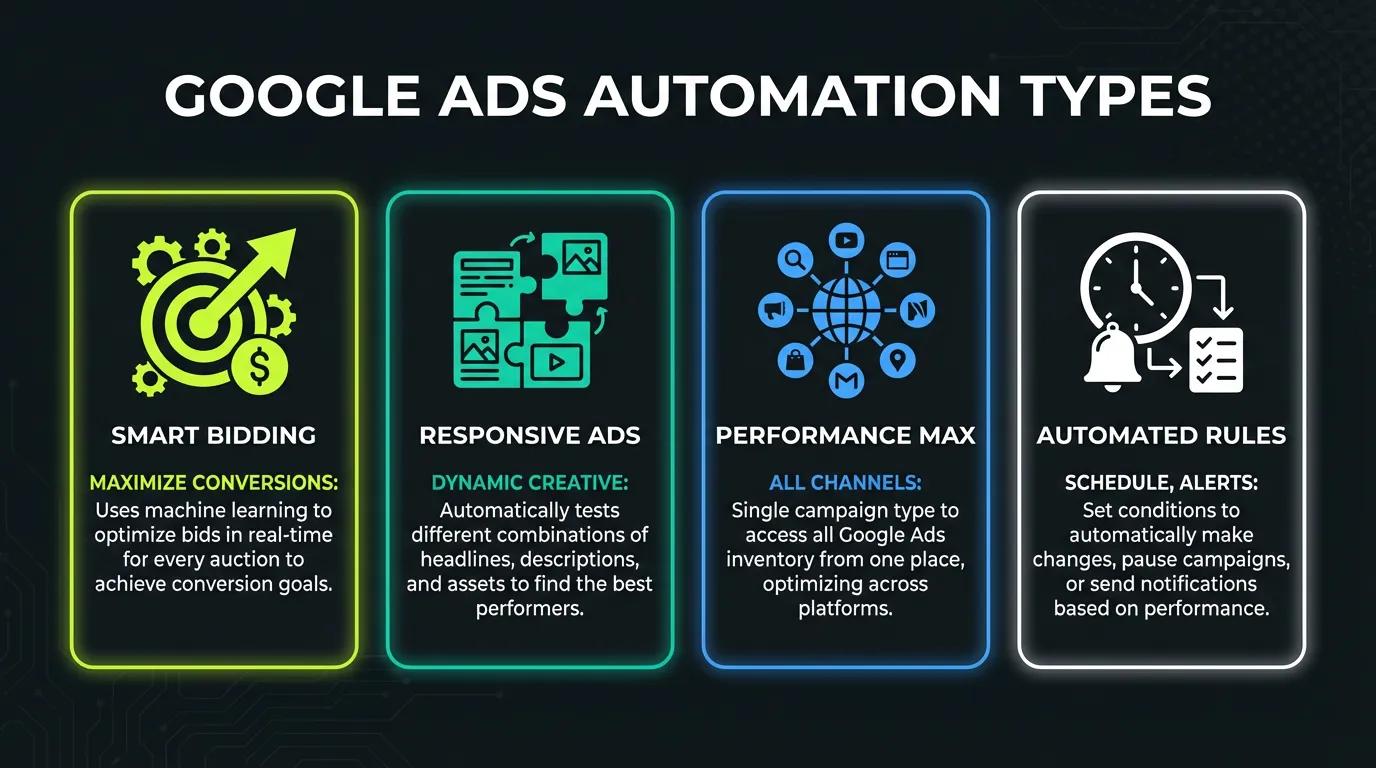
Google Ads automation refers to tools and features that automatically manage your campaigns without manual intervention. This includes:
Once you're ready to scale, AdBid gives you the workflow to plan, launch, and optimize without adding headcount.
| Type | Complexity | Control |
|---|---|---|
| Smart Bidding | Low | Low |
| Automated Rules | Medium | Medium |
| Google Ads Scripts | High | High |
| Third-party Tools | Varies | High |
:::highlight Why Automate? Google processes billions of signals per auction that humans can't analyze manually. Automation lets you leverage machine learning while saving hours of manual work. :::
Smart Bidding: The Foundation
Smart Bidding is Google's machine learning bidding system. It automatically sets bids for each auction based on:
- User device and location
- Time of day and week
- Remarketing lists
- Browser and OS
- Search intent signals
- And 100+ other factors
Smart Bidding Strategies
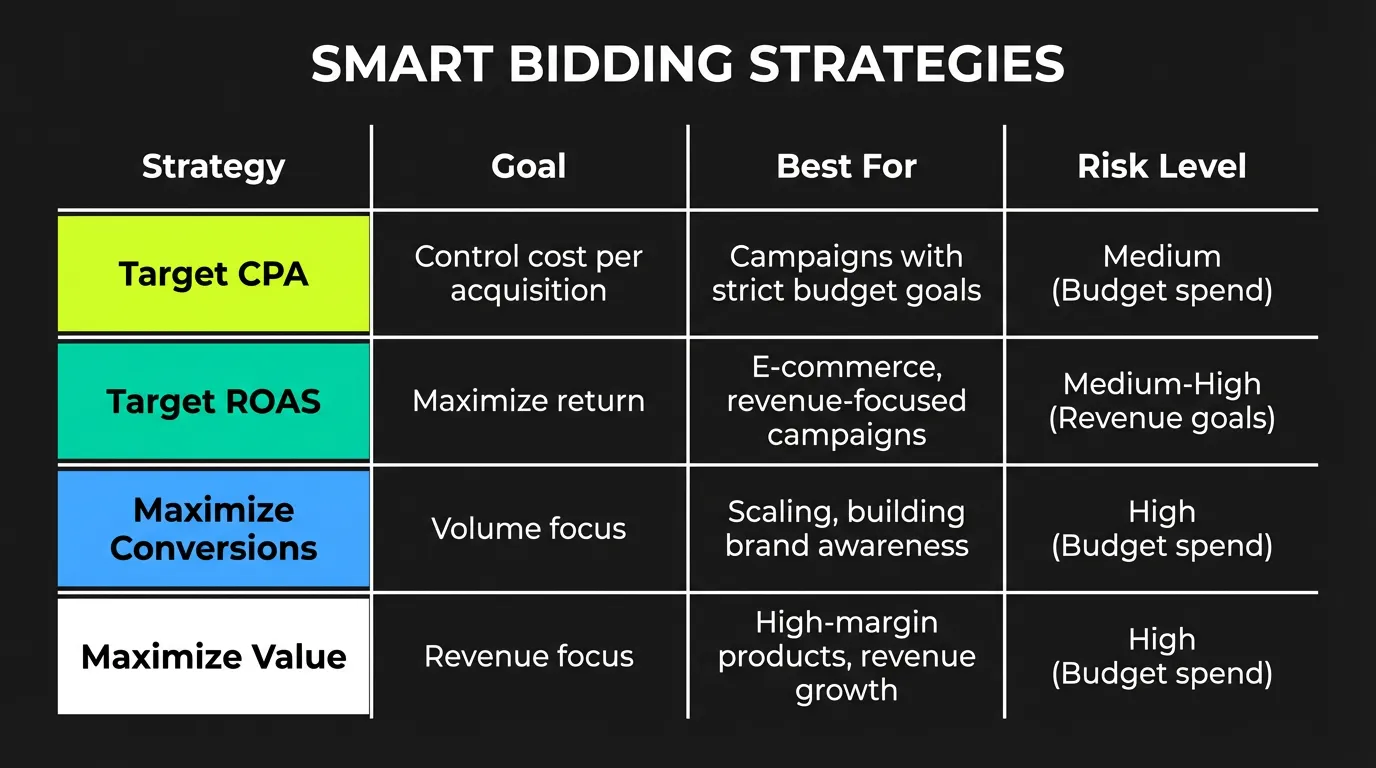
| Strategy | Goal | Best For |
|---|---|---|
| Target CPA | Hit cost per acquisition | Lead generation |
| Target ROAS | Hit return on ad spend | E-commerce |
| Maximize Conversions | Most conversions in budget | Growth phase |
| Maximize Conv. Value | Most revenue in budget | E-commerce |
| Enhanced CPC | Semi-automated bidding | Control + AI |
Setting Up Target CPA
- Go to campaign settings
- Select "Bidding" → "Change bid strategy"
- Choose "Target CPA"
- Set your target CPA
- Enable "Pay for conversions" (if available)
:::tip Finding Your Target CPA Start with historical CPA from the last 30 days. Give Google 2-3 weeks of learning time before adjusting. :::
Setting Up Target ROAS
For e-commerce, Target ROAS optimizes for revenue:
- Ensure conversion tracking includes values
- Select "Target ROAS" in bidding
- Set target as percentage (e.g., 400% = 4x ROAS)
- Monitor for 2-3 weeks
Smart Bidding Requirements
| Requirement | Target CPA | Target ROAS |
|---|---|---|
| Conversions/month | 30+ | 50+ |
| Conversion tracking | Required | Required |
| Conversion values | Optional | Required |
| Learning period | 1-2 weeks | 2-3 weeks |
Automated Rules: Set It and Forget It
Automated rules let you create if/then conditions that automatically adjust campaigns.
Common Automated Rules
1. Pause Low-Performing Keywords
IF: Keyword CPA > Target CPA × 2
AND: Clicks > 100
THEN: Pause keyword
Setup:
- Tools → Bulk Actions → Rules
- Create new keyword rule
- Set conditions and actions
- Choose frequency (daily, weekly)
2. Increase Budget for High Performers
IF: Campaign ROAS > 5x
AND: Impression Share Lost (Budget) > 20%
THEN: Increase budget by 20%
3. Pause Campaigns on Weekends
IF: Day = Saturday OR Sunday
THEN: Pause campaign
4. Enable Campaigns on Monday
IF: Day = Monday
AND: Time = 6:00 AM
THEN: Enable campaign
5. Alert on Spend Anomalies
IF: Daily spend > Budget × 1.5
THEN: Send email notification
Creating an Automated Rule (Step-by-Step)
- Navigate to Campaigns, Keywords, or Ads
- Click "Automate" in the menu
- Select rule type (pause, enable, change bid, etc.)
- Set conditions
- Define action
- Choose frequency
- Set notification preferences
- Name and save rule
:::warning Rule Limits Google limits automated rules to running once per day per rule. For more frequent changes, use scripts. :::
Google Ads Scripts: Power User Automation
Scripts let you write JavaScript code that runs on a schedule in your Google Ads account.
Popular Scripts
1. Budget Pacing Script Automatically adjusts daily budgets to hit monthly targets.
2. N-gram Analysis Identifies search terms to add or exclude based on performance.
3. Quality Score Tracker Logs historical Quality Score data (which Google doesn't store).
4. Anomaly Detection Alerts you when metrics deviate from normal ranges.
5. Broken URL Checker Pauses ads linking to 404 pages.
Basic Script Example: Pause High-CPA Keywords
function main() {
  var TARGET_CPA = 50; // Your target CPA
  var MIN_CLICKS = 100; // Minimum clicks to evaluate

  var keywords = AdsApp.keywords()
    .withCondition("Status = ENABLED")
    .withCondition("Clicks >= " + MIN_CLICKS)
    .withCondition("Cost / Conversions > " + TARGET_CPA)
    .get();

  while (keywords.hasNext()) {
    var keyword = keywords.next();
    keyword.pause();
    Logger.log("Paused: " + keyword.getText());
  }
}
Setting Up Scripts
- Tools & Settings → Bulk Actions → Scripts
- Click "+" to create new script
- Paste or write your code
- Click "Preview" to test
- Authorize access when prompted
- Schedule frequency (hourly to monthly)
- Save and enable
Script Resources
| Resource | URL | Description |
|---|---|---|
| Google Ads Scripts | developers.google.com/google-ads/scripts | Official documentation |
| Free Scripts Library | adalysis.com/scripts | Pre-built scripts |
| Script Templates | brainlabs.co.uk/scripts | Agency scripts |
Third-Party Automation Tools
Beyond Google's native tools, third-party platforms offer additional automation:
AdBid
- Cross-platform automation (Google + Meta + TikTok)
- AI-powered bid management
- Unified reporting
- Creative optimization
Optmyzr
- Advanced rules engine
- Budget management
- Account audits
- Shopping optimization
WordStream
- Smart automation
- Performance alerts
- Budget management
- Reporting tools
Comparison
| Tool | Platforms | Price | Automation Level |
|---|---|---|---|
| AdBid | Google, Meta, TikTok | $99+/mo | High |
| Optmyzr | Google, Microsoft | $249+/mo | Very High |
| WordStream | Google, Meta, Microsoft | $299+/mo | Medium |
| Native (Google) | Google only | Free | Medium |
Automation Strategy: What to Automate First
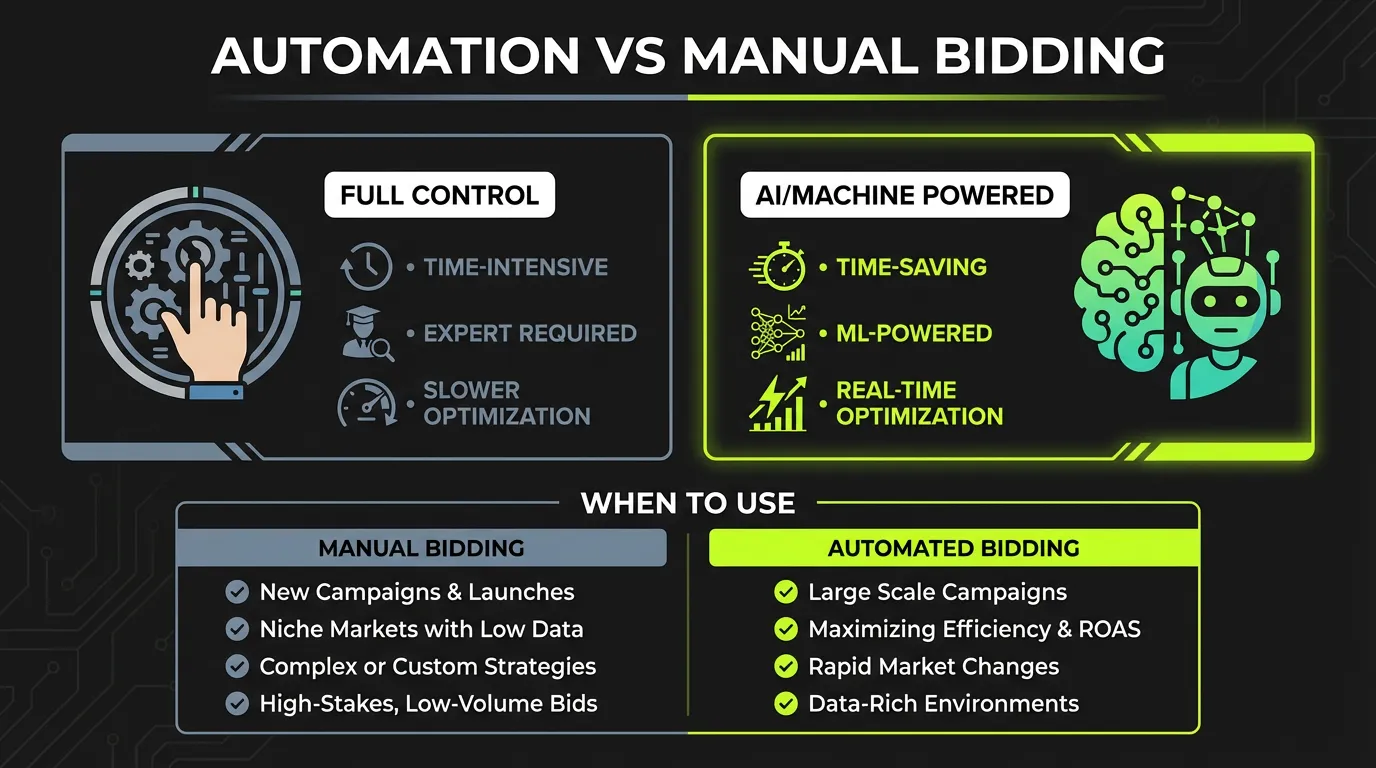
Phase 1: Smart Bidding (Week 1-2)
- Enable conversion tracking
- Choose appropriate bid strategy
- Set realistic targets
- Allow learning period
Phase 2: Basic Rules (Week 3-4)
- Pause overspending campaigns
- Enable budget alerts
- Manage ad scheduling
- Quality Score alerts
Phase 3: Advanced Rules (Month 2)
- Dynamic budget allocation
- Seasonal adjustments
- Competitor monitoring
- Performance-based pausing
Phase 4: Scripts (Month 3+)
- Custom reporting
- N-gram analysis
- Landing page monitoring
- Cross-account management
Common Automation Mistakes
❌ Mistake 1: Changing Targets Too Often
Smart Bidding needs time to learn. Changing targets weekly resets learning.
Fix: Wait at least 2 weeks between target changes.
❌ Mistake 2: Too Many Rules
Conflicting rules can create chaos.
Fix: Start with 3-5 essential rules, add gradually.
❌ Mistake 3: Ignoring Learning Period
Making changes during learning period confuses the algorithm.
Fix: Make significant changes (budget, targeting) outside learning periods.
❌ Mistake 4: Set and Forget
Automation isn't truly "set and forget." It requires monitoring.
Fix: Review automated actions weekly, adjust as needed.
❌ Mistake 5: Unrealistic Targets
Setting Target CPA 50% below historical CPA will fail.
Fix: Start with historical performance, improve gradually (10-20% at a time).
Measuring Automation Success
Track these metrics to evaluate your automation:
| Metric | What It Shows |
|---|---|
| Time saved | Hours/week freed up |
| CPA change | Cost efficiency |
| ROAS change | Revenue efficiency |
| Conversion volume | Growth impact |
| Error rate | Rule accuracy |
Before/After Template
| Metric | Before Automation | After (30 days) | Change |
|---|---|---|---|
| Time managing | X hrs/week | X hrs/week | -X% |
| CPA | $X | $X | -X% |
| ROAS | X.Xx | X.Xx | +X% |
| Conversions | X | X | +X% |
Conclusion
Google Ads automation is essential for managing campaigns efficiently at scale. Start with Smart Bidding, add automated rules for common tasks, and graduate to scripts for advanced needs.
The goal isn't to remove humans from the loop — it's to let machines handle repetitive optimizations while you focus on strategy.
:::tip Start Here Enable Target CPA or Target ROAS this week. Give it 2-3 weeks, then layer in your first automated rules. :::
Want to automate Google Ads alongside Meta and TikTok? AdBid provides unified automation across all major ad platforms. Start your free trial.