See AdBid run the paid media loop
Use the demo to review your current account structure, creative workflow, attribution needs, and the places where AdBid can remove manual campaign work. The session is built for operators who want to see how AI agents create, launch, optimize, and explain paid media decisions across Meta, Google, and TikTok.

What happens in an AdBid demo?
The session starts with how your team actually buys media today, then shows the same job done in AdBid.
- Which channels carry spend and how structures get created
- Where creative gets stuck and how reporting is assembled
- Which decisions still depend on a manual check
- A performance brief turned into a launch-ready structure
What the session covers
Your real operating model first
The demo starts with how your team actually buys media today.
- Map current campaign launch and optimization steps.
- Identify manual work that AI agents can safely take over.
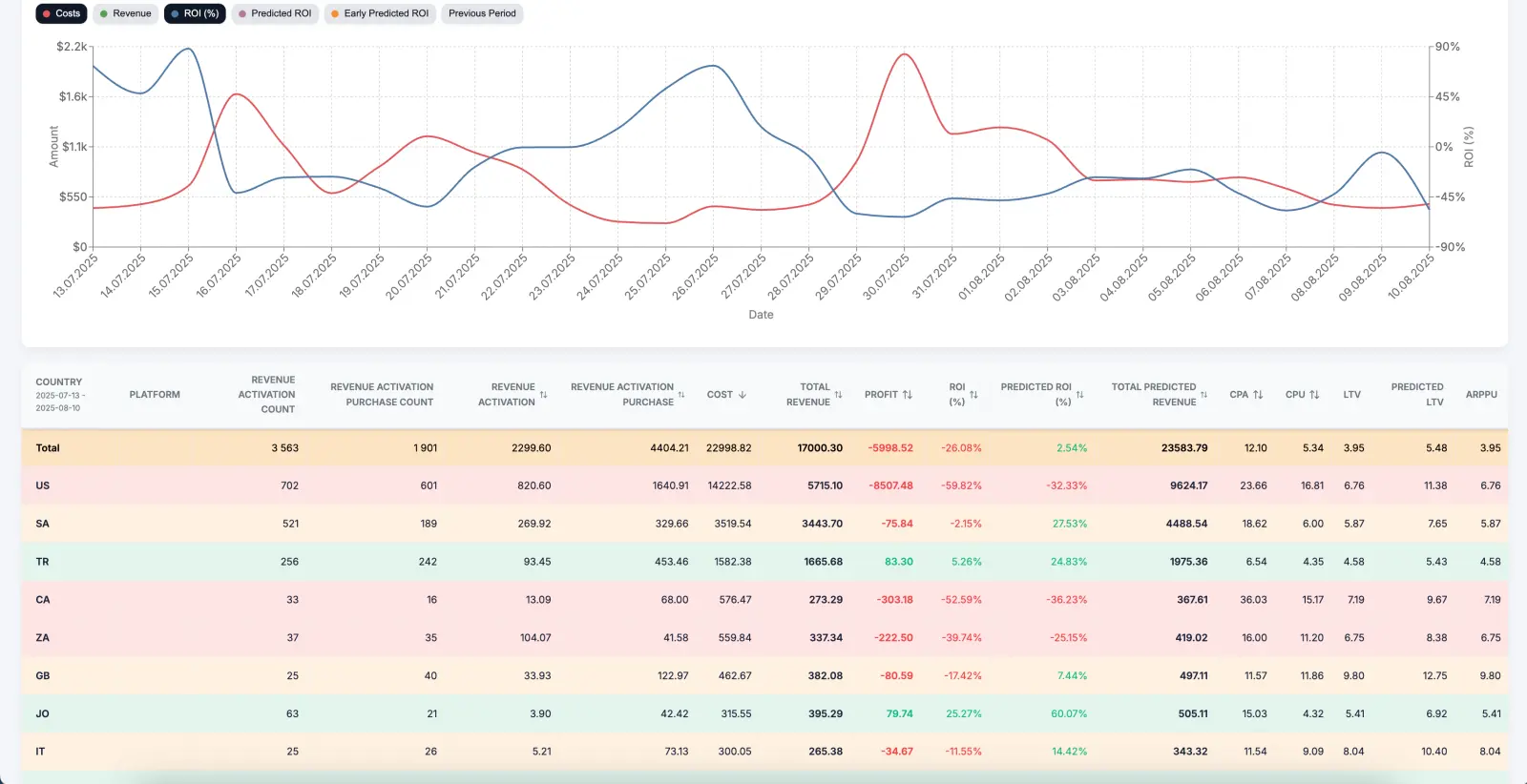
- Review where attribution, CAPI, and revenue signals should connect.


From brief to launch-ready structure
The session shows how a performance brief becomes a launch-ready structure.
- Campaign, ad set, and ad build logic.
- Creative generation and localization flows.
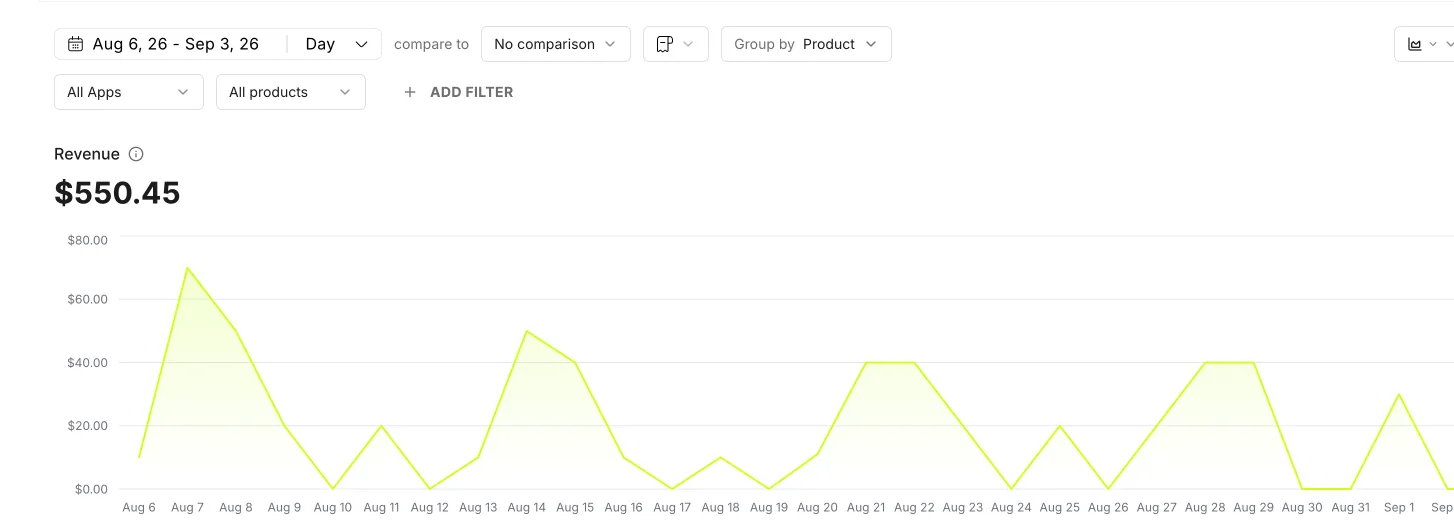
- Budget controls, approvals, logs, and reporting views.
Who should book a demo
A demo is most useful when the team already has paid acquisition work to coordinate and wants to replace fragmented execution with one operating layer.
Mobile app growth teams
Review attribution, SKAN context, campaign structure, creative testing, and revenue feedback together.
E-commerce operators
Connect offers, creative output, launch velocity, ROAS controls, and market expansion workflows.
Agencies and multi-account teams
See how approvals, naming, client accounts, reporting, and repetitive launch work can be centralized.
Get started in 5 steps
Compare on the table
Creative, launch, measurement and pricing side by side, sources linked.
Start free
Platform access is free; the fee is 1% of managed spend, no subscription.
Connect an ad account
Meta, Google or TikTok. Attribution comes with it.
Launch one test group
A brief becomes a campaign tree that waits for your approval.
Decide on revenue
Compare the test on ROAS and payback, not on platform-reported conversions.