
Part of our TikTok Ads Platform guide series.
TikTok Ads Manager: Complete Guide to Advertising on TikTok
TikTok Ads Manager is TikTok's self-serve advertising platform, where businesses create campaigns, define audiences, set budgets and bids, upload video creative, and track results across TikTok's global inventory. It is free to open; you only pay for delivery. The reach on offer is enormous: DataReportal estimates that TikTok ads reach roughly 2 billion users worldwide in 2026, with the audience skewing toward people under 35. What makes the platform different is its distribution logic. The For You feed decides what to show based on how people react to each video, not on who they follow, so a good ad from a new account can outperform a weak one from a big brand. That puts creative quality and testing speed at the center of every campaign. This guide covers account setup, campaign structure, ad formats, targeting, bidding, creative best practices, and the benchmarks to judge performance against.
Want to see it in practice? Explore the AdBid platform — campaign planning, automation, and analytics live in one workspace.
What is TikTok Ads Manager?
TikTok Ads Manager is the self-serve advertising platform for creating, managing, and optimizing ad campaigns on TikTok. It offers:
- Campaign creation and management tools
- Advanced targeting options
- Multiple ad formats
- Real-time analytics
- Budget and bid controls
TikTok Ads Manager vs TikTok Business Center
| Feature | Ads Manager | Business Center |
|---|---|---|
| Campaign management | ✓ | ✓ |
| Multiple ad accounts | Limited | ✓ |
| Team collaboration | Basic | Advanced |
| Asset management | Basic | Centralized |
| API access | ✓ | ✓ |
Setting Up TikTok Ads Manager
Step 1: Create a TikTok Business Account
- Go to TikTok for Business
- Click "Create Now"
- Enter business information
- Verify your email
- Complete business verification
Step 2: Set Up Your Ad Account
Required Information:
- Business name and address
- Industry selection
- Payment method
- Time zone and currency
Step 3: Install TikTok Pixel
The TikTok Pixel tracks:
- Page views
- Add to cart events
- Purchases
- Form submissions
- Custom events
Installation Options:
- Manual code installation
- Google Tag Manager
- Shopify/WooCommerce plugins
- Partner integrations
TikTok Ad Campaign Structure
Campaign Level
Objectives Available:
Awareness:
- Reach
- Video Views
Consideration:
- Traffic
- App Installs
- Lead Generation
- Community Interaction
Conversion:
- Conversions
- Catalog Sales
Ad Group Level
Configure at this level:
- Placements (automatic or manual)
- Targeting (demographics, interests, behaviors)
- Budget (daily or lifetime)
- Schedule (start/end dates, dayparting)
- Bidding (strategy and cap)
- Optimization goal
Ad Level
Create your actual ads:
- Upload creative assets
- Write ad copy
- Add call-to-action
- Set destination URL
- Enable/disable comments
TikTok Ad Formats
1. In-Feed Ads
Specifications:
- Aspect ratio: 9:16, 1:1, or 16:9
- Resolution: 720p minimum
- Duration: 5-60 seconds (9-15 recommended)
- File size: Up to 500MB
- File type: MP4, MOV, MPEG, AVI
Best Practices:
- Hook viewers in first 3 seconds
- Use trending sounds
- Keep text minimal
- Include clear CTA
2. Spark Ads
Use organic TikTok posts as ads:
- Your own posts
- Creator posts (with permission)
- Higher engagement rates
- More authentic feel
Benefits:
- 142% higher engagement rate and 30% higher completion rate vs non-Spark ads (TikTok Spark Ads Creative Playbook data)
- Comments and shares are retained
- Builds organic presence
3. TopView Ads
Premium placement appearing when app opens:
- Up to 60 seconds
- Full-screen, sound-on
- First ad users see daily
- High impact but expensive
4. Branded Hashtag Challenge
Encourage user-generated content:
- Custom hashtag page
- Challenge instructions
- Often includes branded effect
- 6-day standard package
5. Branded Effects
Custom AR filters and stickers:
- 2D, 3D, or AR formats
- Users interact with brand
- Shareable content
- Up to 10-day duration
6. Collection Ads
For e-commerce:
- Instant gallery experience
- Product cards from catalog
- In-app browsing
- Direct checkout capability
Targeting Options
Demographics
- Age: 13-17, 18-24, 25-34, 35-44, 45-54, 55+
- Gender: Male, Female, All
- Location: Country, State/Province, City, DMA
- Language: 75+ languages
Interests
Categories include:
- Entertainment
- Fashion & Beauty
- Food & Beverage
- Gaming
- Sports & Outdoors
- Technology
- Travel
- And many more...
Behaviors
Target based on:
- Video interactions
- Creator interactions
- Hashtag interactions
- Purchase intent signals
Custom Audiences
Create from:
- Customer file uploads
- Website traffic (pixel)
- App activity
- Engagement (video views, profile visits)
- Lead generation
- Shop activity
Lookalike Audiences
Expand reach with similar users:
- Narrow (1-2% similarity)
- Balanced (3-5%)
- Broad (6-10%)
Bidding Strategies
Cost Cap
Set maximum cost per result:
- System optimizes within cap
- May reduce delivery if cap is too low
- Good for predictable costs
Bid Cap
Set maximum bid per impression:
- More control over auction
- May miss cheaper opportunities
- Good for strict budgets
Lowest Cost
Let TikTok optimize:
- Maximizes results within budget
- Cost per result may vary
- Good for learning phase
Maximum Delivery
Spend budget as quickly as possible:
- For time-sensitive campaigns
- Higher costs typically
- Good for launches/events
Creative Best Practices
The Hook
First 3 seconds are critical:
- Start with movement
- Use pattern interrupts
- Ask questions
- Show results first
Native Feel
Make ads feel like organic content:
- Use vertical video
- Feature real people
- Match platform aesthetic
- Avoid overly polished production
Sound Strategy
88% of TikTok users say sound is essential to the experience, and 73% say they would stop and look at an ad with audio (TikTok x Kantar):
- Use trending sounds
- Add voiceover
- Include music
- Text for sound-off viewers
Call-to-Action
Clear next steps:
- Use TikTok's CTA buttons
- Reinforce in video
- Create urgency
- Make action obvious
Testing Creative
What to test:
- Hook variations
- Different creators/actors
- Sound options
- Text overlay vs clean video
- CTA placement and wording
Campaign Optimization
Learning Phase
What happens:
- Algorithm explores audience
- Cost fluctuations normal
- Need ~50 conversions
- Usually 3-7 days
Best practices:
- Don't change settings
- Use adequate budget
- Be patient
- Monitor but don't react
Key Metrics to Watch
| Metric | Industry average (2026) | Target we aim for |
|---|---|---|
| CTR | 0.61% (Lebesgue) | 1%+ |
| CPM | about $4.80 overall; $5-13 in ecommerce (Lebesgue) | under $10 |
| CPC | $0.20-2.00 (Lebesgue) | under $1 |
| 6s View Rate | not published | 50%+ |
Averages are from Lebesgue's March 2026 benchmark set; targets are what we use for account reviews and will vary by vertical.
Optimization Actions
If CTR is low:
- Test new hooks
- Try different thumbnails
- Refresh creative
- Narrow targeting
If CVR is low:
- Check landing page
- Improve offer
- Better audience match
- Optimize for higher-intent actions
If CPM is high:
- Broaden targeting
- Increase creative variety
- Check audience saturation
- Consider different placements
Advanced Strategies
Creator Marketplace
Partner with TikTok creators:
- Find relevant creators
- View performance data
- Manage collaborations
- Track campaign results
TikTok Shopping
E-commerce integration:
- Product catalog sync
- Shoppable videos
- Live shopping
- Shop tab presence
Lead Generation
Native lead forms:
- Pre-filled user info
- Custom questions
- CRM integration
- Higher conversion rates
App Campaigns
For mobile apps:
- App Event Optimization (AEO)
- Value-Based Optimization (VBO)
- Deep linking
- SKAdNetwork support
TikTok Ads vs Other Platforms
| Factor | TikTok | Meta | |
|---|---|---|---|
| Audience | Younger | Broader | Intent-based |
| Creative | Video-first | Mixed | Varied |
| Cost | Lower CPM | Higher CPM | Higher CPC |
| Learning curve | Medium | High | High |
| Organic synergy | Strong | Moderate | Weak |
Common Mistakes to Avoid
1. Repurposing Other Platform Content
TikTok users recognize non-native content. Create specifically for TikTok.
2. Ignoring Sound
Sound is essential on TikTok. Don't treat it like a silent platform.
3. Over-Targeting
TikTok's algorithm is powerful. Start broader than you think.
4. Insufficient Budget
Low budgets prolong learning phase. Set adequate daily minimums.
5. Changing Too Quickly
Allow campaigns to exit learning phase before making changes.
Measuring Success
In-Platform Analytics
TikTok provides:
- Real-time performance
- Demographic breakdowns
- Placement reporting
- Creative analysis
- Conversion tracking
Attribution
Understanding attribution:
- Default 7-day click, 1-day view
- Cross-device tracking
- iOS limitations (SKAdNetwork)
- Third-party verification available
Reporting Tips
- Compare to benchmarks
- Track trends over time
- Segment by audience/creative
- Calculate true ROI
- Use UTM parameters
Setting Up Your First Campaign
Step-by-Step Campaign Creation
Step 1: Choose Objective
Traffic -> Website visits
Conversions -> Website actions (purchases, leads)
App Installs -> App downloads
Step 2: Name Campaign Use clear naming: [Date][Objective][Audience]_[Creative Type]
Step 3: Set Budget
- Daily budget: $50 minimum per ad group
- Lifetime budget: Total for campaign duration
Step 4: Configure Ad Group
Placements:
- Automatic (recommended for beginners)
- Manual (TikTok, Pangle, News Feed apps)
Targeting:
Location: United States
Age: 18-34
Gender: All
Interests: [Your relevant categories]
Budget & Schedule:
Daily Budget: $100
Schedule: Run continuously
Optimization Goal: Conversions
Bid Strategy: Lowest cost
Step 5: Create Ad
Required Elements:
- Video (9:16 recommended)
- Ad name
- Display name (brand name)
- Ad text (80 characters recommended)
- CTA button
TikTok Pixel Setup
What is TikTok Pixel?
The TikTok Pixel is a JavaScript code that tracks website activity for:
- Conversion tracking
- Audience building
- Campaign optimization
Installation Methods
1. Manual Installation
<script>
!function (w, d, t) {
  w.TiktokAnalyticsObject=t;var ttq=w[t]=w[t]||[];
  ttq.methods=["page","track","identify","instances","debug","on","off","once","ready","alias","group","enableCookie","disableCookie"];
  ttq.setAndDefer=function(t,e){t[e]=function(){t.push([e].concat(Array.prototype.slice.call(arguments,0)))}};
  for(var i=0;i<ttq.methods.length;i++)ttq.setAndDefer(ttq,ttq.methods[i]);
  ttq.instance=function(t){for(var e=ttq._i[t]||[],n=0;n<ttq.methods.length;n++)ttq.setAndDefer(e,ttq.methods[n]);return e};
  ttq.load=function(e,n){var i="https://analytics.tiktok.com/i18n/pixel/events.js";
  ttq._i=ttq._i||{},ttq._i[e]=[],ttq._i[e]._u=i,ttq._t=ttq._t||{},ttq._t[e]=+new Date,ttq._o=ttq._o||{},ttq._o[e]=n||{};
  var o=document.createElement("script");o.type="text/javascript",o.async=!0,o.src=i+"?sdkid="+e+"&lib="+t;
  var a=document.getElementsByTagName("script")[0];a.parentNode.insertBefore(o,a)};
  ttq.load('YOUR_PIXEL_ID');
  ttq.page();
}(window, document, 'ttq');
</script>
2. Tag Manager (GTM)
- Install TikTok tag template
- Configure with Pixel ID
- Set up event triggers
3. Partner Integrations
- Shopify
- WooCommerce
- BigCommerce
- Magento
Standard Events
| Event | Use Case |
|---|---|
| ViewContent | Product page views |
| AddToCart | Cart additions |
| InitiateCheckout | Checkout started |
| CompletePayment | Purchase completed |
| SubmitForm | Form submissions |
| Subscribe | Newsletter signups |
| Contact | Contact requests |
Event Implementation
// Track purchase
ttq.track('CompletePayment', {
  content_type: 'product',
  content_id: 'SKU123',
  content_name: 'Product Name',
  quantity: 1,
  price: 99.99,
  value: 99.99,
  currency: 'USD'
});
Optimization Strategies
Budget Optimization
Learning Phase:
- TikTok needs 50 conversions per ad group
- Don't make major changes during learning
- Allow 3-7 days for learning
Scaling:
- Increase budget by 20-30% max per day
- Clone successful ad groups vs. editing
- Test new audiences before scaling
Bid Strategies
| Strategy | When to Use |
|---|---|
| Lowest Cost | Maximize conversions within budget |
| Cost Cap | Control CPA at specific target |
| Bid Cap | Maximum bid control |
A/B Testing
What to Test:
- Hooks (first 3 seconds)
- Product presentation
- Call to action
- Sound/music
- Text overlay
Test Structure:
- One variable at a time
- Minimum 3-5 days per test
- Statistical significance before declaring winner
Performance Benchmarks
| Metric | Good | Great | Excellent |
|---|---|---|---|
| CTR | 0.5% | 1%+ | 2%+ |
| VCR (6s) | 15% | 25% | 35%+ |
| CVR | 1% | 2% | 3%+ |
| ROAS | 2x | 4x | 6x+ |
Why TikTok Matters for Performance Marketing
:::highlight The Opportunity TikTok has evolved from a Gen Z dance app to a full-funnel advertising platform. If you're not testing it, your competitors are. :::
Let me dispel a myth: TikTok isn't just for awareness. With proper setup, it drives conversions across e-commerce, app installs, and lead generation. The key is understanding how the platform differs from Meta.
To run this repeatably, AdBid's automated rules let you set conditions once and let campaigns self-optimize.
Getting Started: Account Setup
Creating Your Account
- Go to ads.tiktok.com
- Enter email and password
- Verify your email
- Complete business details:
- Country/region
- Timezone (can't change later!)
- Currency
- Phone number
- Add billing information
:::warning Timezone Warning Your timezone cannot be changed after account creation. Choose carefully — it affects reporting and scheduling. :::
Account Approval
Standard approval takes less than 24 hours. Factors that speed approval:
- Complete business information
- Clear business website
- Valid payment method
Understanding the Interface
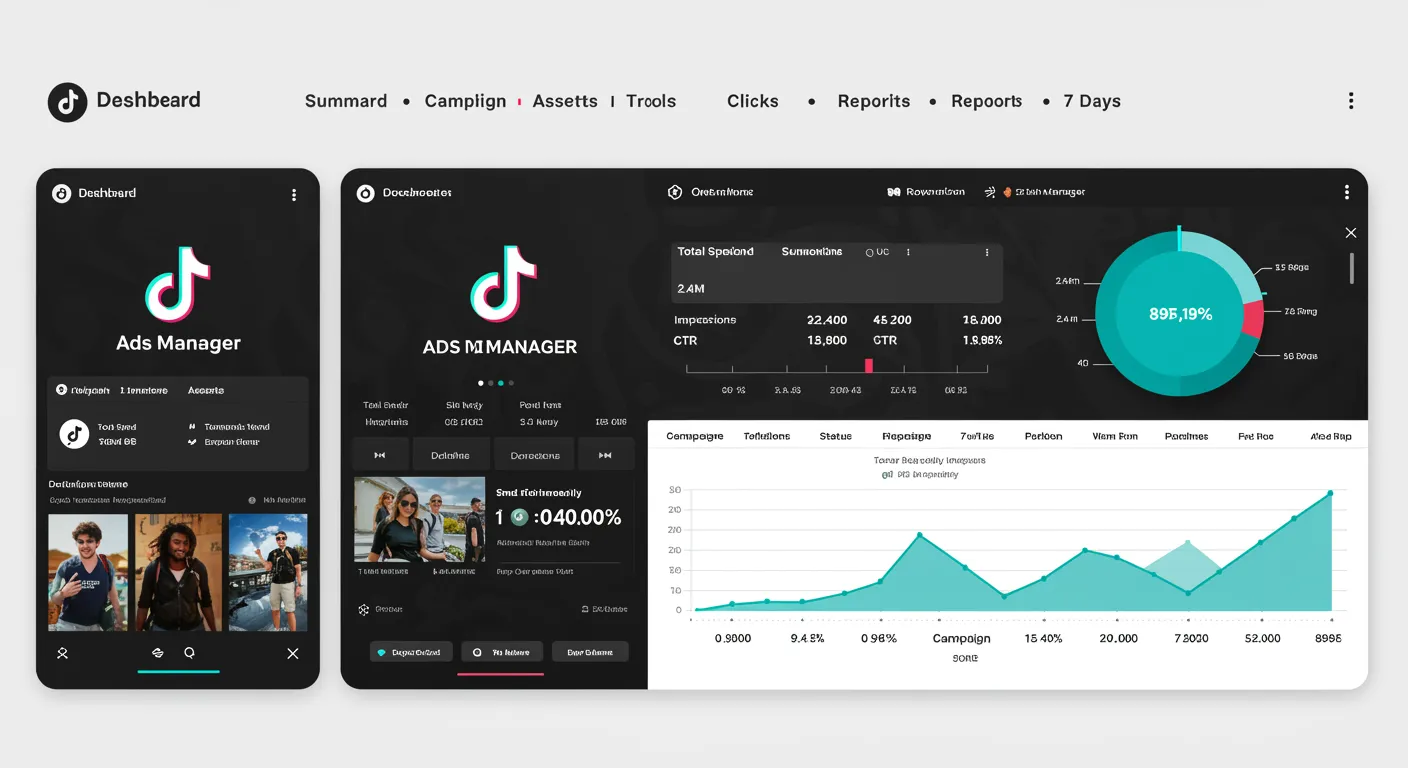
TikTok Ads Manager has four main sections:
1. Dashboard
- Budget tracking and pacing
- Performance alerts
- Quick access to custom reports
2. Campaign
- Campaign, ad group, and ad management
- Bulk editing tools
- Status monitoring
3. Tools
- Events: Pixel and API setup
- Creatives: Video templates and editing
- Audiences: Custom and lookalike audience creation
- Catalogs: Product feed management
- Comments: Engagement management
- Instant Pages: Landing page builder
4. Analytics
- Reporting templates
- Custom report builder
- Scheduled report delivery
Budget and Bidding
Minimum Requirements
- Campaign level: $50 daily or lifetime
- Ad group level: $20 daily
Budget Types
Daily budget: Spend up to this amount each day Lifetime budget: Total spend over the campaign duration
Bidding Strategies
Maximum Delivery:
- TikTok spends your budget to maximize results
- Best for: Scale and volume
- Risk: CPA may fluctuate
Cost Cap:
- Sets a target cost per result
- Best for: Predictable CPA
- Risk: May limit delivery
:::info Hybrid Bidding TikTok now supports switching between bidding strategies mid-campaign without relaunching. Test this carefully — results may vary. :::
Setting Up Tracking
TikTok Pixel
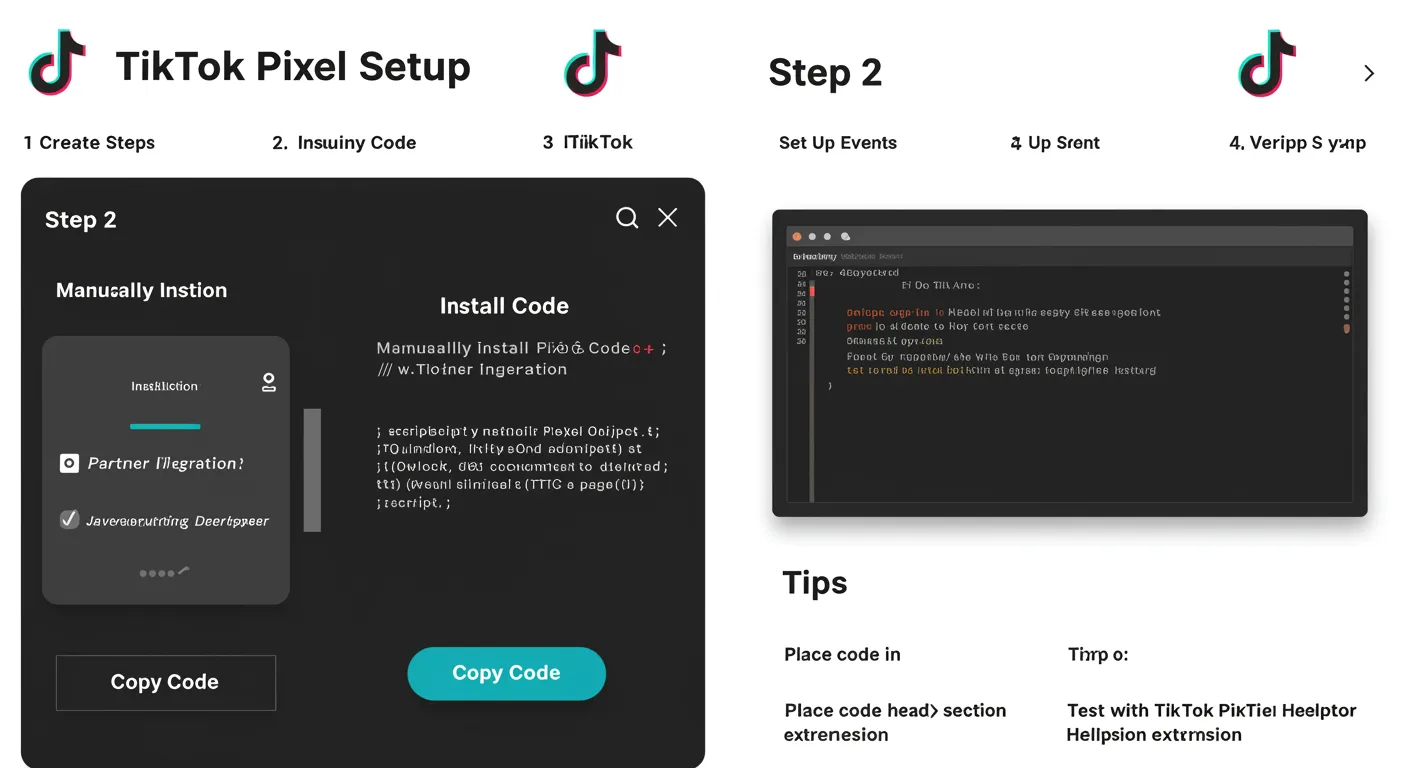
Essential for conversion tracking and optimization. Install on:
- All website pages (base code)
- Key conversion events (purchase, lead, add to cart)
Events API
Server-side tracking for better attribution, especially post-iOS 14.5.
:::tip Best Practice Run Pixel AND Events API together with proper deduplication. This improves both attribution accuracy and algorithm optimization. :::
Optimization Framework
The 3-5-3 Rule
Run campaigns with:
- 3-5 creatives per ad group
- 3-5 ad groups per campaign
This gives the algorithm enough options to find winners while maintaining structure.
Testing Process
Week 1: Launch with 3-5 creative variations Week 2: Identify top 2 performers, pause underperformers Week 3: Add new variations based on winning patterns Ongoing: Continuous creative refresh every 2-3 weeks
Common Issues and Fixes
| Problem | Likely Cause | Solution |
|---|---|---|
| Low impressions | Narrow targeting | Broaden audience |
| High CPM | Competitive audience | Test new targeting |
| Low CTR | Weak creative | New hook/visual |
| High CTR, low CVR | Landing page | Improve page experience |
Automation Options
Native Rules
TikTok supports basic automation rules:
- Pause when CPA exceeds threshold
- Increase budget when ROAS hits target
- Adjust bids based on performance
Third-Party Tools
For more sophisticated automation, platforms like AdBid can:
- Cross-platform budget allocation
- Advanced rule logic
- Unified reporting with Meta and Google
More from our TikTok Ads guide
The sections below were consolidated from our earlier article on the same topic.
What Is TikTok Ads and How Does It Work?
TikTok Ads is a self-service advertising platform that allows businesses to create and distribute video advertisements across TikTok's ecosystem. The platform operates through TikTok Ads Manager, a comprehensive interface where advertisers manage campaigns, define targeting, set budgets, and analyze performance.
The Evolution of TikTok Ads Technology
TikTok advertising has matured significantly since launching in 2019. The platform now offers:
Advanced Machine Learning: TikTok's recommendation algorithm—the same technology that makes the For You page addictive—powers ad delivery. This system analyzes user behavior patterns, content preferences, and engagement signals to serve ads to users most likely to take action.
Comprehensive Attribution: The TikTok Pixel and Events API enable accurate conversion tracking, while integrations with Mobile Measurement Partners (MMPs) provide cross-platform attribution for app advertisers.
Creative Intelligence: TikTok's AI analyzes creative performance at the element level, identifying which hooks, visuals, sounds, and calls-to-action drive results. This data feeds into automated creative optimization.
Understanding Different Types of TikTok Ads Technologies
TikTok offers multiple ad formats, each designed for specific objectives:
In-Feed Ads appear naturally in users' For You feeds as they scroll through content. These ads support videos from 5 to 60 seconds, include sound by default, and allow interactive elements like CTA buttons, display cards, and instant forms.
TopView Ads capture attention immediately when users open the app. This premium placement offers up to 60 seconds of full-screen video without competing content, making it ideal for brand launches and major announcements.
Spark Ads allow brands to boost organic TikTok posts—either their own or from creators who grant permission. This format maintains the native feel of organic content while adding advertising reach and call-to-action capabilities.
Branded Effects let users interact with custom AR filters and effects tied to brand campaigns. These drive organic participation and user-generated content creation.
Branded Hashtag Challenges encourage mass participation around a branded hashtag, combining paid promotion with organic discovery.
With this foundation, you're ready to evaluate which formats align with your objectives.
Top Applications of TikTok Ads
TikTok advertising serves diverse business objectives across industries. Here's how leading brands leverage the platform:
Entertainment and Social Media Content
Entertainment brands use TikTok Ads to promote movies, streaming content, music releases, and gaming titles. The platform's young, culturally connected audience makes it ideal for viral marketing campaigns.
Example: Movie studios launch exclusive behind-the-scenes content as Video Ads, driving anticipation and ticket sales. Gaming companies showcase gameplay moments that feel organic to the For You feed.
Marketing and Brand Promotion
Consumer brands leverage TikTok's Influencer Marketing ecosystem to build awareness and drive consideration. By partnering with creators who already have audience trust, brands achieve authenticity that traditional advertising cannot replicate.
Example: Fashion brands collaborate with style creators for "Get Ready With Me" content featuring products. Beauty brands seed products to honest reviewers whose audiences value authentic recommendations.
Creating Personalized Experiences
E-commerce brands use TikTok's dynamic product ads to deliver personalized recommendations based on user behavior. The platform's shopping features enable smooth purchase journeys from discovery to checkout.
Example: DTC brands run catalog-based campaigns that automatically show users products aligned with their demonstrated interests. Retargeting campaigns re-engage users who viewed products but didn't purchase.
Educational and Training Applications
B2B companies, financial services, and educational platforms use TikTok Ads to reach younger professional audiences. The platform's algorithm surfaces educational content to users seeking to learn.
Example: SaaS companies create short-form tutorials demonstrating product value. Financial apps use creator partnerships to make complex topics accessible and engaging.
Now that you understand where TikTok Ads excel, let's walk through the creation process.
How to Create Perfect TikTok Ads: My Expert Process
By following this process, you'll create TikTok campaigns that capture attention, drive engagement, and deliver measurable results. Here's the exact workflow professional media buyers use:
Choosing the Right Tools and Platforms
Before creating ads, set up your infrastructure:
TikTok Ads Manager Account: Register at ads.tiktok.com using your business email. Complete business verification to access all features and higher spending limits.
TikTok Pixel: Install the TikTok Pixel on your website or implement the Events API for server-side tracking. This enables conversion tracking and audience building.
Third-Party Creative Tools: Use CapCut (TikTok's free editor), Canva, or professional tools like Adobe Premiere for video creation. TikTok's native video editor within Ads Manager offers templates optimized for the platform.
Step-by-Step TikTok Ads Creation
Step 1: Campaign Setup Select your campaign objective:
- Awareness for reach and video views
- Consideration for traffic, app installs, or engagement
- Conversion for website conversions or catalog sales
Enable Campaign Budget Optimization (CBO) to let TikTok's algorithm allocate budget across ad groups automatically.
Step 2: Ad Group Configuration Define your targeting within TikTok Ads Manager:
- Demographics: Age, gender, location, language
- Interests and behaviors: Categories that match your audience
- Custom Audiences: Upload customer lists or create website/app audiences
- Lookalike Audiences: Find users similar to your best customers
Set placements (TikTok, Pangle, and partner apps), scheduling, and bidding strategy. For conversions, start with "Lowest Cost" bidding before testing "Cost Cap."
Step 3: Creative Upload Upload vertical video (9:16 aspect ratio) that matches TikTok's native content feel. Add compelling copy, a clear CTA, and tracking parameters. In-Feed Ads should grab attention in the first 1-2 seconds.
Selecting Quality Source Material
Your creative makes or breaks TikTok campaigns. Source material that performs:
UGC (User-Generated Content): Real people using products in authentic settings consistently outperforms polished brand content. Partner with creators or encourage customer submissions.
Native-Feel Video: Content that matches what users see organically—talking head videos, screen recordings, behind-the-scenes footage—drives higher engagement than traditional ads.
Trend-Aligned Assets: Audio tracks, formats, and concepts trending on TikTok earn algorithmic favor. Monitor TikTok's Creative Center for trending elements.
Customization and Fine-Tuning
After launch, optimize based on data:
Week 1: Monitor delivery and early engagement metrics. Ensure ads exit learning phase (50+ conversions).
Week 2: Identify top-performing creatives. Pause underperformers, allocate budget to winners.
Ongoing: Test new creative concepts weekly. Refresh audiences as performance plateaus. Adjust bids based on competitive dynamics.
Even with perfect execution, challenges arise. Let's address them directly.
Common Challenges and How I Solve Them
Every TikTok advertiser encounters obstacles. Here are the most common issues with TikTok Ads Manager and proven solutions:
Achieving Realistic Results
Challenge: Campaigns don't deliver expected ROAS or CPA targets.
Solution: TikTok requires creative volume. Test 5-10 creative concepts per campaign, not minor variations. Give the algorithm enough budget to exit learning (aim for 50+ conversions per ad group weekly). Start with broader targeting and let TikTok's machine learning find your audience.
Handling Multiple Accounts and Campaigns
Challenge: Managing multiple brands or scaling requires complex account structures.
Solution: Use TikTok Business Center for multi-account management. Implement consistent naming conventions across campaigns. Leverage automated rules to manage budgets and pacing across accounts.
Overcoming Technical Limitations
Challenge: Conversion tracking gaps or pixel fires not matching backend data.
Solution: Implement TikTok Events API alongside the pixel for redundant tracking. Use UTM parameters for GA4 comparison. Work with MMPs for app campaigns to ensure accurate attribution.
Fixing Common Errors
Challenge: Ads rejected, campaigns stuck in review, or performance suddenly drops.
Solution: Review TikTok's advertising policies before creative development. Use TikTok's Video Insights tool to diagnose creative fatigue. Monitor In-Feed Ads frequency—when users see ads too often, performance degrades.
| Problem | Cause | Solution |
|---|---|---|
| Low delivery | Narrow targeting or low bid | Expand audience, increase budget |
| High CPA | Poor creative-audience fit | Test new creative angles |
| Ad rejection | Policy violation | Review guidelines, modify content |
| Rapid fatigue | Limited creative rotation | Add fresh creative weekly |
Solving technical challenges is necessary, but responsible advertising requires addressing ethical considerations too.
The Future of TikTok Ads Technology
TikTok advertising continues evolving rapidly. Here's what's coming:
Emerging AI Models and Capabilities
Smart Performance Campaigns: TikTok's answer to Meta's Advantage+, these campaigns use AI to automate targeting, creative selection, and bidding. Early adopters report strong performance with simplified management.
Creative AI: TikTok's AI tools already generate scripts, suggest improvements, and create variations. Expect deeper integration—automated video generation, dynamic creative optimization, and personalized content assembly.
Predictive Analytics: TikTok Ads Manager is adding predictive features that forecast campaign performance, suggest budget allocation, and identify scaling opportunities before they're obvious in current data.
Integration with Other Digital Media Technologies
Shopping Integration: TikTok Shop is expanding globally, enabling complete purchase journeys within the app. In-Feed Ads will increasingly connect directly to product pages, live shopping events, and creator storefronts.
Cross-Platform Measurement: Improved integrations with clean rooms, CDP platforms, and marketing clouds enable unified measurement across TikTok and other channels.
Creator Economy Tools: Enhanced creator marketplace features help brands find, vet, and collaborate with creators at scale—making Influencer Marketing more accessible.
Preparing for Next-Generation Applications
Augmented Reality: Branded Effects and AR commerce will become more sophisticated. Plan for interactive creative that goes beyond video.
Personalization at Scale: Dynamic creative capabilities will enable personalized Video Ads tailored to individual users—different hooks, products, and CTAs based on user signals.
Privacy-First Targeting: As third-party data becomes less available, TikTok's first-party signals gain importance. Build Custom Audiences now and invest in conversion API integration.
Staying ahead of these trends positions you for continued success as the platform evolves.
Frequently Asked Questions
Is TikTok Ads free to use?
TikTok Ads Manager is free to access and use. You only pay for ad delivery based on your campaign objectives—CPM for impressions, CPC for clicks, or CPV for video views. Minimum daily budgets are $50 per campaign and $20 per ad group (TikTok Ads help center), though spending more enables faster learning.
How much does TikTok advertising cost?
Costs vary by objective, targeting, and competition. Benchmark CPMs run about $4.80 overall and $5-13 in ecommerce, with CPCs between $0.20 and $2.00 (Lebesgue, 2026); competitive verticals see higher rates. In-Feed Ads typically deliver better cost efficiency than TopView or Branded Effects. Plan enough budget for the learning phase to complete before judging results.
What are the system requirements for TikTok Ads Manager?
TikTok Ads Manager runs in modern web browsers (Chrome, Safari, Firefox, Edge). No software installation required. For creative, upload vertical video (9:16) in MP4 or MOV format, up to 500MB per file. The platform accepts images for certain formats at 1200x628 or 640x640 pixels.
Can I use TikTok Ads on mobile devices?
Yes. TikTok Ads Manager has a mobile app for iOS and Android, enabling campaign monitoring and basic management on the go. For complex campaign setup and optimization, the desktop interface remains more efficient.
How long does it take for campaigns to deliver?
New campaigns enter review (typically 24 hours) before delivery begins. After approval, ads enter a "learning phase" while TikTok's algorithm optimizes delivery. Expect 3-5 days before performance stabilizes. Avoid significant changes during learning to prevent resets.
Is TikTok Ads safe for professional use?
TikTok Ads Manager includes brand safety controls: content exclusion categories, inventory filters, and blocklists. Third-party verification partners (IAS, DoubleVerify) provide additional measurement. Enterprise advertisers routinely use TikTok alongside Meta and Google.
What file formats does TikTok Ads support?
Video: MP4, MOV, MPEG, 3GP, AVI (9:16, 16:9, or 1:1 ratio). Images: JPG, JPEG, PNG. Video resolution minimum 540x960px, recommended 1080x1920px. Audio: AAC or MP3 included in video files. Maximum duration: 60 seconds for In-Feed Ads.
Can I use TikTok Ads for commercial projects?
Yes. TikTok Ads serves businesses from small e-commerce stores to Fortune 500 brands. The platform supports most legal commercial activities, with restrictions on certain categories (gambling, alcohol, political advertising) varying by region. Review TikTok's advertising policies for your specific vertical.
Does TikTok Ads require an internet connection?
TikTok Ads Manager is a web-based platform requiring internet access. Ads are delivered to users on TikTok who are also online. Offline conversion tracking is possible via Events API if you want to attribute offline sales to TikTok campaigns.
How do I get started with TikTok Ads?
- Create a TikTok Ads Manager account at ads.tiktok.com
- Complete business verification with your business details
- Install the TikTok Pixel on your website
- Create your first campaign selecting your objective
- Define targeting, budget, and schedule in ad group settings
- Upload creative and launch
TikTok also offers free courses through TikTok Academy to accelerate your learning.
Conclusion
TikTok Ads Manager offers powerful tools for reaching engaged audiences. Success requires understanding the platform's unique culture and creating content that feels native.
Start with clear objectives, create thumb-stopping content, test continuously, and let the algorithm learn.
Ready to launch TikTok campaigns? Try AdBid's multi-platform ad management →