Part of our Snapchat Ads Platform guide series.
Key Takeaways
- Snapchat automation controls spending and responds to performance without manual oversight
- Rules work at campaign, ad set, and ad levels — each with different strategic purposes
- Start with rules that mirror manual actions you already perform
- Launch simple, testable rules before expanding complexity
- Human strategy remains essential — automation executes, not strategizes
Why Automate Snapchat Ads?
:::highlight The Case for Automation Manual campaign management doesn't scale. When you're running dozens of ad sets across multiple campaigns, automation isn't optional — it's the only way to maintain consistent performance. :::
Snapchat's audience is demanding. They expect fresh content constantly, and creative fatigue hits faster than on any other platform. Automation helps you respond to these dynamics without living in your ads manager.
Putting this into production across campaigns is what AdBid is for — one place to plan, automate, and report.
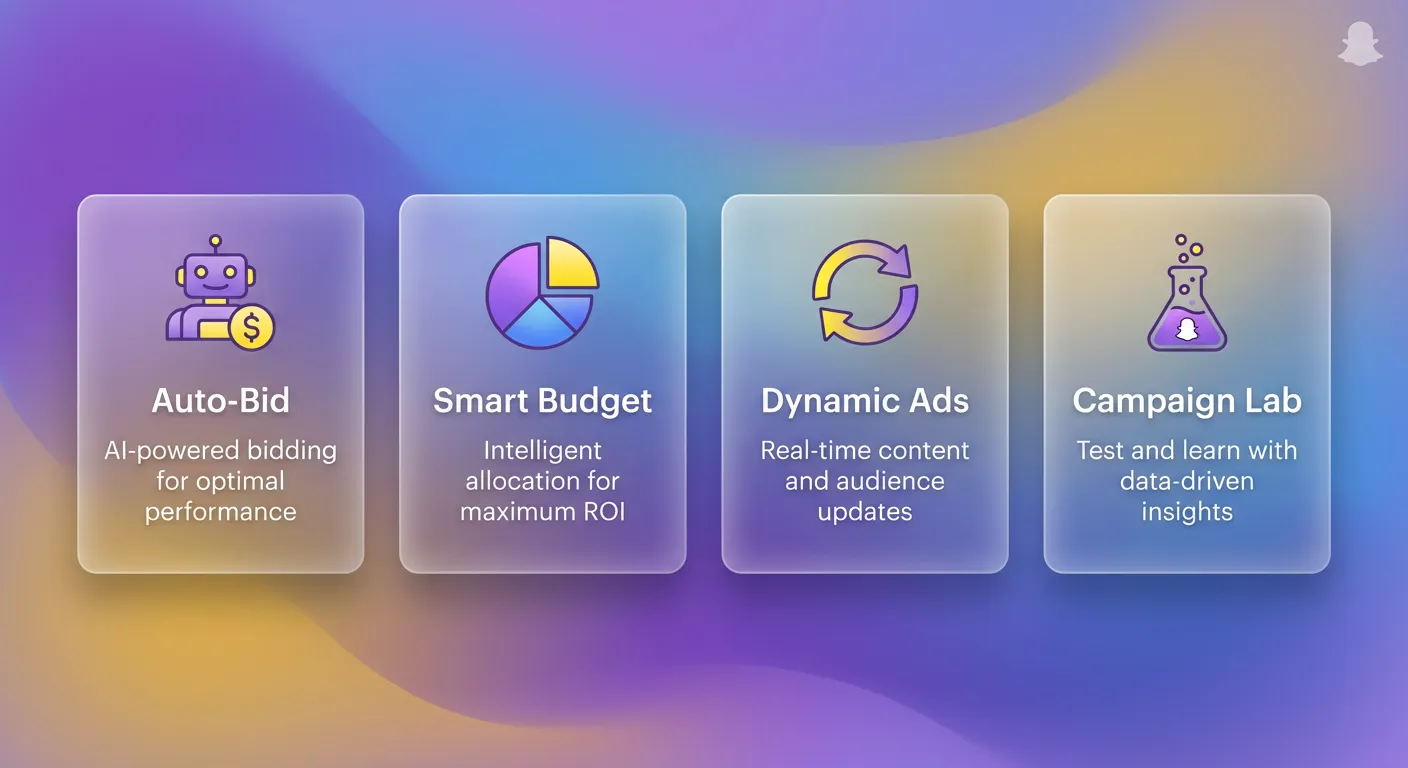
Core Automation Capabilities
Campaign Level Actions
What you can automate at the campaign level:
- Start or pause campaigns based on performance triggers
- Adjust budgets up or down automatically
- Rename objects for account organization
- Send notifications when thresholds are met
:::tip Campaign-Level Use Case Set a rule to pause your entire campaign if daily spend exceeds your cap without hitting conversion targets. This prevents runaway spending over weekends or holidays. :::
Ad Set Level Actions
The most common automation level:
- Increase, decrease, or lock fixed budgets and bids
- Pause or resume delivery automatically
- Trigger alerts when conditions activate
- Apply automatic renaming for tracking
Ad Level Actions
Granular control over individual creatives:
- Pause or start specific ads based on metrics
- Use ROAS, cost-per-purchase, impressions to drive decisions
- Alert when high-performing ads show fatigue signs
Setup Process: Three Steps
Step 1: Connection
Link your Snapchat Business account through your automation platform's integrations panel. You'll need admin access to the ad account.
Step 2: Rule Creation
Define three components for each rule:
Scope: Which campaigns, ad sets, or ads the rule applies to
Conditions: Performance thresholds and timeframes that trigger action
Actions: What happens when conditions are met
:::info Example Rule Structure "When an ad set has spent more than $100 with ROAS below 1.5x over the last 3 days, pause the ad set and send me a Slack notification." :::
Step 3: Scheduling
Set execution frequency based on rule urgency:
- Every 15 minutes: Budget protection rules
- Every hour: Performance monitoring
- Every 6 hours: Scaling decisions
- Daily: Account-wide audits
Real-World Automation Strategies
Strategy 1: Overspend Protection
Problem: Ads running hot can burn through daily budgets before you notice.
Solution Rule:
- Condition: Daily spend > $200 AND ROAS < 1.0x
- Action: Pause campaign
- Alert: Send immediate Slack message
This rule protects your budget while you're sleeping or in meetings.
Strategy 2: Ad Set Scaling
Problem: Manual budget increases are slow and inconsistent.
Solution Rule:
- Condition: ROAS > 2.5x AND Spend > $150 over last 7 days
- Action: Increase daily budget by 20%
- Cap: Maximum $500/day budget
- Frequency: Once per day
:::warning Scaling Caution Don't increase budgets by more than 20% at once. Larger jumps disrupt Snapchat's algorithm and can tank performance. :::
Strategy 3: Performance Alerts
Problem: Small performance changes can become big problems if unnoticed.
Solution Rules:
- CPA increased 30% day-over-day → Alert
- CTR dropped below 1.0% → Alert
- Frequency exceeded 3.0 → Alert
Alerts let you investigate before taking irreversible action.
Strategy 4: Smart Naming
Problem: Messy ad accounts make analysis difficult.
Solution: Automatically tag paused ads with reason and date:
- "[PAUSED-LOWROAS-0127] Original Ad Name"
- "[SCALED-0127] Original Ad Name"
This creates a history trail for future analysis.
Building Your First Rule Set
The Minimum Viable Automation
Start with three rules that cover your bases:
Rule 1: Budget Protection (Kill)
- If spend > 2x target CPA without conversion → Pause
- Run every 30 minutes
Rule 2: Performance Alert (Monitor)
- If ROAS drops 25% from 7-day average → Notify
- Run every 6 hours
Rule 3: Winner Scaling (Scale)
- If ROAS > 3.0x for 5+ days → Increase budget 15%
- Run once daily
"Launch simple, testable rules before expanding complexity. Prove each rule works before adding more."
Week 2: Expansion
Once your core rules are stable:
- Add creative fatigue detection (frequency-based)
- Implement day-parting adjustments
- Create seasonal rules for known spikes
Month 2: Optimization
Based on rule performance data:
- Adjust thresholds that trigger too often (or never)
- Remove rules that don't improve outcomes
- Add rules for new scenarios you've identified
Snapchat-Specific Considerations
Speed of Fatigue
:::danger Platform Reality On Snapchat, creative fatigue can strike overnight. Users expect fast, fresh experiences. Rules need faster response times than other platforms. :::
Recommended adjustments:
- Check creative performance every 2 hours (not daily)
- Lower frequency thresholds (1.5-2.0 vs. 2.5-3.0 on Meta)
- Have more creative variations ready to rotate
Audience Size Matters
Smaller audiences fatigue faster. Build rules that account for this:
- Audience < 500K: Check performance daily
- Audience 500K-2M: Check performance every 3 days
- Audience > 2M: Weekly checks sufficient
Story vs. Other Placements
Different placements require different rule thresholds:
Story Ads:
- Higher expected CTR (2-4%)
- Faster fatigue (7-10 days)
- Higher engagement benchmarks
Discover Ads:
- Lower CTR acceptable (0.5-1.5%)
- Longer lifespan (2-3 weeks)
- Different conversion patterns
Common Mistakes to Avoid
Mistake 1: Too Many Rules
More rules does not equal better performance. Rule conflicts become impossible to diagnose.
Fix: Start with 5-7 rules maximum. Add more only when you can prove they help.
Mistake 2: Too Aggressive Thresholds
Killing ads too quickly wastes learning data. Scaling too fast disrupts algorithms.
Fix: Give ads 48-72 hours and minimum spend before kill rules trigger.
Mistake 3: Set It and Forget It
Rules that worked last month may not work this month. Market conditions change.
Fix: Review rule performance weekly. Adjust thresholds monthly.
Mistake 4: Ignoring Context
Automation can't understand why Black Friday CPAs are higher or why a holiday weekend changes behavior.
Fix: Build calendar-aware rules. Pause automation during known anomaly periods.
Measuring Automation Success
Key Metrics to Track
Automation Efficiency:
- Rules triggered per week
- False positives (good ads paused incorrectly)
- False negatives (bad ads allowed to run)
Performance Impact:
- ROAS before vs. after automation
- Average CPA trend
- Time saved on manual management
Account Health:
- Spend distribution across campaigns
- Learning phase exit rate
- Creative diversity maintained
Weekly Review Checklist
- Which rules triggered most often?
- Were any ads paused incorrectly?
- Were any ads allowed to run that should've been paused?
- Did scaling rules improve or hurt performance?
- Are thresholds still calibrated correctly?
The Bottom Line
Snapchat automation saves time on repetitive tasks, responds faster than manual monitoring, applies consistent rules across large accounts, reduces human error, and maintains performance boundaries regardless of budget scale.
But automation is execution, not strategy. You still need to:
- Develop winning creative concepts
- Define your target metrics
- Understand your audience
- Adapt to market changes
:::tip Start Here Build one rule: Pause any ad spending 3x your target CPA without conversions over the last 48 hours. Let this run for a week. Review results. Then expand. :::
The advertisers winning on Snapchat aren't watching dashboards 24/7 — they've built systems that watch for them.
Want to automate your Snapchat campaigns alongside Meta and TikTok? AdBid provides unified automation rules across all major ad platforms. Start your free trial.