
Key Takeaways
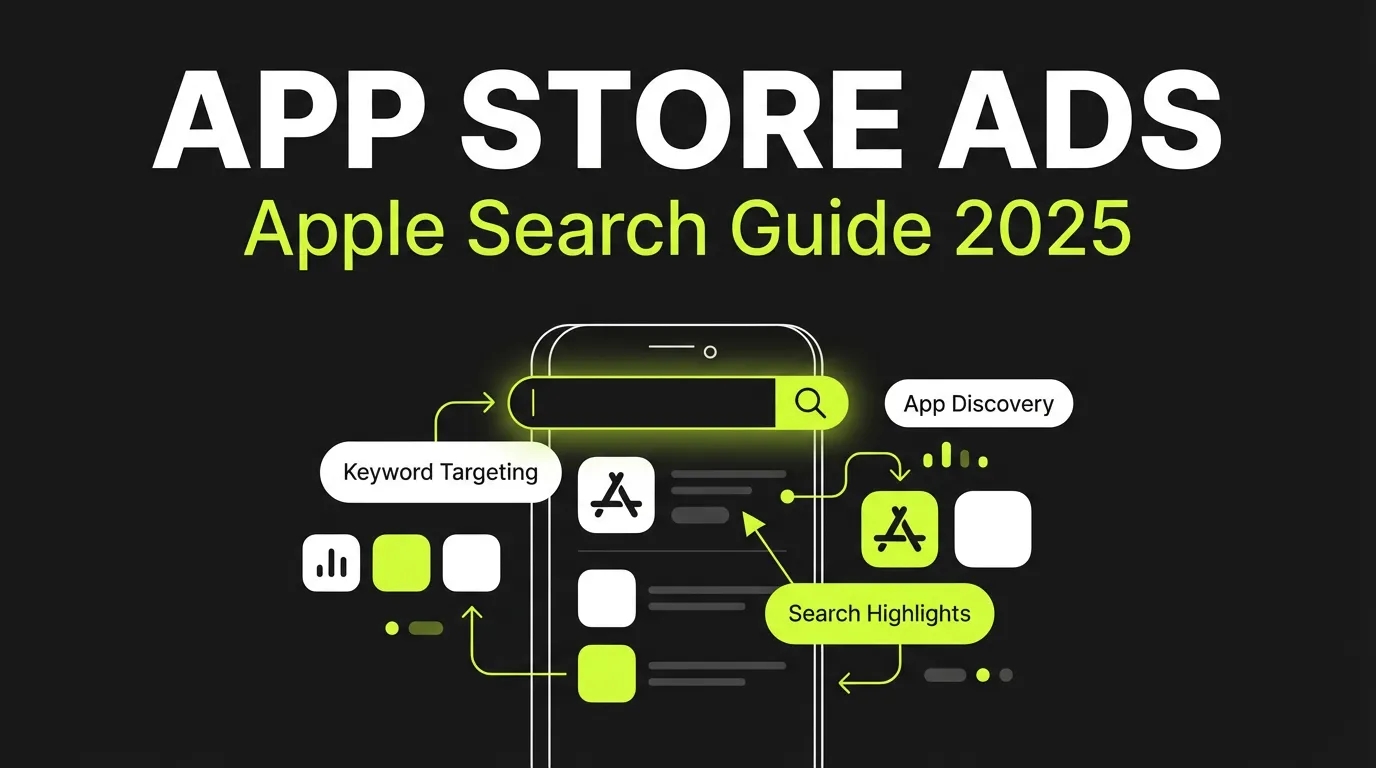
- 65% of App Store downloads come from search (Apple Ads)
- Apple Search Ads reach users with high intent to download
- Average conversion rate is 50%+ (compared to 1-3% on social)
- Two tiers: Basic (simple) and Advanced (full control)
Why Apple Search Ads Matter
When users search the App Store, they are actively looking for apps. This high-intent moment is when Apple Search Ads shine.
If you're scaling this across accounts, AdBid pulls planning, launch, and optimization into a single workflow.
:::highlight The Intent Advantage Users searching the App Store have already decided they want an app. Your job is just to be the one they choose. This is why Apple Search Ads have 50%+ conversion rates. :::
Apple Search Ads by the Numbers
| Metric | Value |
|---|---|
| App Store searches that lead to download | 65% |
| Average conversion rate | 50%+ |
| Countries available | 60+ |
| Average Cost Per Install | $1-3 |
Apple Search Ads Basic vs Advanced
Apple offers two campaign types with different levels of control:
Apple Search Ads Basic
Best for: Small businesses, limited time, simple goals
Features:
- Automatic keyword matching
- Set budget and target CPI
- Apple handles optimization
- Minimum management required
Limitations:
- No keyword selection
- Limited reporting
- No negative keywords
- Less control over costs
Apple Search Ads Advanced
Best for: Serious app marketers, agencies, large budgets
Features:
- Full keyword control
- Detailed analytics
- Audience targeting
- Creative sets
- Advanced bidding strategies
:::tip Our Recommendation Start with Basic to understand baseline performance, then move to Advanced for optimization and scale. :::
Setting Up Apple Search Ads
Account Setup
- Visit searchads.apple.com
- Sign in with your Apple ID
- Connect your app from App Store Connect
- Add payment method
- Choose Basic or Advanced
Campaign Structure (Advanced)
| Level | Purpose |
|---|---|
| Campaign | Budget, countries, goal |
| Ad Group | Keywords, audience, bid |
| Keywords | Specific search terms |
| Creative Sets | Ad variations |
Keyword Strategies for Apple Search Ads
Keyword Types
Brand Keywords:
- Your app name
- Company name
- Product names
Competitor Keywords:
- Competitor app names
- Competitor brand names
Category Keywords:
- Generic category terms
- Feature-based terms
- Use-case terms
Match Types
| Match Type | Description | Example |
|---|---|---|
| Exact | Precise match only | [fitness tracker] |
| Broad | Related variations | fitness tracker |
Keyword Research Process
- Start with your ASO keywords
- Analyze competitor keywords (using tools)
- Review Search Match suggestions
- Check Search tab recommendations
:::info Pro Tip Use Search Match initially to discover keywords you might not have considered. Then add winners as exact match keywords. :::
Bidding Strategies
Cost-Per-Tap (CPT) Bidding
You set maximum CPT, Apple optimizes within budget.
Recommended starting bids by category:
| Category | Starting CPT |
|---|---|
| Games | $1.50-3.00 |
| Finance | $3.00-6.00 |
| Health/Fitness | $1.00-2.50 |
| Shopping | $1.50-3.00 |
| Utilities | $0.75-2.00 |
| Social | $1.00-2.50 |
Bid Optimization Tips
- Start conservative — increase based on performance
- Bid higher on brand — protect your territory
- Test competitor bids — often lower ROI but valuable
- Adjust by device — iPad vs iPhone performance varies
Audience Targeting Options
Demographics
- Age groups
- Gender
- Device type
- Customer type (new vs returning)
Customer Types
| Type | Description | Use Case |
|---|---|---|
| All Users | Everyone | Awareness |
| New Users | Never downloaded | Acquisition |
| Returning Users | Previously downloaded | Re-engagement |
| Users of Other Apps | Have your other apps | Cross-promotion |
:::warning Privacy Note Apple privacy-focused approach means demographic data comes from user settings, not tracking. Some users may not have this data set. :::
Creative Sets and Ad Variations
Default Ads
Apple automatically creates ads from your App Store listing:
- App icon
- App name
- Subtitle
- Screenshots
Custom Creative Sets
Create variations for different audiences:
- Different screenshot orders
- Alternative preview videos
- Segment-specific messaging
Example Creative Set Strategy:
- Set A: Features-focused screenshots (for category keywords)
- Set B: Social proof screenshots (for competitor keywords)
- Set C: Use-case specific (for specific keyword themes)
Measuring Apple Search Ads Performance
Key Metrics
| Metric | Description | Target |
|---|---|---|
| Impressions | Ad views | Volume indicator |
| Taps | Clicks | Interest level |
| TTR (Tap-Through Rate) | Taps/Impressions | 5-10%+ |
| Installs | Downloads | Core goal |
| CPA (Cost Per Acquisition) | Cost per install | Category dependent |
| Conversion Rate | Installs/Taps | 40-60% |
Attribution and Analytics
Apple Search Ads Attribution API:
- Tracks installs from ads
- Passes keyword and campaign data
- 30-day attribution window
Integration with:
- App Store Connect Analytics
- Mobile measurement partners (MMPs)
- BI tools via API
Advanced Optimization Strategies
1. Dayparting
Adjust bids based on performance by time:
- Higher bids during peak usage
- Lower bids during low-convert times
- Consider timezone differences
2. Geographic Optimization
- Separate campaigns by country
- Adjust bids by region performance
- Localize Creative Sets
3. Keyword Cannibalization
Watch for:
- Generic keywords stealing brand traffic
- Broad match eating exact match budget
- Use negative keywords strategically
4. Funnel Optimization
Connect App Store performance to in-app metrics:
- Registration rates by keyword
- Purchase rates by campaign
- LTV by acquisition source
Apple Search Ads Best Practices
Campaign Structure
- Separate brand and non-brand campaigns
- Group keywords by theme in ad groups
- Create competitor-specific campaigns
- Use different budgets for testing vs scaling
Budget Allocation
| Campaign Type | Budget % | Purpose |
|---|---|---|
| Brand | 30% | Protect, high convert |
| Category | 40% | Volume, discovery |
| Competitor | 20% | Conquest |
| Discovery | 10% | New keywords |
Common Mistakes to Avoid
- Ignoring Search Match data — gold mine of keywords
- Overbidding on competitors — often low ROI
- Not using negative keywords — wastes budget
- Single Creative Set — misses optimization opportunity
- Ignoring seasonality — major impact on CPT
Apple Search Ads vs Google App Campaigns
| Factor | Apple Search Ads | Google App Campaigns |
|---|---|---|
| Platform | iOS only | Android + iOS |
| Control | High (Advanced) | Low (automated) |
| Intent | Very high | Mixed |
| Conversion Rate | 50%+ | 2-5% |
| Cost Per Install | $1-3 typical | $0.50-2 typical |
| Keyword Control | Full | None |
2025 Apple Search Ads Updates
Recent and expected changes:
- Today tab placements — new inventory
- Custom Product Pages — better ad-to-content matching
- Enhanced attribution — improved SKAdNetwork integration
- New markets — continued global expansion
Conclusion
Apple Search Ads remain the highest-intent mobile advertising channel. With proper keyword strategy, bid management, and creative optimization, you can acquire high-quality iOS users efficiently.
Managing both App Store and Google Play campaigns? AdBid unifies your mobile app marketing across platforms. Start optimizing today.