
Part of our Meta Ads Platform guide series.
Key Takeaways
- Duplication creates copies of ads, ad sets, or campaigns while keeping originals untouched
- Three primary use cases: creative testing, scaling spend, and restarting delivery
- Don't duplicate to "reset" poorly performing ads — that rarely works
- Budget allocation between original and duplicate matters significantly
- Automation can handle duplication rules based on performance triggers
What Duplication Actually Does
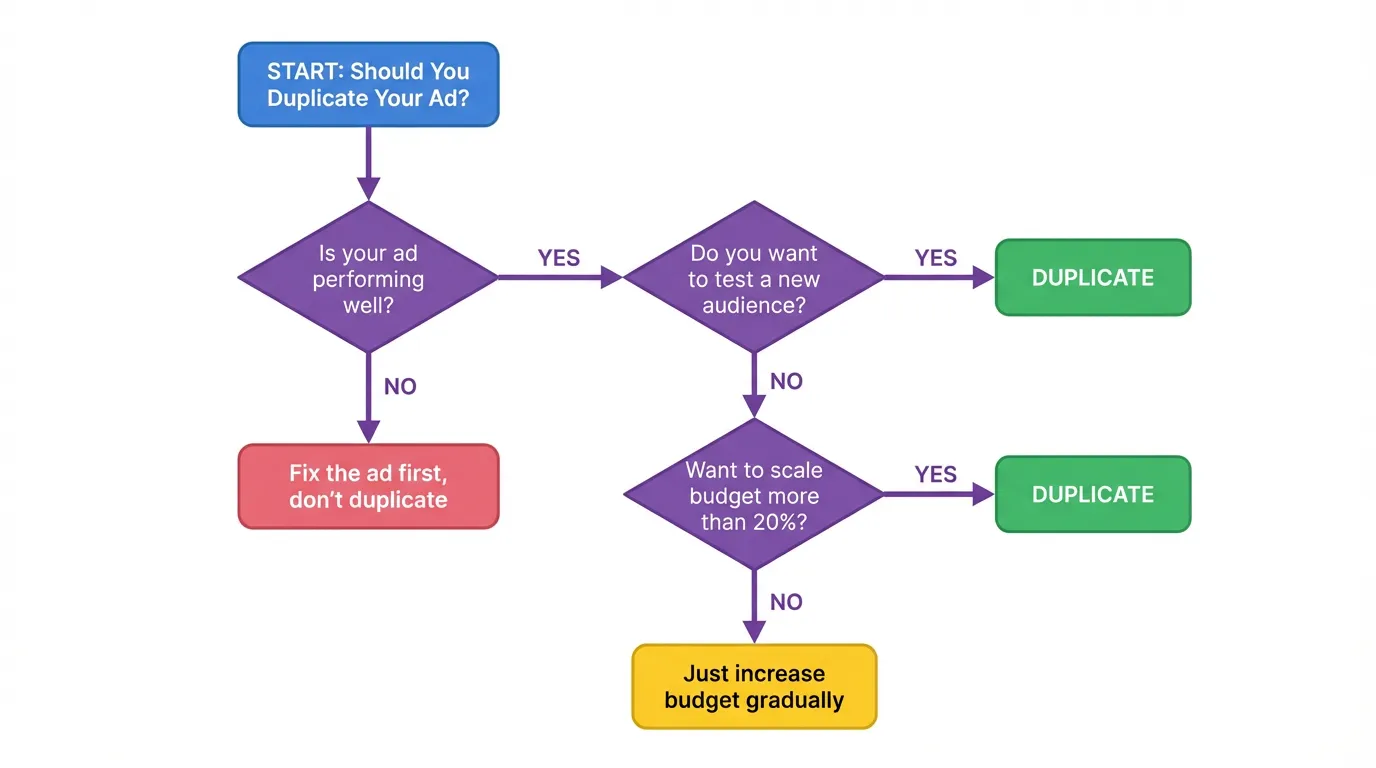
:::info The Basics Duplicating an ad, ad set, or campaign creates an exact copy. The duplicate starts fresh — new delivery, new learning phase — while your original keeps running undisturbed. :::
This sounds simple, but the implications are significant. That fresh start means:
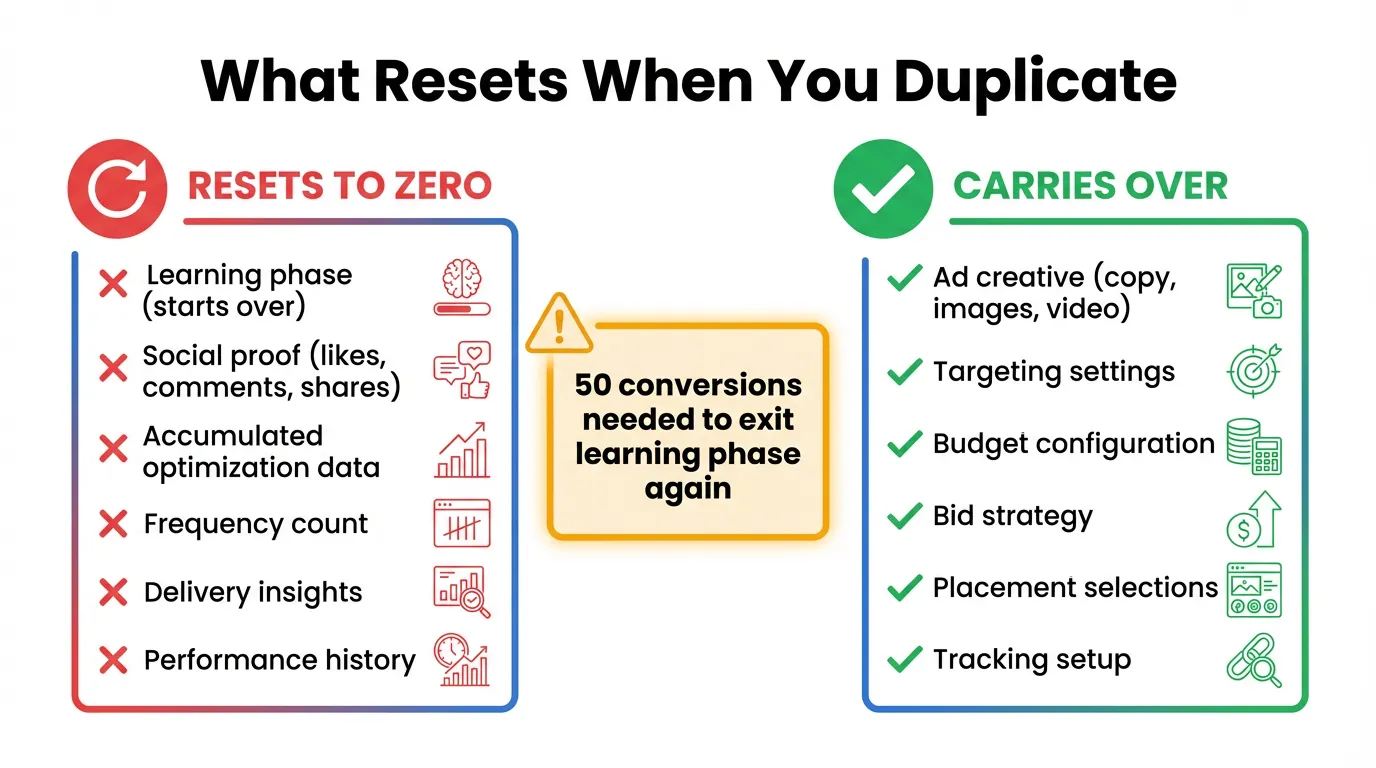
- The duplicate enters Meta's learning phase
- It has no performance history
- It competes for the same audience as the original
- Budget is split (unless you adjust)
If you're scaling this across accounts, AdBid pulls planning, launch, and optimization into a single workflow.
The Three Valid Reasons to Duplicate
Reason #1: Creative Testing
You have a winning ad set and want to test new creative variations. Duplicating lets you test under identical conditions — same audience, same budget allocation, same settings.
"The only difference is the creative itself. Everything else stays constant. That's how you isolate what's actually driving performance changes."
How to do it:
- Duplicate the ad set (not just the ad)
- Keep all settings identical
- Replace the creative in the duplicate
- Split budget 50/50 or use Campaign Budget Optimization
- Run for 7+ days before judging
:::tip Pro Tip Don't test more than 2-3 creative variations at once per audience. More variations = less budget per test = slower learning. :::
Reason #2: Scaling Spend
You have a winning ad set hitting its limits. Increasing budget too aggressively (>20% at once) can destabilize performance. Duplication offers an alternative.
The approach:
- Keep your winning ad set at current budget
- Duplicate it with fresh budget
- Let the duplicate find its own delivery rhythm
- Monitor both for a week
- Consolidate or keep running in parallel
:::warning Budget Reality The duplicate and original now compete for the same audience. Your effective reach doesn't double — you're just testing whether a fresh start performs better than scaling the original. :::
Reason #3: Restarting Delivery
Sometimes an ad set loses momentum. Engagement drops, CPAs rise, delivery slows. Duplication can give it a fresh start in Meta's learning phase.
When this works:
- Ad set was performing well, then declined
- You've diagnosed the issue (fatigue, competition, seasonality)
- You've refreshed the creative or adjusted targeting
When this doesn't work:
- Ad set never performed well
- You're duplicating without changing anything
- The issue is fundamental (bad offer, wrong audience)
:::warning Common Mistake Duplicating a failing ad set without changes is magical thinking. A fresh learning phase doesn't fix fundamental problems. :::
When NOT to Duplicate
Don't: Duplicate to "Reset" Bad Ads
If an ad isn't working, duplicating it won't help. The algorithm already learned it underperforms. Starting over just wastes more budget re-learning the same lesson.
Don't: Duplicate Constantly
Every duplication creates audience overlap. If you have 5 duplicates of the same ad set, they're all competing for the same users. Frequency goes up, costs go up, efficiency goes down.
Don't: Duplicate Without a Hypothesis
Ask yourself: "What do I expect to be different?" If you can't articulate a hypothesis, you're just hoping for different results from the same inputs.
How to Duplicate Properly
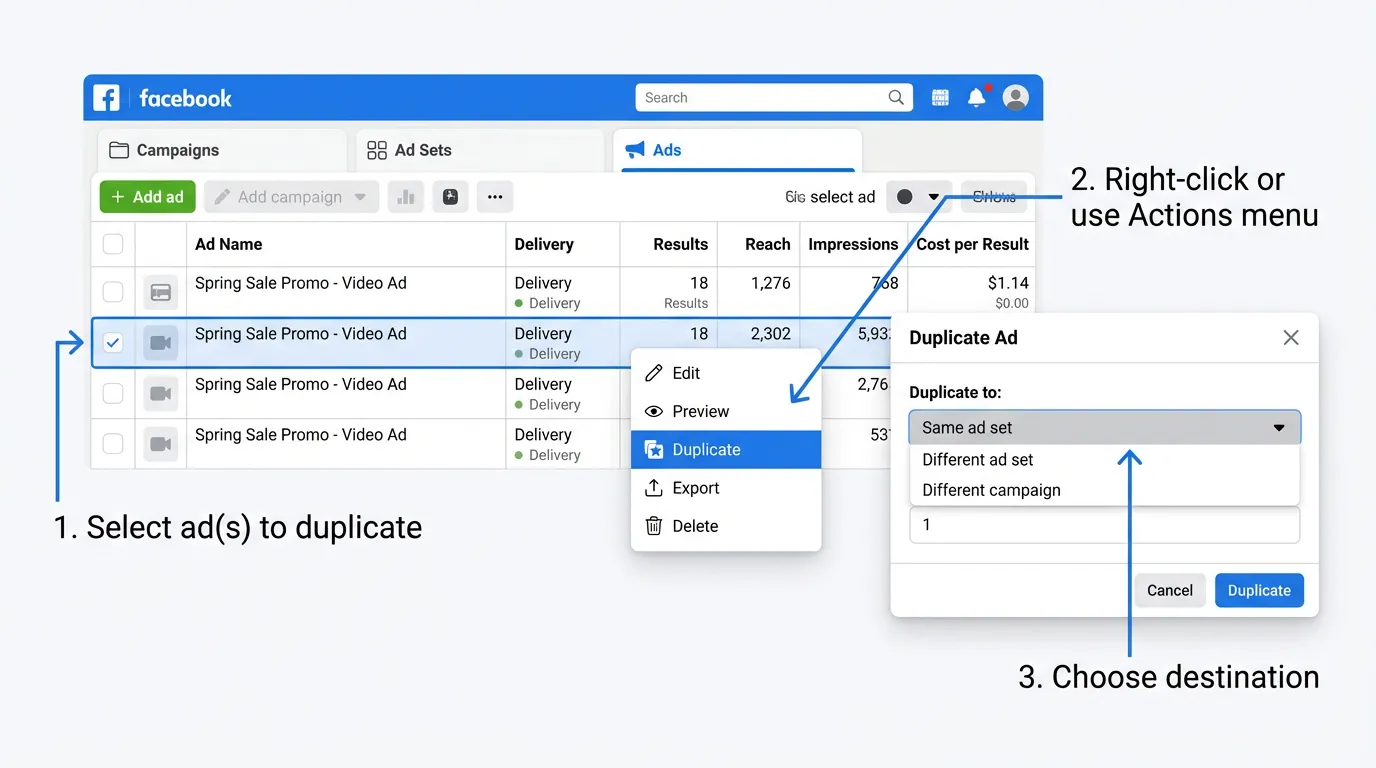
Ad Level Duplication
Use for: Testing creative variations within an ad set
Steps:
- Select the ad
- Click Duplicate
- Choose "Within existing ad set" or "Into new ad set"
- Edit the creative
- Publish
Ad Set Level Duplication
Use for: Testing audiences, placements, or scaling
Steps:
- Select the ad set
- Click Duplicate
- Choose destination campaign
- Adjust targeting/budget as needed
- Publish
Campaign Level Duplication
Use for: Testing campaign objectives or completely separate tests
Steps:
- Select the campaign
- Click Duplicate
- Adjust settings as needed
- Publish
Managing Budget Allocation
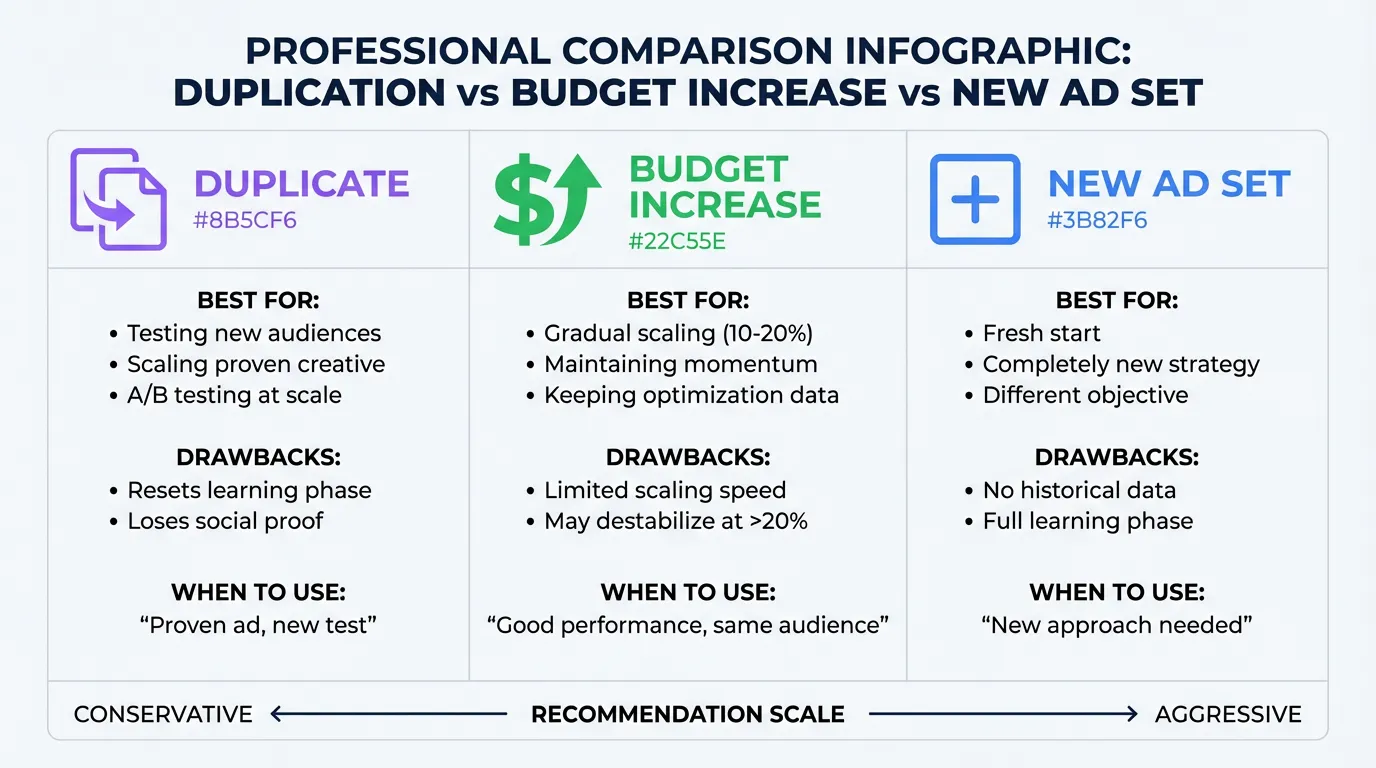
When you duplicate, budget management becomes critical.
Option 1: Manual Split
- Set specific daily budgets for original and duplicate
- Pro: Full control
- Con: May underdeliver if one audience segment runs out
Option 2: Campaign Budget Optimization (CBO)
- Let Meta distribute budget between ad sets
- Pro: Algorithm finds winning combinations
- Con: Less control over testing purity
:::tip Recommended Approach For creative testing, use CBO with minimum spend requirements to ensure each variation gets enough budget to learn. :::
Automation for Duplication
Manual duplication works at small scale. But if you're testing dozens of creatives or managing multiple accounts, automation saves hours.
Automated Duplication Rules
Set triggers based on performance:
Example: Scale Winners
- IF ad set ROAS > 3x for 3 consecutive days
- AND daily spend > $50
- THEN duplicate ad set with 1.5x budget
Example: Combat Fatigue
- IF frequency > 4
- AND CTR dropped >30% from week 1
- THEN pause ad set, duplicate with new creative
Tools for Automation
Native Ads Manager rules are limited. Third-party tools like AdBid offer:
- More sophisticated trigger conditions
- Cross-account duplication
- Performance-based creative rotation
- Automatic budget reallocation
Measuring Duplicate Performance
The Right Comparisons
Compare duplicate vs. original on:
- Cost per result
- ROAS
- Frequency
- Audience saturation
The Wrong Comparisons
Don't compare:
- Raw spend (depends on budget allocation)
- Raw conversions (depends on budget allocation)
- Performance in first 3 days (learning phase noise)
:::highlight Wait for Stability Give duplicates at least 7 days and 50+ conversions before making decisions. Anything less is statistical noise. :::
The Bottom Line
Duplication is a tactic, not a strategy. It works when you have a specific reason — testing creative, scaling carefully, or restarting with changes. It fails when used as a Hail Mary for underperforming campaigns.
:::tip The Duplication Decision Framework Before duplicating, ask:
- What's my hypothesis?
- What's different about this duplicate?
- How will I measure success?
- What's my decision criteria and timeline?
If you can't answer these, don't duplicate. :::
Want automated rules for smart duplication? AdBid can duplicate winning ad sets, pause fatigued ads, and reallocate budget based on performance — all without manual intervention. Try AdBid free for 14 days.