
Key Takeaways
- Snapchat's Smart Bidding now offers predictable CPA through AI optimization
- Sponsored Snaps place ads directly in Chat Feeds — high visibility placement
- App Power Pack bundles four app marketing tools at 25% higher install rates
- Users are 34% more likely to buy promoted products (Snapchat Support) vs. competing platforms
- New API validation prevents misconfigured campaigns before launch
Why Snapchat Deserves Another Look
:::highlight The Overlooked Opportunity While everyone focuses on Meta and TikTok, Snapchat has quietly built one of the most effective ad platforms for reaching younger audiences. The 2025/2026 updates make it worth reconsidering. :::
I'll be honest — I underestimated Snapchat ads for years. It felt like a platform for brand awareness, not performance. The recent updates changed my mind. Here's what's new and what actually works.
Once you're ready to scale, AdBid gives you the workflow to plan, launch, and optimize without adding headcount.
Smart Bidding: AI-Powered Optimization
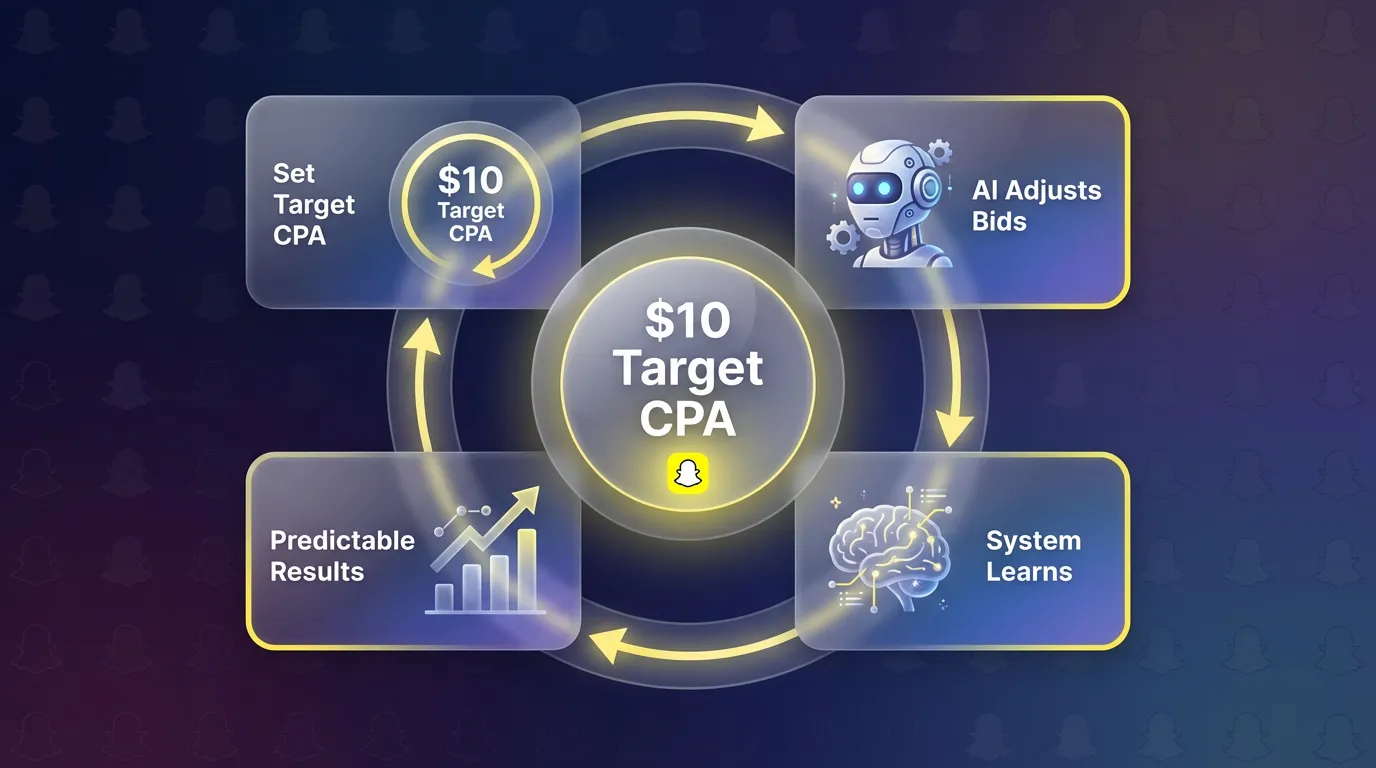
The biggest update is Smart Bidding. You set a target cost-per-action, and Snapchat's AI automatically adjusts bids throughout the day.
:::info How Smart Bidding Works
- You set a target CPA (e.g., $10 per install)
- Snapchat's algorithm adjusts bids in real-time
- System learns from conversions to improve targeting
- Results: More predictable outcomes, less manual optimization :::
Smart Bidding vs. Manual Bidding
| Approach | Best For | Trade-off |
|---|---|---|
| Smart Bidding | Predictable CPA, hands-off | Less control over delivery |
| Manual Bidding | Maximum control, testing | Requires active management |
My recommendation: Start with Smart Bidding to establish baselines, then test manual bidding for specific optimizations.
Smart Budget: Automatic Reallocation
Paired with Smart Bidding, Smart Budget automatically moves spend toward your best-performing ads.
"Smart Budget reallocates spending toward top-performing advertisements automatically" — Snapchat's promise
:::tip When to Use Smart Budget
- Running multiple ad variations simultaneously
- Testing different creative approaches
- Want algorithm-driven optimization
- Have sufficient daily budget for learning :::
:::warning When to Avoid Smart Budget
- Testing specific hypotheses (need controlled spend)
- Limited budget (may concentrate on one winner too quickly)
- Early campaign stages before sufficient data :::
Sponsored Snaps: Chat Feed Placement
This is the placement that changed my view on Snapchat. Sponsored Snaps appear directly in the Chat Feed — where users spend most of their time.
Format Options
First Snap Takeover: Your ad is the first thing users see when opening Chat Feed. Premium pricing, massive reach.
Auction Sponsored Snaps: Compete via bidding for Chat Feed placement. More accessible pricing.
Real Results
Calvin Harris campaign example:
- Reached 11.8 million users (Snapchat for Business)
- Drove 58% boost in Spotify streams (Snapchat for Business)
- Demonstrated entertainment/music vertical potential
:::highlight Sponsored Snaps Insight Chat Feed placement feels less intrusive than feed ads. Users are in a messaging mindset — they're used to receiving content from friends. Ads that match this context perform well. :::
App Power Pack: Bundle for App Marketers
If you're marketing an app, the App Power Pack bundles four powerful features:
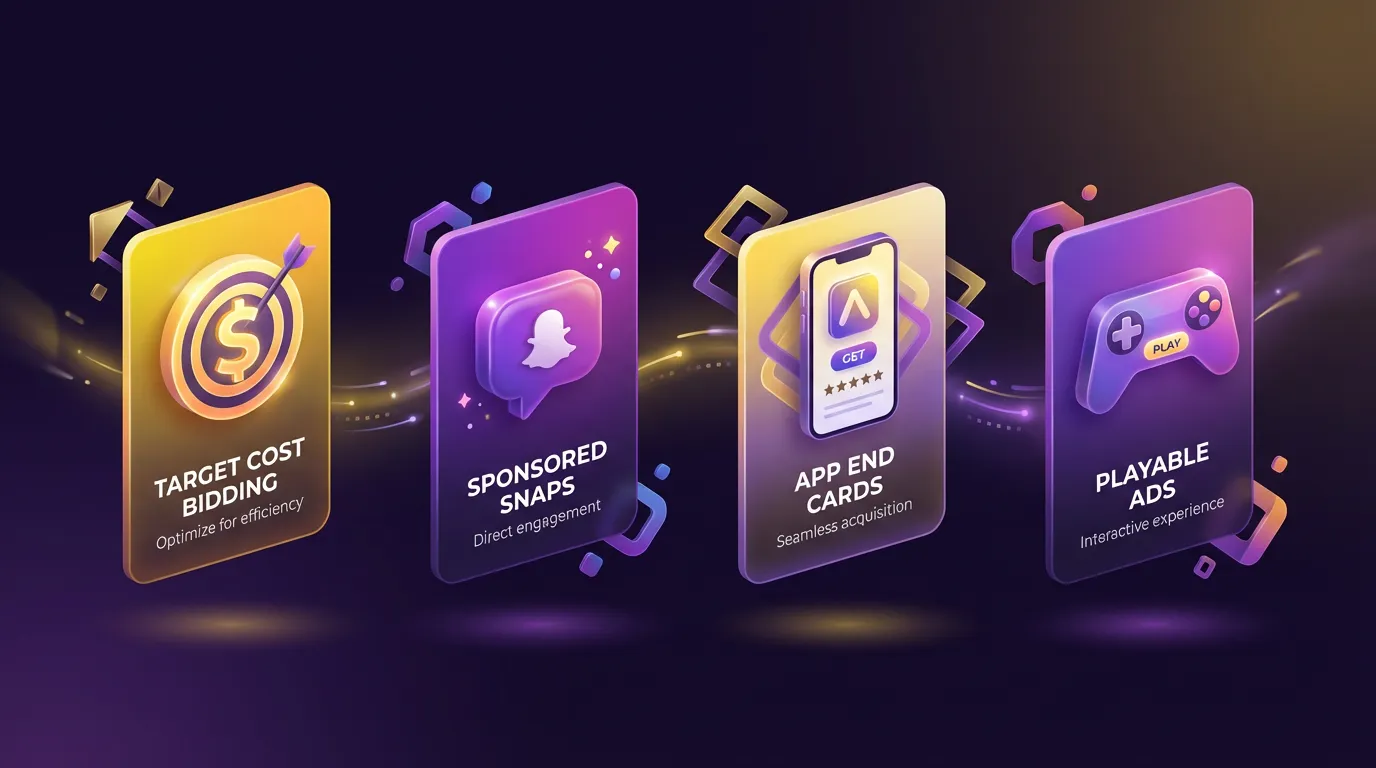
1. Target Cost Bidding
Set your target cost per install. Algorithm optimizes delivery.
2. Sponsored Snaps Placement
Chat Feed visibility for app install campaigns.
3. App End Cards
Show App Store preview cards at the end of video ads. Users see ratings, screenshots, and can install directly.
4. Playable Ads
Let users try a lightweight version of your app before installing. Particularly effective for games.
:::info Early Results Advertisers using App Power Pack reported up to 25% increase in app installations (Marketing Dive) compared to standard campaigns. :::
API Eligibility Endpoint: Pre-Launch Validation
This technical update matters more than it sounds. Before launching, the API now validates:
- Optimization goal compatibility
- Conversion data quality
- Campaign configuration
Why it matters: Catches misconfigured campaigns before you waste budget. No more discovering tracking issues after spending thousands.
Audience & Targeting
Snapchat's audience skews younger, but the platform has expanded:
Core Demographics
- 18-34 primary (but growing 35+ segment)
- High engagement among Gen Z and young millennials
- Strong in entertainment, gaming, fashion, food
Targeting Options
- Demographic (age, gender, location)
- Interests (based on content engagement)
- Custom audiences (website visitors, customer lists)
- Lookalikes (based on custom audiences)
- Snap Audience Match (email/phone matching)
:::tip Targeting Strategy Start broad with Smart Bidding, let the algorithm find your audience. Then analyze converters and build lookalikes for scaling. :::
Creative Best Practices
Snapchat creative has its own grammar:
What Works
- Vertical video (9:16): Native to the platform
- Quick hooks: First 2 seconds determine engagement
- Sound-on design: Unlike other platforms, Snapchat users often have sound on
- Authentic style: Polished but not overly produced
- Clear CTA: Tell users exactly what to do
Format Recommendations by Objective
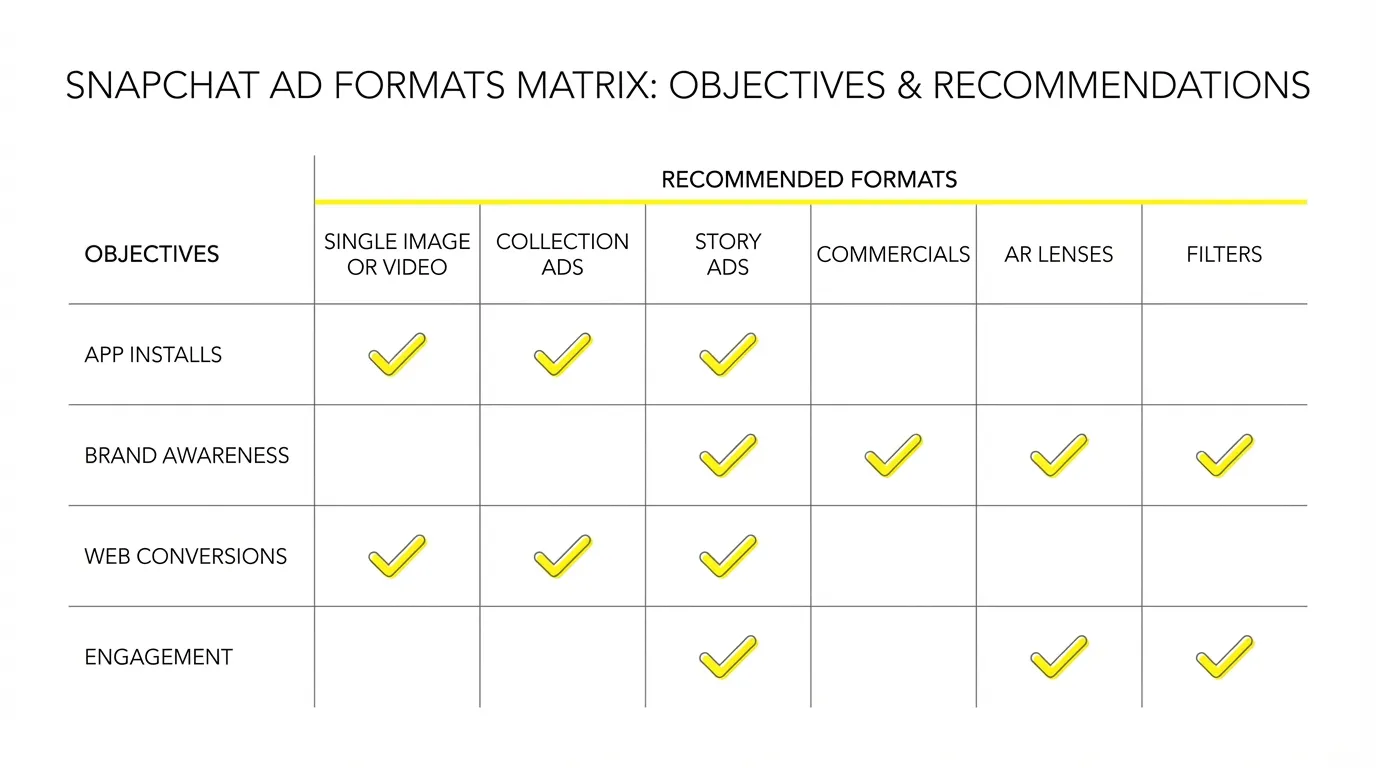
| Objective | Best Formats |
|---|---|
| App Installs | Playable Ads, App End Cards |
| Brand Awareness | Sponsored Snaps, Filters |
| Web Conversions | Collection Ads, Story Ads |
| Engagement | Filters, Lenses (AR) |
Measurement & Attribution
Snapchat's Attribution
Default windows:
- 28-day click-through
- 1-day view-through
Cross-Platform Validation
:::warning Don't Trust Platform Data Alone As with any platform, validate Snapchat's reported conversions against your own tracking. Use UTM parameters and compare with Google Analytics or your MMP. :::
Getting Started: Recommended Approach
For App Marketers
- Enable App Power Pack
- Start with Target Cost bidding at your break-even CPA
- Test 3-5 creative variations
- Use Playable Ads if applicable to your app type
- Scale winners, refresh creative monthly
For E-commerce/Web
- Install Snap Pixel on all pages
- Start with web conversion objective
- Use Sponsored Snaps for broad reach
- Test Collection Ads for product showcases
- Build customer list audiences for remarketing
The Bottom Line
Snapchat has evolved from a brand awareness platform to a legitimate performance channel. The combination of Smart Bidding, Sponsored Snaps, and App Power Pack creates a compelling alternative to Meta and TikTok — especially for younger audiences.
:::tip Start Here If you're not already testing Snapchat, allocate 10-15% of your social budget for a 30-day test. Use Smart Bidding, target your best-performing audience segments, and measure incrementality versus your other channels. :::
The advertisers seeing results aren't treating Snapchat as an afterthought — they're building Snapchat-native strategies.
Want to see Snapchat performance alongside your Meta and TikTok campaigns? AdBid's unified dashboard brings all your social channels together. Try AdBid free for 14 days.