
Part of our Meta Ads Platform guide series.
Key Takeaways
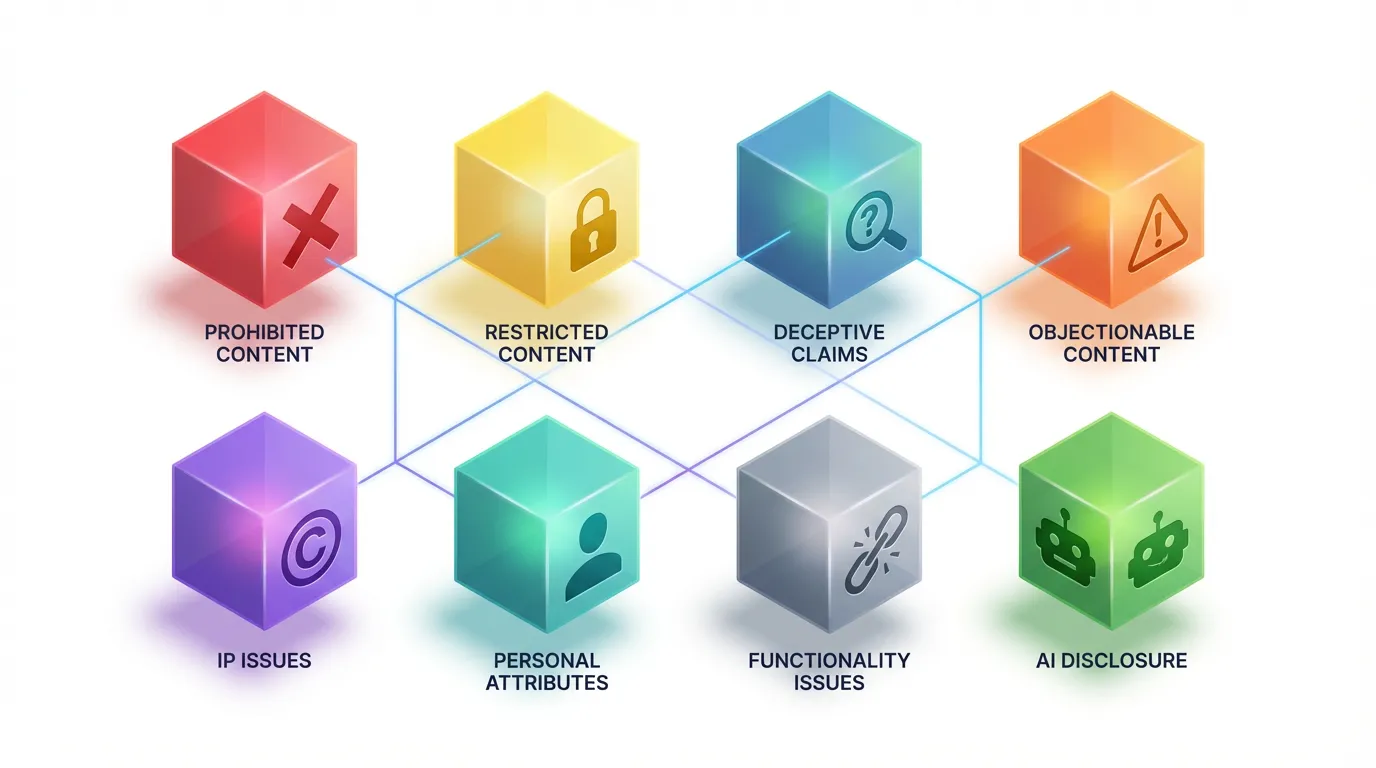
- Most rejections fall into 8 predictable categories with clear fixes
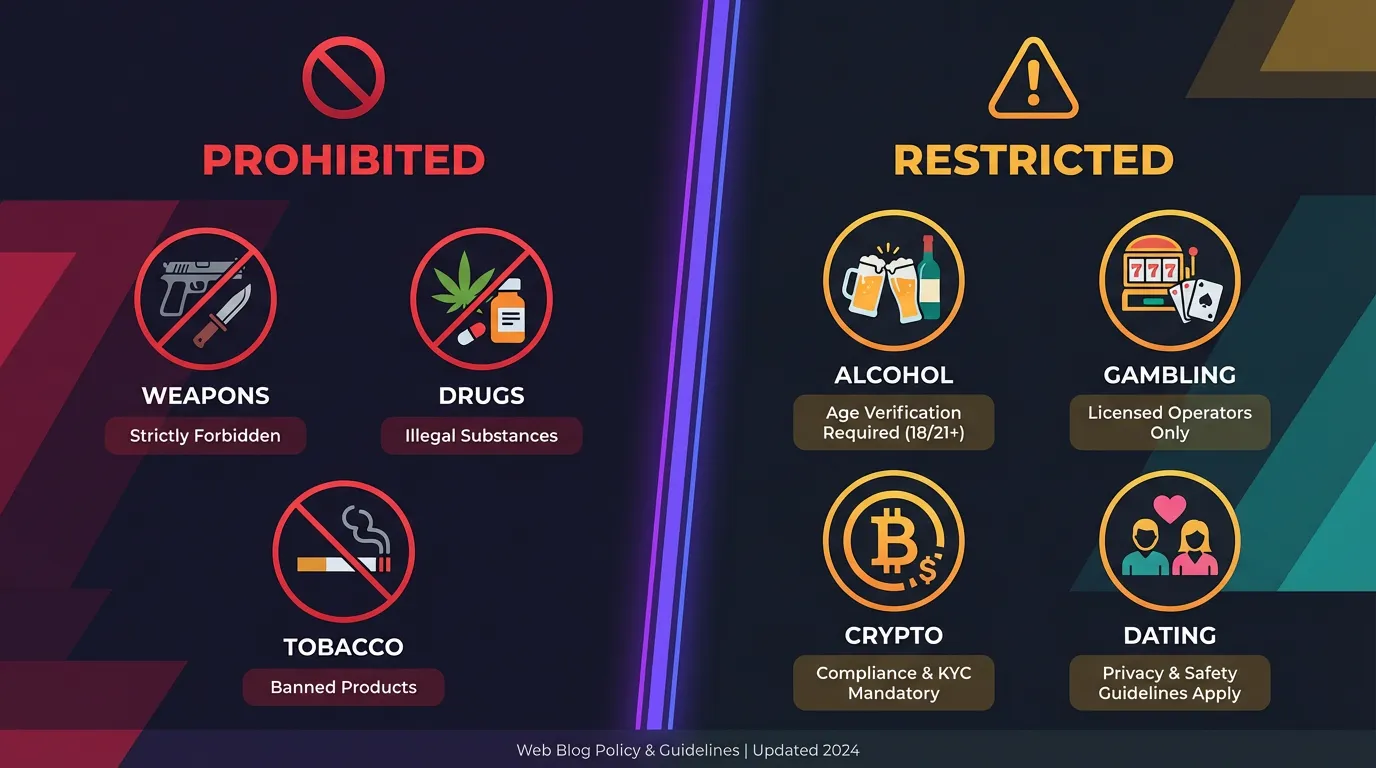
- Meta distinguishes between "prohibited" (banned) and "restricted" (allowed with compliance) content
- AI content requires disclosure starting 2025
- Appeal rejections through Meta Business Support — process takes ~24 hours
- Prevention is easier than cure: know the policies before you create
The Frustration Is Real
:::info Sound Familiar? You spend hours crafting the perfect ad. Copy is tight. Creative looks great. You hit publish and... rejected. No clear explanation. Just "doesn't meet advertising policies." :::
I've been there. Every media buyer has. The good news? Most rejections are fixable once you understand what triggered them.
If you're scaling this across accounts, AdBid pulls planning, launch, and optimization into a single workflow.
Let me walk you through the 8 most common reasons — and exactly how to fix each one.
Reason #1: Prohibited Content
Some content is completely banned. No exceptions, no appeals, no workarounds.
:::warning Prohibited Categories
- Illegal products or services
- Discriminatory practices
- Tobacco and related products
- Unsafe supplements
- Weapons, ammunition, explosives
- Surveillance equipment
- Payday loans and similar predatory financial products :::
The Fix: If your product falls into these categories, you cannot advertise on Meta platforms. Period. Consider alternative channels.
Reason #2: Restricted Content (Wrong Setup)
Restricted content CAN run — but requires specific targeting and compliance measures.
| Category | Requirements |
|---|---|
| Alcohol | Age 21+ (US), country restrictions, disclaimers |
| Dating | Meta approval required, 18+ targeting |
| Gambling | License verification, geo-restrictions |
| Crypto | Written authorization required |
| Prescription drugs | Special eligibility requirements |
The Fix: Check if your category is restricted rather than prohibited. If restricted, implement required targeting and obtain necessary approvals.
:::tip Pro Tip Apply for special category approval BEFORE you need it. The process can take weeks — don't wait until launch day. :::
Reason #3: Deceptive or Misleading Claims
This is the most common rejection reason I see. Meta is aggressive about claims that:
- Promise unrealistic results
- Exaggerate product capabilities
- Use before/after imagery implying guaranteed outcomes
- Make health or financial claims without substantiation
"Lose 30 pounds in 30 days!" — Rejected "Our customers have achieved meaningful results with consistent use" — More likely to pass
The Fix: Use measured, realistic language. Include disclaimers. Avoid superlatives and guarantees. If making claims, back them with evidence.
:::warning Health & Finance Extra Scrutiny Health, wellness, and financial products face extra scrutiny. Words like "cure," "guaranteed returns," or "instant results" will almost certainly trigger rejection. :::
Reason #4: Objectionable Content
Meta rejects content that most users would find offensive:
- Explicit nudity or sexual content
- Graphic violence
- Profanity (even implied with symbols)
- Shocking or sensational content
- Content promoting self-harm
- Bullying or harassment
The Fix: Review your creative with fresh eyes. Would it be appropriate for a general audience? If in doubt, tone it down.
Reason #5: Intellectual Property Issues
Using assets you don't have rights to:
:::info Common IP Violations
- Competitor logos or brand names
- Celebrity images without permission
- Music or video clips without license
- Counterfeit or knock-off products
- Implying false endorsements :::
The Fix: Only use assets you own or have licensed. If referencing other brands, ensure it's factual comparative advertising (which has specific rules).
Reason #6: Personal Attributes
Ads cannot assert or imply personal characteristics about users:
Rejected: "Struggling with your weight?" Better: "Looking for fitness support?"
Rejected: "Are you in debt?" Better: "Financial planning resources"
The difference is subtle but important. Don't "call out" users based on race, religion, health conditions, financial status, or other personal attributes.
The Fix: Reframe copy to describe your product/service rather than making assumptions about the viewer.
Reason #7: Functionality Issues
Technical problems that trigger rejection:
- Landing page doesn't load
- Landing page doesn't match ad content
- Broken links or error pages
- Excessive pop-ups or interstitials
- Auto-playing audio
- Landing page requires download to view
The Fix: Test your full funnel before submitting. Click through every link. Ensure landing page matches ad messaging.
:::tip Landing Page Checklist
- Loads in under 3 seconds
- Works on mobile
- No auto-play audio
- Content matches ad claims
- Clear privacy policy
- No deceptive elements (fake scarcity, fake reviews) :::
Reason #8: AI Content Without Disclosure
:::warning 2025 Requirement Meta now requires disclosure when ads contain AI-generated or AI-manipulated content. This includes AI-generated images, AI avatars, and AI-written copy. :::
The Fix: If using AI-generated content, disclose it in your ad or landing page. Meta provides tools for adding this disclosure during ad creation.
How to Appeal a Rejection
When you believe a rejection was wrong:
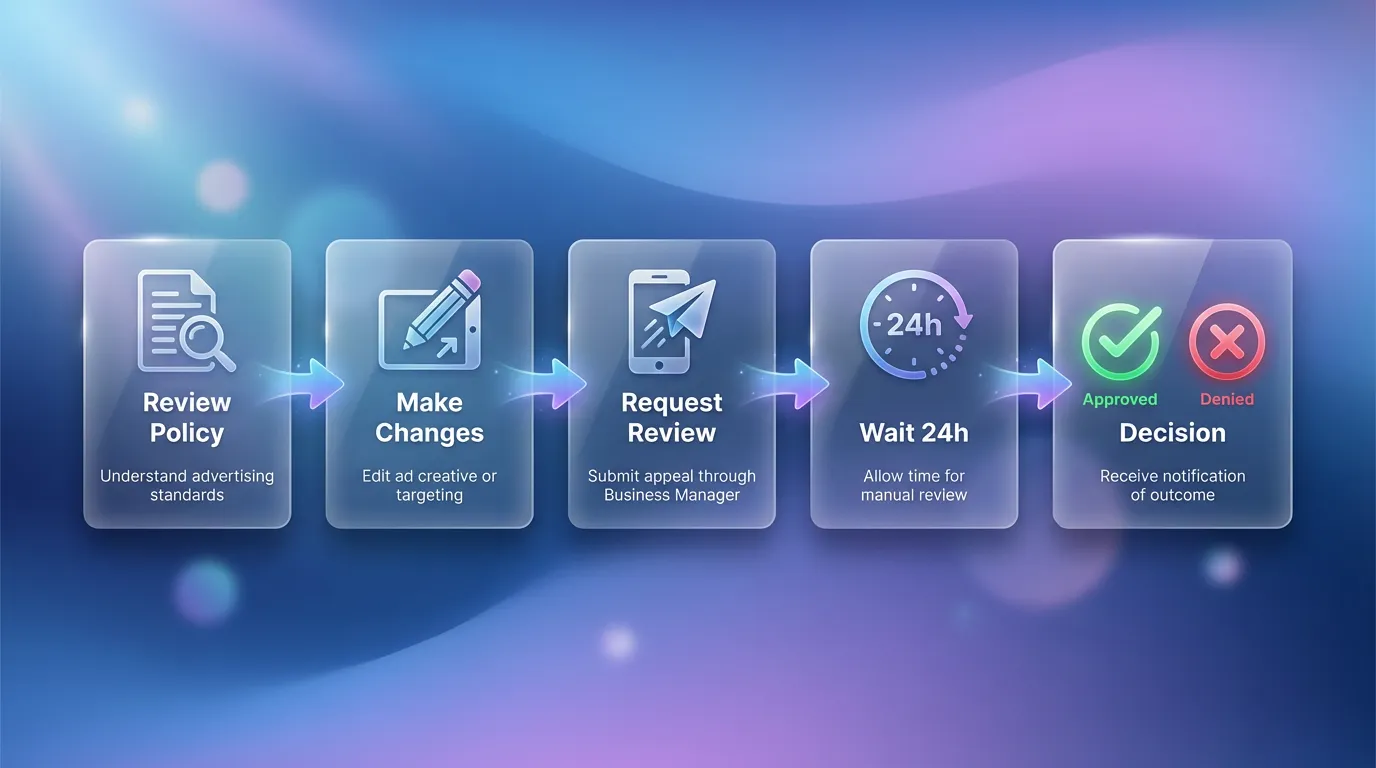
Step 1: Review the Specific Policy
Check exactly which policy Meta cited. Sometimes the message is vague, but clicking through provides details.
Step 2: Make Changes (If Applicable)
If there's a legitimate issue, fix it before appealing. Resubmitting the same ad will likely get the same result.
Step 3: Request Review
Go to Ad Account Quality → Request Review. Provide context explaining why you believe the ad complies.
Step 4: Wait
Reviews typically take 24 hours (Meta Business Help). Don't submit multiple appeals — it won't speed things up and may slow you down.
:::info Realistic Expectations Not every appeal succeeds. If Meta confirms the rejection, accept it and create compliant alternatives. Fighting repeatedly can flag your account for increased scrutiny. :::
Prevention: The Better Strategy
Don't wait for rejections. Build compliance into your process:
Pre-Launch Checklist
- Claims check: Are all claims substantiated and realistic?
- Creative review: Any potentially objectionable elements?
- Landing page test: Does it work and match the ad?
- Rights verification: Do you own/license all assets?
- Category check: Any restricted category requirements?
- Targeting review: Appropriate audience restrictions in place?
Build a Swipe File
Keep examples of approved ads in your category. When in doubt, model what's already working rather than pushing boundaries.
The Bottom Line
Ad rejections are frustrating but rarely mysterious. Most fall into predictable categories with clear fixes.
:::tip The Prevention Mindset It's faster to create compliant ads than to fix rejected ones. Build policy awareness into your creative process, not your troubleshooting process. :::
Understanding why Meta rejects ads transforms rejection from a frustrating mystery into a solvable problem.
Tired of tracking ad rejections across multiple accounts? AdBid centralizes your account health status and alerts you to policy issues before they become problems. Try AdBid free for 14 days.