
Part of our Meta Ads Platform guide series.
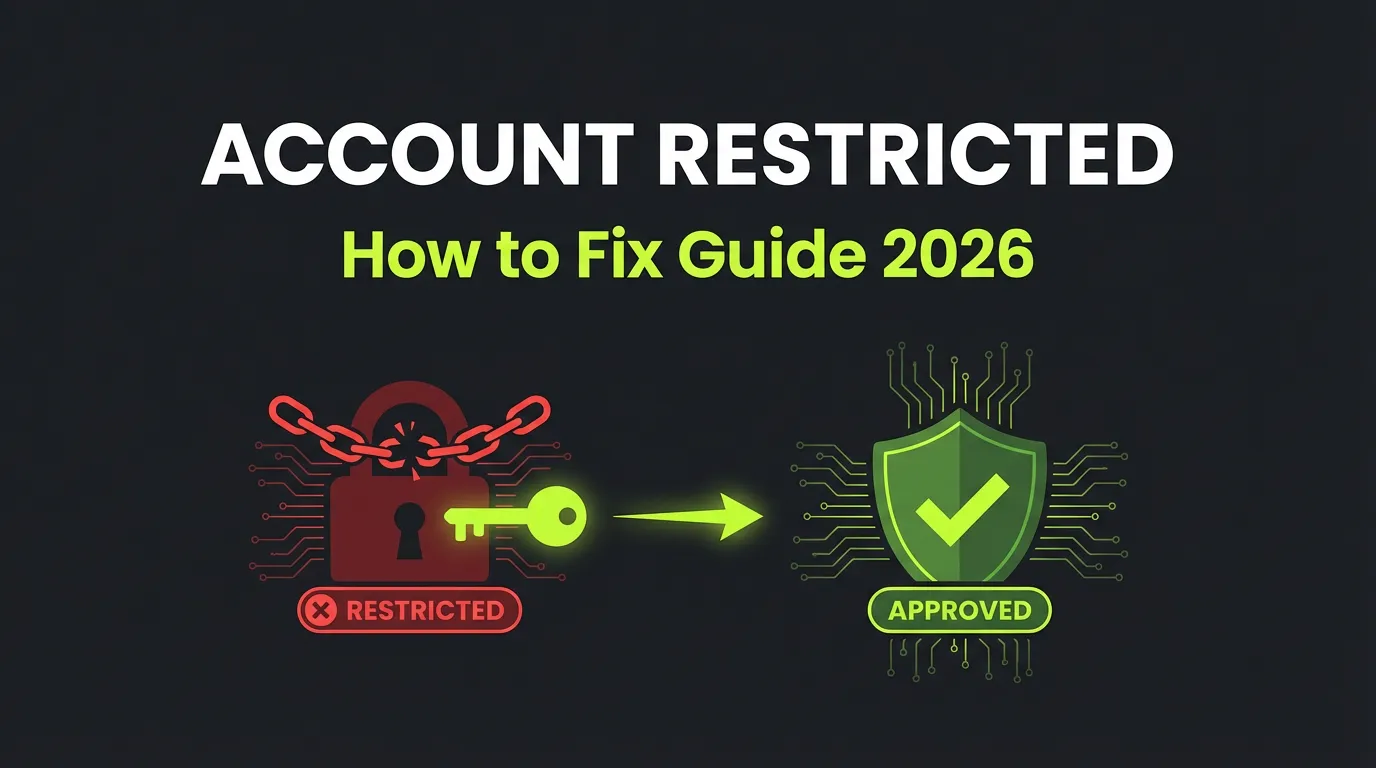
Facebook Account Restricted from Advertising? Why It Happens and How to Fix It in 2026
You open Ads Manager and a red banner stops you cold: "Your advertising access is restricted." Campaigns pause. Spend freezes. Revenue you counted on disappears overnight. It feels like the end, but it usually isn't. Meta restricts advertising access at several levels, and most of those restrictions can be reversed once you understand what triggered them. The hard part is knowing which level you hit, why it happened, and what sequence of steps actually moves the review forward instead of stalling it.
This guide walks through every restriction type, the real causes behind them, and a clear recovery process you can follow today.
Key Takeaways
- Restrictions hit four levels: business portfolio, ad account, Page, or personal user account, and the level decides how much damage is done.
- The usual triggers are policy violations, negative feedback, suspicious activity, and unverified identity.
- Recovery follows a fixed order: find the cause, confirm identity, fix the violation, enable 2FA, then request review.
- Minor issues often clear in 24 to 72 hours; fraud or repeated severe violations can be permanent.
- Prevention beats recovery: verify early and keep your feedback score healthy, per Meta Business Help.
What Does It Mean When Your Account Gets Restricted?
A restriction is Meta's way of pausing your advertising while it reviews trust signals tied to your account. The message in Ads Manager rarely explains the full story, which is why the first instinct, panic, is also the least useful one. Your job is to slow down and diagnose.
Most restrictions are not bans. They are holds that lift once you complete a required action or pass a review. The exceptions are cases tied to fraud or repeated abuse, which we cover near the end. Before you appeal anything, figure out exactly which level Meta restricted, because the recovery path is different for each.
What Are the Different Types of Facebook Restrictions?
Meta does not apply restrictions in one blanket way. It enforces at four distinct levels, and confusing them is the most common reason appeals go nowhere. Knowing your level tells you how serious the situation is and which assets stay usable while you fix things.
Business Portfolio Restrictions
This is the most severe level. A restricted business portfolio (formerly Business Manager) affects every ad account, Page, and asset inside it. Your entire Meta advertising operation can grind to a halt at once, which is why portfolio-level issues deserve your fastest, most careful response.
Ad Account Restrictions
Here only one specific ad account is frozen. Other accounts in the same portfolio may keep running normally. This is often the easiest level to recover from, since the issue is usually tied to one account's spend pattern, payment method, or recent campaign activity.
Page Restrictions
A Page restriction limits what you can do with a single Facebook Page, such as boosting posts or running ads tied to that Page. The underlying ad account may still function, but campaigns connected to the flagged Page will not deliver until the issue clears.
User Account Restrictions
This one follows you, not your assets. A restricted personal user account limits your ability to manage ads anywhere, across every business you touch. Even healthy ad accounts become unmanageable if the person controlling them is restricted, so personal verification matters more than people expect.
What Are the Most Common Causes of Restrictions?
Restrictions almost always trace back to a handful of recurring triggers. Identifying yours is faster when you know the usual suspects, so check your situation against each one before you assume the system made a mistake.
Policy Violations
This is the leading cause. Your ads ran something Meta's advertising policies prohibit, and the system flagged it. Common categories include:
- Prohibited content, such as illegal products or discriminatory targeting
- Deceptive claims and unrealistic promises
- Objectionable or inappropriate imagery
- Industry-specific breaches, like missing disclaimers in finance or health
If you keep getting individual ads rejected, that pattern often precedes a full restriction. Our breakdown of why Facebook ads get rejected and how to fix them covers the specific flags worth watching.
Negative User Feedback
Users can hide, report, or rate your ads poorly, and Meta tracks that sentiment as a feedback score. A consistently low score signals that your ads frustrate the people seeing them. Once feedback drops into the danger zone, restrictions become far more likely, and they arrive with little warning.
Suspicious Activity
Meta's automated systems watch for patterns that look like a compromised or fraudulent account. Triggers include:
- Logins from unexpected countries or devices
- Sudden changes to payment methods
- Unusual spikes in spend
- Repeated failed verification attempts
None of these mean you did anything wrong, but they raise the system's suspicion and can freeze access until you confirm it is really you.
Unverified Identity
Meta keeps tightening verification, and missing steps create risk on their own. Accounts without two-factor authentication, incomplete business verification, or unconfirmed personal identity sit on shakier ground and recover more slowly when something goes wrong.
Repeated Disapprovals and IP Complaints
Resubmitting rejected ads without changing them reads as either deliberate circumvention or a failure to understand the rules. Either way, it invites scrutiny. Separately, intellectual property complaints from rights holders can trigger restrictions quickly, since Meta treats verified IP reports seriously.
How Do You Fix a Restricted Facebook Account?
Recovery works best as an ordered sequence, not a scramble. Skipping steps or appealing before you fix the root cause is the fastest way to get a denial. Follow this path from top to bottom and resist the urge to jump ahead.
Step 1: Identify the Cause
Open Account Quality in Business Suite. Look for the cited policy violation, your current feedback score and its trend, and any required actions Meta lists. This screen is your source of truth, and everything that follows depends on reading it correctly.
Step 2: Confirm Your Identity
Identity confirmation is often the first action Meta requires. Provide your email, confirm your phone number, upload a government ID if requested, and verify that you own the payment method on file. Complete this even if you think the restriction is about something else, since unverified identity slows every other step.
Step 3: Address the Violation
If specific violations are cited, fix them before appealing. Remove or edit the offending ads, update landing pages that contain non-compliant claims, and keep a short record of what you changed. Documented fixes give a reviewer something concrete to approve. For deeper policy context, Meta's own rules and our guide to Meta advertising policies explain what compliant ads look like.
Step 4: Enable Two-Factor Authentication
If 2FA is not on yet, turn it on now. Meta frequently requires it before reinstating access, and enabling it also reduces the odds of future suspicious-activity flags.
Step 5: Request a Review
Go to Business Support Home and submit your appeal:
- Navigate to Account Quality.
- Select the restricted account.
- Click "Request Review."
- Add context and any supporting documentation.
- Submit, then wait for the decision.
When you write the appeal, acknowledge the issue plainly, describe the specific changes you made, and commit to compliance going forward. A calm, factual tone works far better than a defensive one.
There are also things you should never do during recovery. Don't fire off multiple appeals at once, don't spin up new accounts to dodge the restriction, don't claim innocence if you actually broke a rule, and don't get aggressive with support. Each of those slows you down or makes the outcome worse.
How Long Does Reinstatement Take?
Timelines vary by how serious the issue is and whether you corrected it properly. Identity verification often resolves within a couple of days, while feedback-driven restrictions need time to show real improvement before Meta lifts the hold.
| Violation Type | Typical Timeline |
|---|---|
| Minor policy violation | 24 to 72 hours once corrected |
| Feedback score issues | 1 to 2 weeks with sustained improvement |
| Identity verification | 24 to 48 hours after submission |
| Severe or repeated violations | Weeks to permanent |
| Fraudulent activity | Often permanent |
Treat these as rough ranges, not guarantees. Submitting a clean, well-documented appeal is the single biggest factor in landing on the faster end.
How Do You Prevent Future Restrictions?
Prevention is cheaper than recovery every single time. The advertisers who rarely get restricted are not lucky, they have simply built compliance into how they operate. A few habits carry most of the weight.
Monitor Your Feedback Score
Check Account Quality weekly so a slow decline never surprises you. As a rough guide, a score above 4.0 is excellent, 3.0 to 4.0 is healthy, 2.0 to 3.0 means you are at risk, and below 2.0 puts you in the danger zone. Catching a dip early gives you room to adjust creative before it triggers a hold.
Know the Policies and Verify Early
Read Meta's advertising policies at least once a quarter, since they change often and quietly. Complete business, domain, and identity verification plus 2FA before you ever need them, because a fully verified account is both harder to restrict and faster to recover.
Build Review Into Your Creative Process
Screen claims, landing pages, and asset licensing before anything goes live, not after a rejection. Privacy and data-handling rules matter here too, especially for tracking and audience setups, which our advertising privacy compliance guide walks through in detail.
Protect Against Fraud Signals
Some restrictions come from activity you did not authorize, such as a compromised login or stolen payment method. Tightening account security and watching for unusual spend protects you here. Our ad fraud prevention guide covers the warning signs worth monitoring across accounts.
When Restrictions Cannot Be Reversed
Not every restriction can be appealed away. Repeated severe violations, confirmed fraud, attempts to circumvent earlier restrictions, and extreme policy breaches can all end in permanent loss of access. In those cases, your realistic options are to start fresh with a legitimately new business, shift budget to other advertising platforms, or lean harder on organic and non-paid channels.
One move to avoid completely: creating new accounts to evade a restriction. It violates Meta's terms, usually gets detected quickly, and tends to produce harsher consequences than the original issue. A restriction is best read as a signal to improve your practices, not an obstacle to sneak around.
Frequently Asked Questions
How do I know which type of restriction I have?
Open Account Quality in Business Suite and read the banner carefully. It will name whether the action targets your business portfolio, a single ad account, a Page, or your personal user account. The wording matters, because each level has a different recovery path and a different impact on the rest of your assets.
Can I run ads while my appeal is under review?
It depends on the level. If only one ad account is restricted, your other ad accounts inside the same portfolio usually keep delivering normally. If your business portfolio or personal user account is restricted, expect most or all advertising to pause until Meta resolves the review.
Will appealing multiple times speed things up?
No, and it often backfires. Submitting several appeals at once can flag your account for additional scrutiny and slow the process. Submit one clear, documented request, then wait for the decision before taking any further action. Patience here genuinely works in your favor.
What feedback score puts my account at risk?
A score sliding below the healthy 3.0 to 4.0 range moves you into risk territory, and dropping under 2.0 makes restrictions much more likely. Check the score weekly in Account Quality so you can fix creative or targeting before a low score forces Meta's hand.
The Bottom Line
A restricted Facebook ad account is stressful, but it is usually recoverable when you work the problem in order. Identify the level and cause first, confirm your identity, fix the cited violation, enable two-factor authentication, then submit one clean appeal and wait. Most minor issues clear within days. The advertisers who almost never face restrictions simply treat compliance as part of the job, not an afterthought.
Staying ahead of feedback scores and policy changes across multiple accounts is hard to do by hand. Try AdBid's AI Ads Manager to monitor account health and catch risks before they turn into restrictions, or open your dashboard to plan and launch compliant campaigns end to end.