
Pinterest Ads: Complete Guide to Advertising on Pinterest
Pinterest Ads is the paid advertising platform of Pinterest, a visual discovery engine where people search, save, and plan purchases rather than scroll a social feed. Pinterest reported 640 million monthly active users in the second quarter of 2026, up 11% year over year (Pinterest Q2 2026 results). Advertisers promote standard, video, carousel, shopping, and collection Pins through Pinterest Ads Manager, and those ads appear in the home feed, in search results, and alongside related Pins. What makes the platform unusual is intent: 96% of top searches are unbranded and 80% of weekly Pinners say they feel inspired by the shopping experience (Pinterest Business), so ads reach people before they have chosen a brand. Pins also keep circulating for months, giving creative a far longer life than on Instagram or TikTok. This guide covers campaign setup, ad formats, targeting, creative rules, the Pinterest Tag, budgets, and benchmarks.
Once you're ready to scale, AdBid gives you the workflow to plan, launch, and optimize without adding headcount.
Why Advertise on Pinterest?
Unique User Intent
- 96% of top searches are unbranded (Pinterest Business)
- 80% of weekly Pinners say they feel inspired by the shopping experience (Pinterest Business)
- 640 million monthly active users, up 11% year over year (Pinterest, Q2 2026)
Audience Demographics
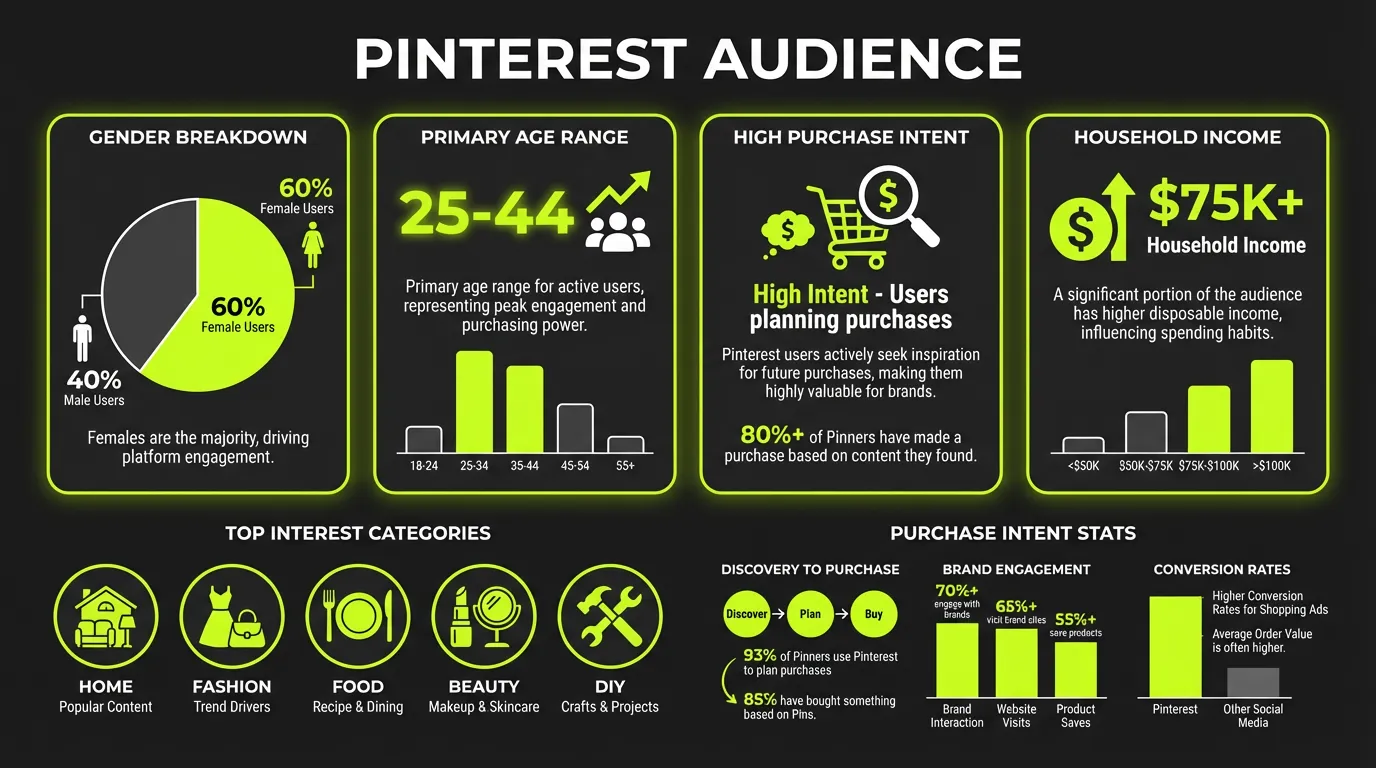
| Demographic | Pinterest (Pinterest Business) |
|---|---|
| Women | 70% of global audience |
| Men | 30% of global audience |
| Gen Z | 42% of global users |
| US adults 18-24 reached | 46% |
| US adults 25-34 reached | 40% |
| US households earning $150K+ reached | 40% |
Pinterest vs Other Platforms
| Factor | TikTok | ||
|---|---|---|---|
| Purchase intent | Very high | Medium | Medium |
| Content lifespan | Months | Hours | Days |
| Search functionality | Strong | Weak | Medium |
| Planning mindset | Yes | No | No |
Pinterest Ads Manager Overview
Campaign Objectives
Awareness:
- Brand awareness
- Video views
Consideration:
- Consideration (traffic + engagement)
- Video views
Conversion:
- Conversions
- Catalog sales
Campaign Structure
Campaign Level:
- Objective selection
- Budget type (campaign or ad group)
- Campaign spending limits
Ad Group Level:
- Targeting
- Budget and schedule
- Bid strategy
- Placement
Ad Level:
- Pin selection or creation
- Destination URL
- Call-to-action
Pinterest Ad Formats
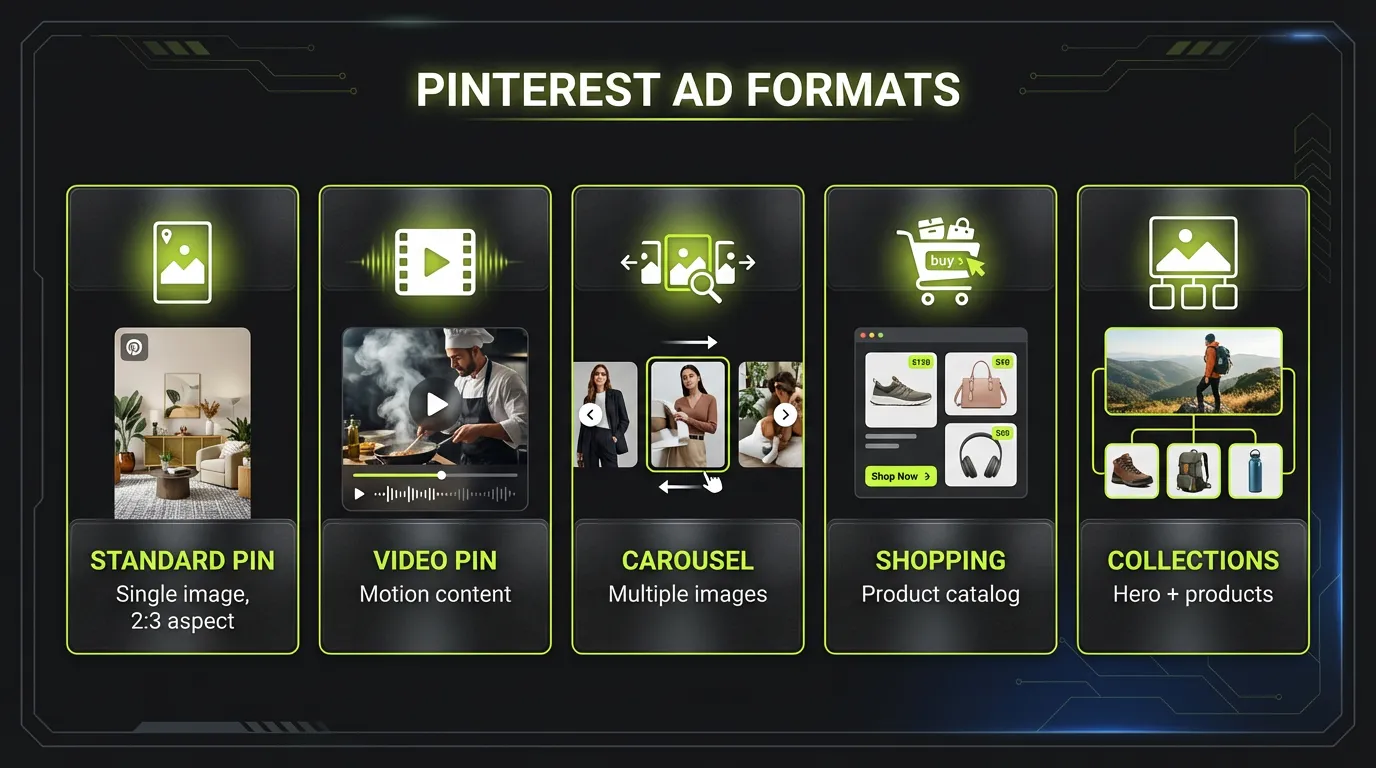
1. Standard Pins
Specifications:
- Aspect ratio: 2:3 recommended
- File type: PNG or JPEG
- Max file size: 20MB
- Title: Up to 100 characters
- Description: Up to 500 characters
2. Video Pins
Specifications:
- Aspect ratios: 1:1, 2:3, or 9:16
- Duration: 4 seconds - 15 minutes
- Max file size: 2GB
- File types: MP4, MOV, M4V
3. Carousel Pins
Specifications:
- 2-5 images per carousel
- Same specs as standard pins
- Each card can have different URL
- Story-telling opportunity
4. Collections Ads
Features:
- Hero image/video + product images
- Showcases multiple products
- Catalog integration
- Instant shopping experience
5. Shopping Pins
Features:
- Product catalog integration
- Real-time pricing
- Stock availability
- Direct checkout
6. Idea Pins (Paid Partnership)
Features:
- Multi-page format
- Creator collaboration
- High engagement
- Longer content
Targeting Options
Interest Targeting
Major categories:
- Art
- Beauty
- DIY & Crafts
- Education
- Entertainment
- Fashion
- Food & Drink
- Home Decor
- Travel
- Weddings
- And more...
Keyword Targeting
- Broad match: Related terms included
- Phrase match: Terms in order
- Exact match: Specific term only
- Negative keywords: Exclude terms
Keyword Research Tips:
- Use Pinterest Trends tool
- Check auto-complete suggestions
- Analyze competitor pins
- Review organic pin performance
Demographic Targeting
- Age ranges
- Gender
- Location (country, region, metro)
- Language
- Device type
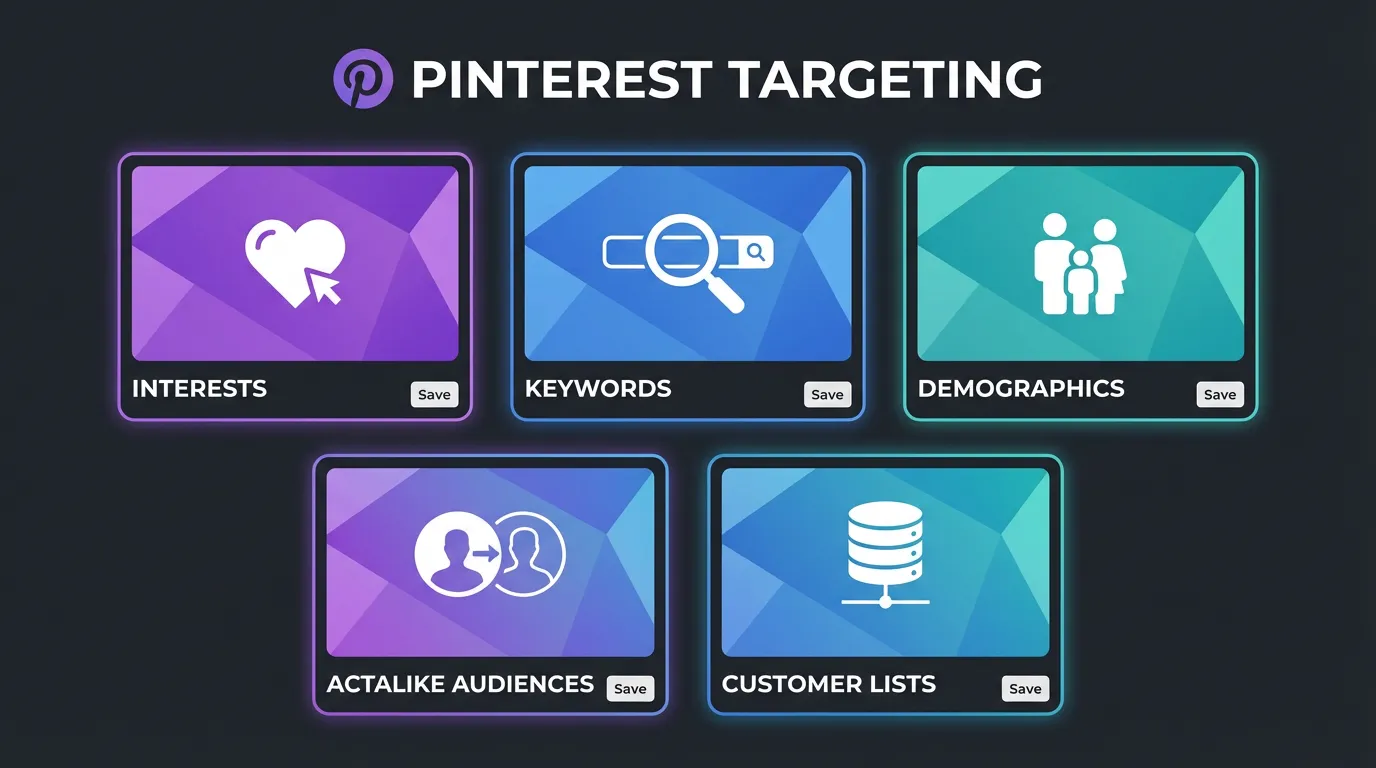
Audience Targeting
Customer Lists:
- Email uploads
- Website visitors
- App users
- Engagement audiences
Actalike Audiences:
- Based on customer lists
- Percentage selections (1-10%)
- Country targeting
Placement Targeting
- Browse (home feed)
- Search results
- Related pins
- All placements (recommended)
Campaign Setup Best Practices
Budget Recommendations
| Campaign Type | Our suggested starting daily budget | Recommended for scale |
|---|---|---|
| Awareness | $5 | $15-30 |
| Traffic | $5 | $20-50 |
| Conversions | $10 | $50-100 |
Pinterest does not publish a fixed minimum daily budget; these are the starting points we use for new accounts.
Bidding Strategies
Automatic Bidding:
- Pinterest optimizes for results
- Good for beginners
- Less control
Custom Bidding:
- Set max CPC/CPM
- More control
- Requires optimization experience
Target Cost:
- Set target cost per action
- System optimizes to goal
- Predictable results
Campaign Structure Tips
- Separate by objective - Don't mix awareness and conversion
- Segment audiences - Different ad groups for different targets
- Creative variations - Multiple pins per ad group
- Keyword organization - Group similar terms
Creative Best Practices
Pin Design Principles
Vertical Format:
- 2:3 aspect ratio (1000x1500px)
- Takes more feed space
- Better visibility
Text Overlay:
- Readable without zooming
- Benefits-focused
- Clear hierarchy
- 25% of image max
Brand Presence:
- Logo visible but subtle
- Consistent brand colors
- Professional quality
High-Performing Pin Elements
Headlines:
- Clear value proposition
- Numbered lists ("10 Ways to...")
- How-to format
- Question format
Images:
- High quality photography
- Lifestyle context
- Bright, clean aesthetic
- Product clearly visible
Colors:
- Red/pink outperform
- Multiple colors work
- Avoid pure white backgrounds
- High contrast
Video Best Practices
Optimal Specs:
- 6-15 seconds for feed
- Start with key message
- Add text overlays
- Loop-friendly endings
Content Tips:
- Tutorial style performs well
- Show product in use
- Before/after format
- Behind-the-scenes content
Pinterest Pixel Setup
Installation Methods
- Manual installation - Add code to header
- Partner integration - Shopify, WooCommerce, etc.
- Google Tag Manager - Tag configuration
- Conversions API - Server-side tracking
Events to Track
Standard Events:
- PageVisit
- ViewCategory
- Search
- AddToCart
- Checkout
- Lead
- Custom
Enhanced Match
Improve attribution with:
- Email matching
- External ID matching
- Client IP
- User agent
Optimization Strategies
Learning Phase
What to Know:
- Takes 1-2 weeks
- Need 50+ conversions
- Avoid major changes
- Monitor but don't overreact
Key Metrics
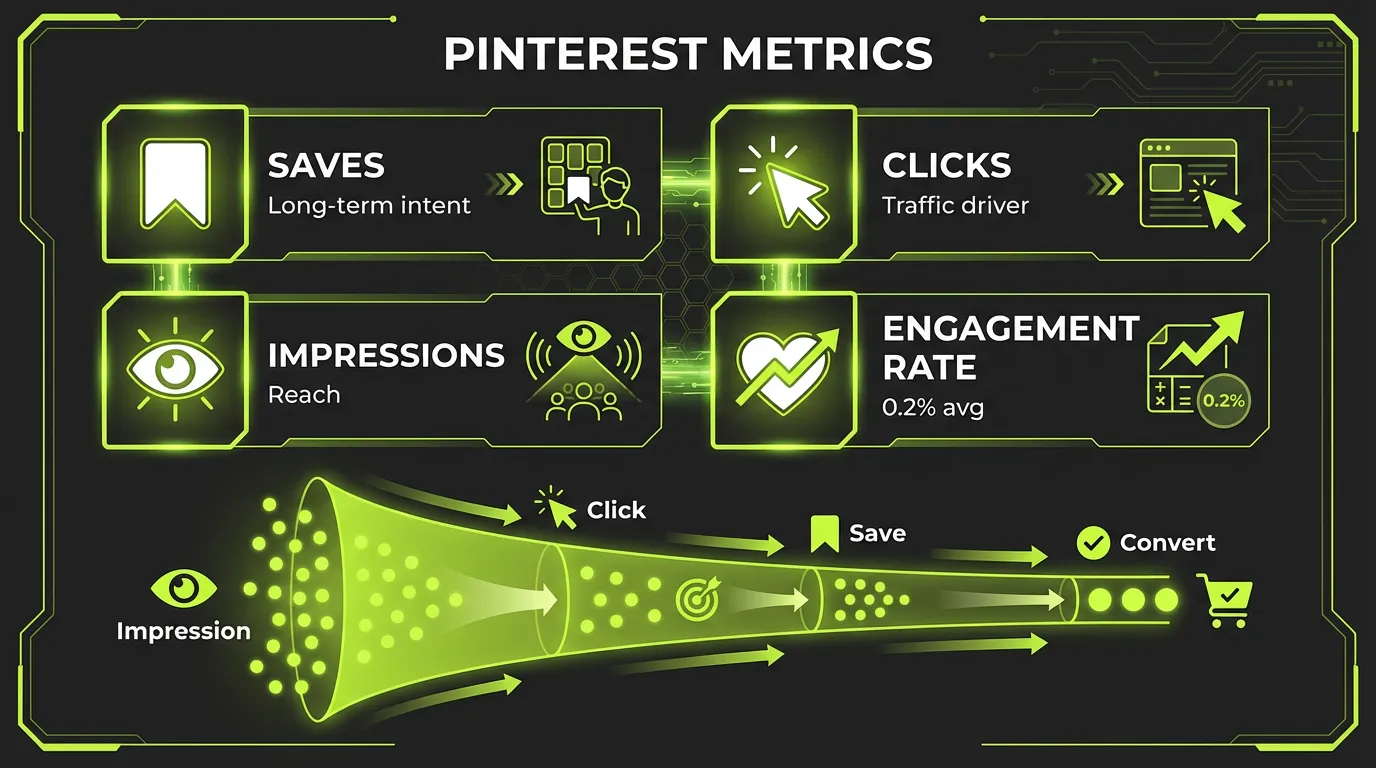
| Metric (targets from our account reviews) | Good | Great |
|---|---|---|
| CTR (Awareness) | 0.5% | 1%+ |
| CTR (Conversion) | 1% | 2%+ |
| Outbound CTR | 0.8% | 1.5%+ |
| Save Rate | 1% | 3%+ |
| CPC | <$1.50 | <$0.75 |
Optimization Actions
Low CTR:
- Test new creative
- Refine targeting
- Improve pin copy
- Try different formats
High CPC:
- Broaden targeting
- Improve quality score
- Test automatic bidding
- Refresh creative
Low Conversion:
- Check landing page
- Improve audience match
- Use conversion optimization
- Implement retargeting
Advanced Pinterest Strategies
Shopping Campaigns
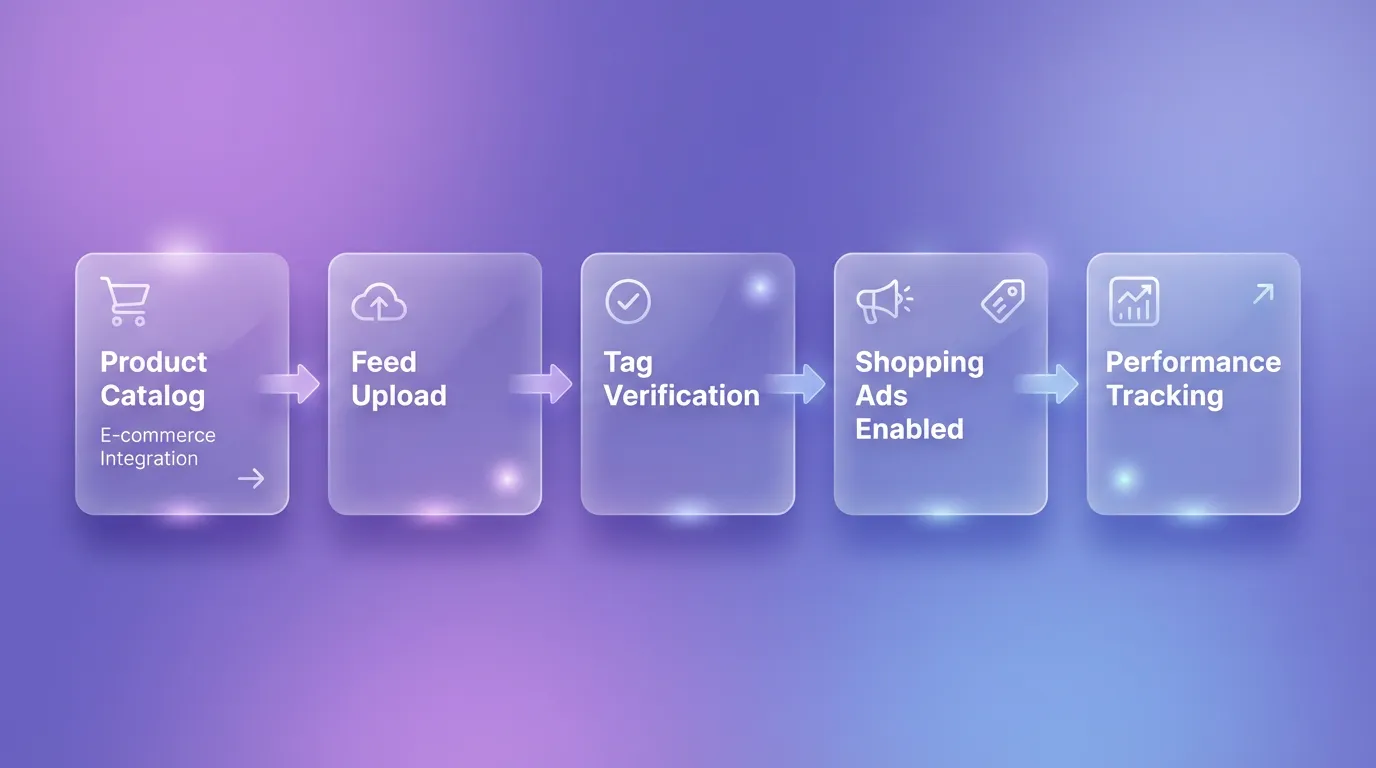
Catalog Setup:
- Create data source
- Upload product feed
- Map required fields
- Enable automatic updates
Product Groups:
- Category segmentation
- Price range groups
- Bestseller focus
- Seasonal collections
Seasonal Marketing
Pinterest Planning Timeline:
- Users plan 3-4 months ahead
- Start campaigns early
- Build momentum gradually
- Maintain through season
Key Seasons:
- New Year (health, organization)
- Valentine's Day
- Spring (home, fashion)
- Summer (travel, outdoor)
- Back to school
- Halloween
- Holiday season
Creator Partnerships
Pinterest for Creators:
- Paid partnerships
- Idea pin collaborations
- Authentic content
- Extended reach
Pinterest Analytics
Native Analytics
Overview Metrics:
- Impressions
- Engagements
- Pin clicks
- Outbound clicks
- Saves
Audience Insights:
- Demographics
- Interests
- Device usage
- Top performing content
Conversion Tracking
Attribution Windows:
- Click-through: 30 days default
- View-through: 1 day default
- Customizable settings
Common Mistakes to Avoid
1. Square Images
Pinterest is vertical-first. Square images get less visibility.
2. Ignoring SEO
Pinterest is a search engine. Optimize titles, descriptions, and boards.
3. Inconsistent Posting
Maintain regular presence for algorithm favor and audience building.
4. Poor Landing Pages
Mobile-optimized, fast-loading, consistent with pin promise.
5. Not Using Video
Video engagement is growing significantly on Pinterest.
Campaign Optimization
Bidding Strategies
Automatic Bidding:
- Pinterest optimizes for objective
- Best for beginners
- May have higher costs
Custom Bidding:
- Set maximum bid
- More control over costs
- Requires optimization experience
Budget Recommendations
| Campaign Type | Daily Budget |
|---|---|
| Testing | $20-50 |
| Growth | $50-200 |
| Scaling | $200+ |
Learning Phase: Allow 3-5 days before making changes.
Key Metrics
| Metric | Good | Excellent |
|---|---|---|
| CTR | 0.2% | 0.5%+ |
| Engagement Rate | 1% | 3%+ |
| Save Rate | 0.5% | 1%+ |
| CVR | 1% | 2%+ |
A/B Testing Framework
Test Priority:
- Images (biggest impact)
- Pin title
- Description
- Call-to-action
- Targeting
Testing Best Practices:
- One variable at a time
- Sufficient budget per variant
- Minimum 7 days per test
- Statistical significance before winner
Seasonal Strategy
Pinterest Planning Cycle
Users plan ahead on Pinterest:
| Event | Start Advertising |
|---|---|
| Valentine's Day | December |
| Spring Home | January |
| Summer Fashion | March |
| Back to School | June |
| Halloween | August |
| Holidays | September |
Seasonal Content Calendar
Q1: New Year resolutions, organizing, fitness Q2: Weddings, graduations, outdoor Q3: Back to school, fall decor, recipes Q4: Holiday gifts, entertaining, travel
Measurement & Reporting
Pinterest Analytics
Available Reports:
- Pin performance
- Audience insights
- Conversion tracking
- Video metrics
Key Reports to Monitor
Daily:
- Spend and conversions
- CPA trends
- Top performing Pins
Weekly:
- Audience performance
- Keyword insights
- Creative analysis
Monthly:
- ROAS by campaign
- Category performance
- Competitive benchmarking
Attribution
Attribution Windows:
- Click: 30 days (default)
- Engagement: 30 days
- View: 1 day
Setting Up Your Pinterest Business Account
Before running ads, you need the foundation:
Step 1: Business Account Creation
- Convert personal account or create new business account
- Complete business profile with logo, bio, and website
- Claim your website to track conversions
Step 2: Install Pinterest Tag
- Add base code to all pages
- Set up conversion events (PageVisit, AddToCart, Checkout)
- Enable Enhanced Match for better attribution
Step 3: Connect Product Catalog
:::tip Catalog Power Merchants with Catalogs see 5x more impressions than those who don't (Pinterest Business). This is non-negotiable for e-commerce. :::
Catalog Integration Options:
- Shopify: Native integration, auto-sync
- Adobe Commerce: Direct connection
- WooCommerce: Plugin available
- Manual: Data feed upload
Campaign Objectives
Choose based on your goal:
| Objective | Optimizes For | Best Use Case |
|---|---|---|
| Brand Awareness | Impressions | New brand launch |
| Video Views | Video plays | Video content |
| Consideration | Pin clicks | Traffic generation |
| Conversions | Actions | Lead gen, sign-ups |
| Catalog Sales | Purchases | E-commerce sales |
For E-commerce: Catalog Sales is usually your primary objective. It combines traffic and conversion optimization specifically for product purchases.
Setting Up Shopping Campaigns
Create Product Groups
Before creating ads, organize your catalog into product groups:
- By category (dresses, shoes, accessories)
- By price point (under $50, $50-100, $100+)
- By margin (promote high-margin first)
- By bestseller status
Campaign Structure
- Campaign Level: Set objective (Catalog Sales) and budget
- Ad Group Level: Define targeting, bid, and product groups
- Ad Level: Auto-generated from catalog (or customize)
:::tip Budget Setting For Pinterest's AI to optimize effectively, set your daily budget at least 5x your target cost per result. This gives the algorithm room to learn during early campaign phases. :::
Targeting Options
Automatic Targeting: Let Pinterest find relevant audiences based on Pin content. Best for broad reach.
Keyword Targeting: Target specific search terms. Essential for discovery campaigns.
Interest Targeting: Reach users based on interests and behaviors.
Audience Targeting:
- Website visitors (retargeting)
- Customer lists (email matches)
- Actalikes (Pinterest's lookalike audiences)
- Engagement audiences (people who interacted with your Pins)
Pinterest Performance+ AI
Pinterest's automation suite for better performance with less effort.
What Performance+ Does:
- Creates and enhances catalog ads automatically
- Optimizes bids for conversions
- Expands reach to qualified audiences
- Generates ad variations from your catalog
When to Use Performance+:
- Large catalogs (100+ products)
- Limited creative resources
- Scaling successful campaigns
- Testing new product lines
:::warning Control Trade-off Performance+ reduces manual control. If you need precise targeting or have specific brand guidelines, use manual campaigns instead. :::
Mobile Deep Links
This is a game-changer for app-based commerce.
"Advertisers using mobile deep links have seen a 235% lift in conversion rates and 34% lower CPAs." — Pinterest
How It Works:
- User clicks your ad
- If app is installed, opens directly in app
- If not installed, goes to mobile web
- Removes friction from purchase path
Setup Requirements:
- Universal Links (iOS) or App Links (Android)
- Pinterest SDK integration
- Deep link URL in ad creative
Bidding Strategies
CPC (Cost Per Click)
Pay when someone clicks through to your site. Best for traffic-focused campaigns.
Average CPC: $0.10 - $1.50
CPM (Cost Per Mille)
Pay per 1,000 impressions. Best for awareness campaigns.
Automated Bidding
Let Pinterest optimize for your objective. Recommended for conversions and catalog sales.
:::info ROI Benchmark Shopping ads perform best on Pinterest, providing a 15% increase in ROI compared to standard pins. :::
Measuring Success
Key Metrics
| Metric | What It Measures | Benchmark |
|---|---|---|
| Outbound CTR | Clicks to website | 0.5-1% good |
| Save Rate | Content value signal | Higher = better reach |
| Conversion Rate | Purchase completion | 2-5% for shopping |
| ROAS | Return on ad spend | 4x+ profitable |
Attribution Windows
Pinterest defaults to:
- 30-day click
- 30-day engagement
- 1-day view
For comparison with other platforms, adjust to 7-day click.
Conclusion
Pinterest offers unique advertising opportunities due to its planning-focused, high-intent user base. Success requires understanding the platform's visual-search nature and creating content that inspires action.
Start with clear objectives, create Pinterest-native content, optimize based on data, and scale what works.
Ready to launch Pinterest campaigns? Try AdBid's multi-platform management →