
Part of our Meta Ads Platform guide series.
The Attribution Crisis Most Advertisers Ignore
:::warning Uncomfortable Truth If you're still relying primarily on browser-based tracking in 2026, you're probably missing 20-40% of your conversions. Your best-performing campaigns might be getting cut because you can't see their true impact. :::
Here's a uncomfortable truth I've learned managing millions in ad spend: most advertisers are making decisions based on incomplete data.
For teams that need cleaner measurement behind these decisions, AdBid's advertising attribution connects campaign performance, revenue, and channel data.
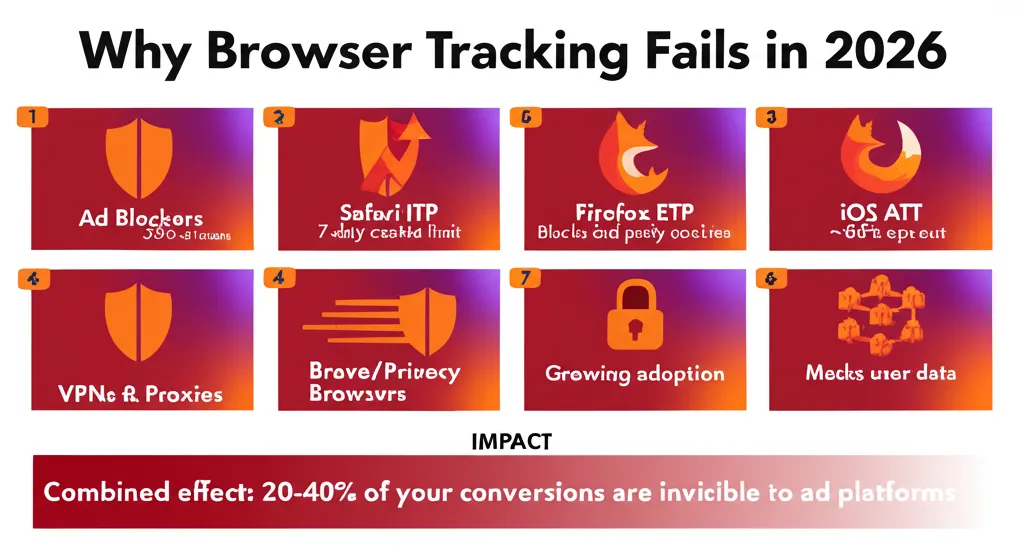
Ad blockers, Safari's ITP, Firefox's Enhanced Tracking Protection, and iOS privacy changes have systematically degraded client-side tracking.
The result? Your ROAS looks worse than it actually is. Server-side tracking fixes this. And if you haven't implemented it yet, you're flying blind.
What Is Server-Side Tracking?
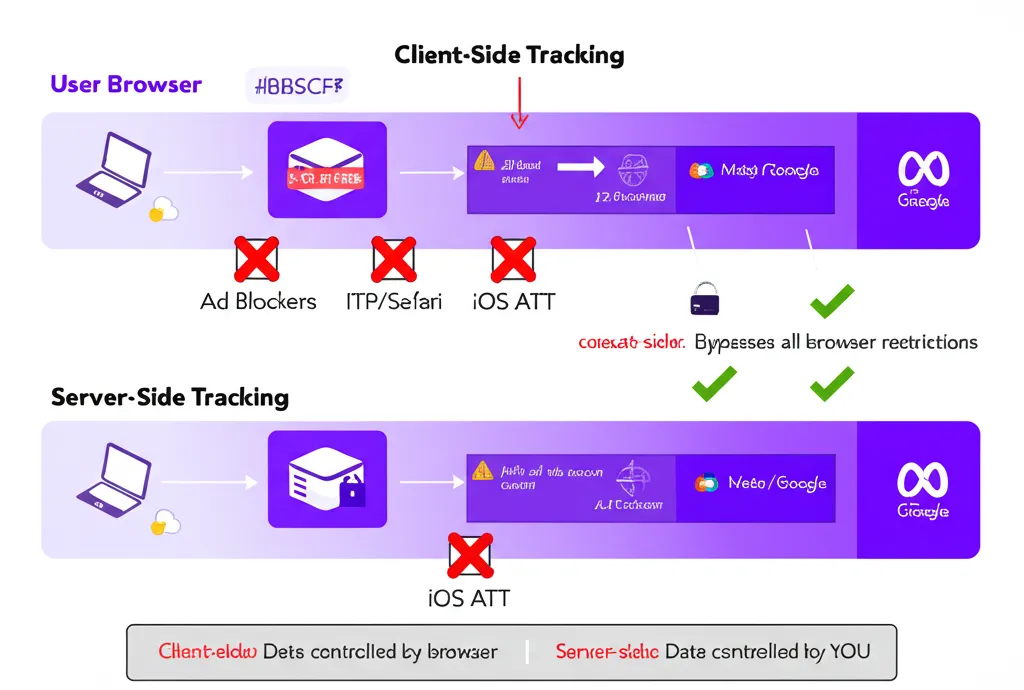
Traditional client-side tracking works like this: a JavaScript pixel fires in the user's browser when they convert. That data goes directly from the browser to the ad platform.
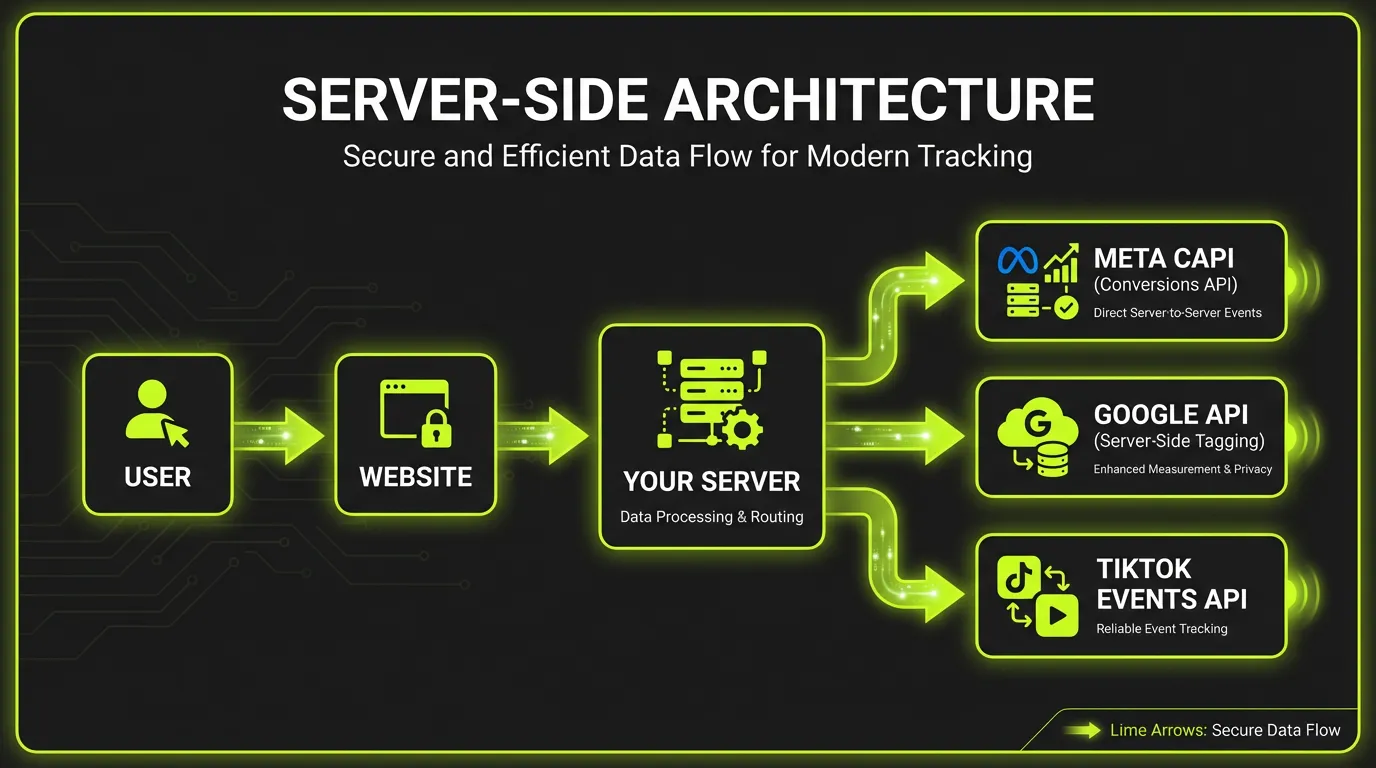
Server-side tracking changes the flow: the browser sends conversion data to YOUR server first. Your server then forwards it to the ad platforms via API.
Why does this matter?
:::info Browser-Based Tracking Is Vulnerable To
- Ad blockers (30%+ of users) (Backlinko)
- Browser restrictions (Safari, Firefox, Brave)
- Network issues and page abandonment
- iOS App Tracking Transparency
- Third-party cookie deprecation :::
:::tip Server-Side Tracking Bypasses All of These Your server collects the conversion, and the API connection to Meta/Google is server-to-server — invisible to ad blockers and browser restrictions. :::
Client-Side vs Server-Side: A Real Comparison
I'll be blunt: you need both. But the balance has shifted dramatically.
Client-side tracking in 2026:
- Catches immediate, browser-available conversions
- Still useful for some event types
- Increasingly unreliable as primary source
- Subject to consent management restrictions
Server-side tracking in 2026:
- Captures conversions client-side misses
- Immune to ad blockers and browser restrictions
- Better data quality for algorithm optimization
- Essential for accurate attribution
- Gives you data ownership and control
The smart approach: use both, with server-side as your source of truth and proper deduplication to prevent double-counting.
The Real Benefits (Not Just Theory)
Let me get specific about what server-side tracking actually delivers:
1. Improved Accuracy = Better Optimization
When Meta's algorithm sees more conversions, it optimizes better. Period.
:::highlight Real Results I've seen accounts recover 25-35% more attributed conversions after implementing Conversions API properly. Their campaigns didn't suddenly get better — they just finally got credit for conversions that were happening all along. :::
More conversion signals = better audience targeting = lower CPAs.
2. Enhanced Security and Data Integrity
With client-side tracking, anyone can inspect and potentially manipulate the data being sent. I've seen bot traffic, click farms, and competitors flooding accounts with fake conversions.
Server-side tracking lets you validate events before sending them. You control what gets passed through. Suspicious activity can be filtered at the source.
3. Privacy Compliance Built In
GDPR, CCPA, and the patchwork of global privacy laws require consent management. With server-side tracking, you can:
- Filter out non-consented users before data reaches ad platforms
- Anonymize or hash personal data server-side
- Maintain audit trails of what was sent and when
- Comply with data residency requirements
You're not just compliant — you can prove it.
4. First-Party Data Ownership
This is the strategic play most advertisers miss.
When all your conversion data flows through your server, you own it. You can unify web, CRM, and offline data. You can send it to multiple platforms. You can build your own analytics on top of it.
That data becomes a durable competitive advantage that can't be taken away by platform policy changes.
Implementing Meta Conversions API: What Actually Matters
Let's cut through the technical jargon. Here's what you need to know:
The Minimum Viable Setup
- Install Meta Pixel (yes, you still need it for deduplication)
- Set up Conversions API sending the same events from your server
- Use event_id matching to deduplicate browser and server events
- Include customer information parameters for better match rates
The Parameters That Actually Impact Performance
Not all Conversions API implementations are equal. What separates good from great:
Customer Information Parameters:
- Email (hashed)
- Phone number (hashed)
- First name, last name (hashed)
- External ID (your customer ID)
- IP address
- User agent
- Click ID (fbclid)
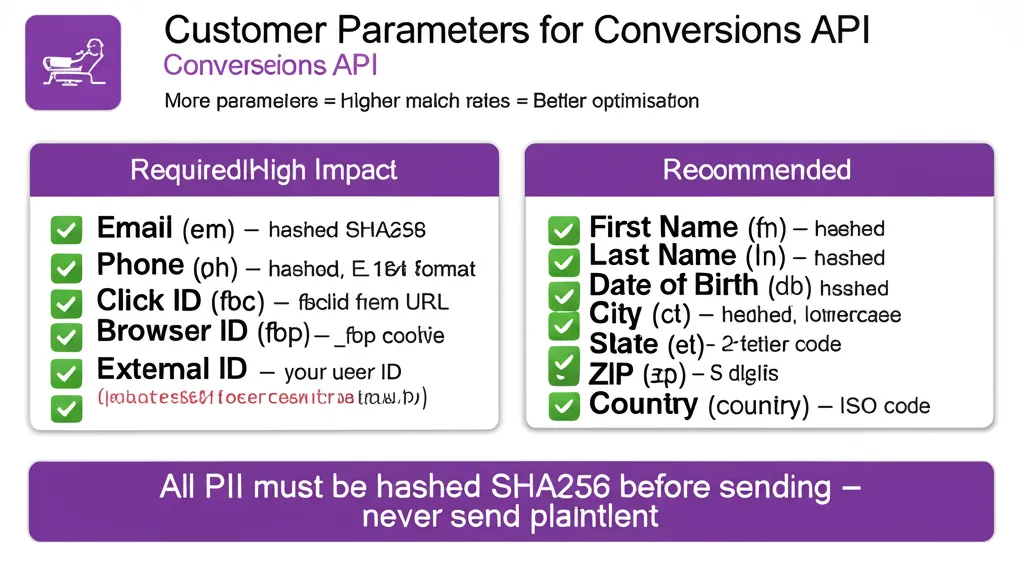
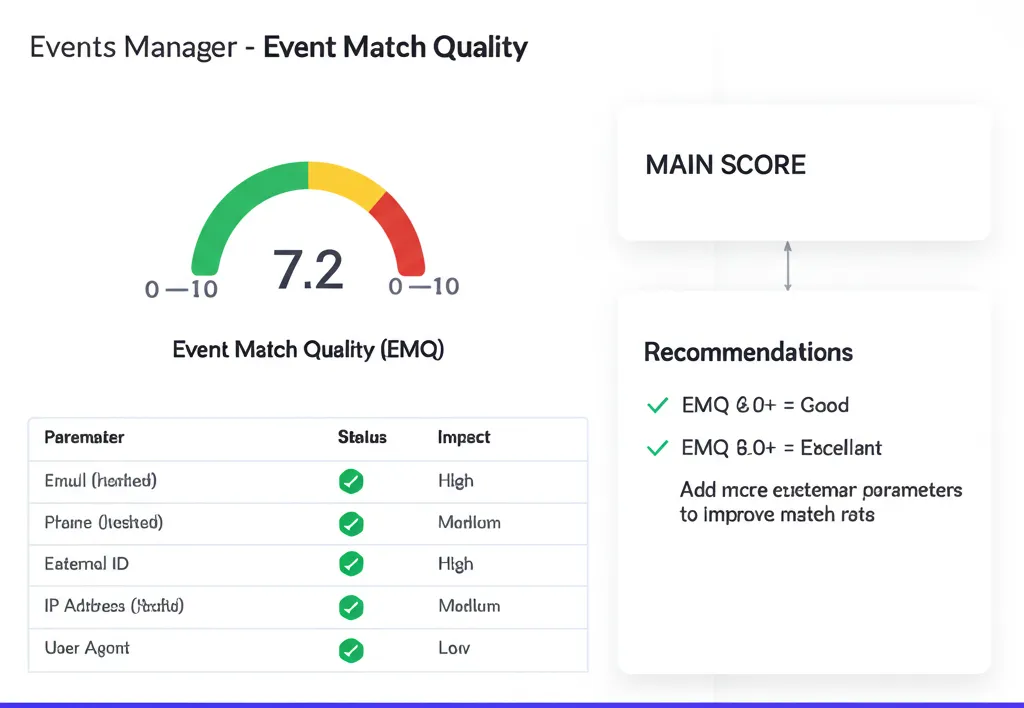
The more you send (with proper hashing), the higher your Event Match Quality score. Higher match quality = better optimization.
:::tip Event Match Quality Target Aim for 6.0 or higher. Below 5.0 means you're leaving performance on the table. :::
Common Implementation Mistakes
I've audited dozens of Conversions API setups. Here's what goes wrong:
:::warning Mistake 1: No Deduplication Sending the same event from both browser and server without event_id matching. Result: inflated conversion counts, messed up optimization. :::
:::warning Mistake 2: Missing Customer Data Just sending the bare minimum event data. Result: low match rates, worse than client-side alone. :::
:::warning Mistake 3: Wrong Event Timing Sending server events immediately while browser events fire later. Result: deduplication fails. :::
:::warning Mistake 4: Not Testing Properly Assuming it works without verifying in Events Manager. Result: months of bad data. :::
Deduplication: The Technical Detail That Matters Most
This deserves its own section because it's where most implementations fail.
Here's how deduplication should work:
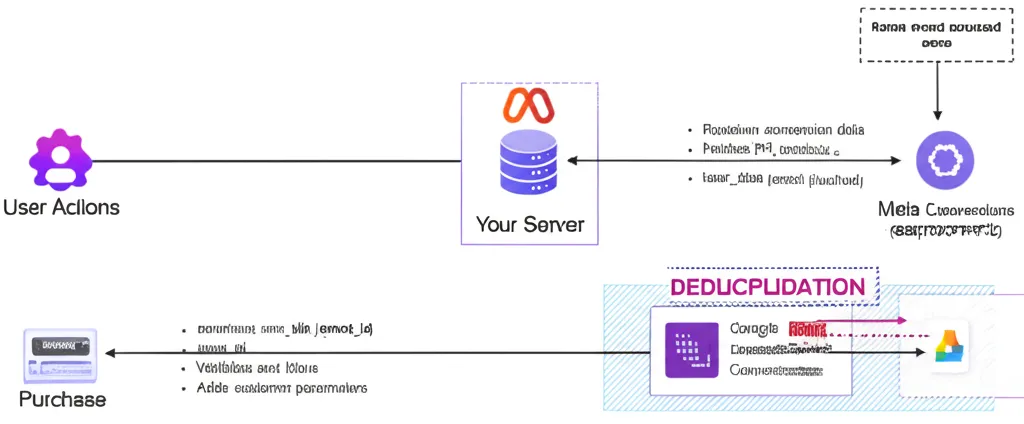
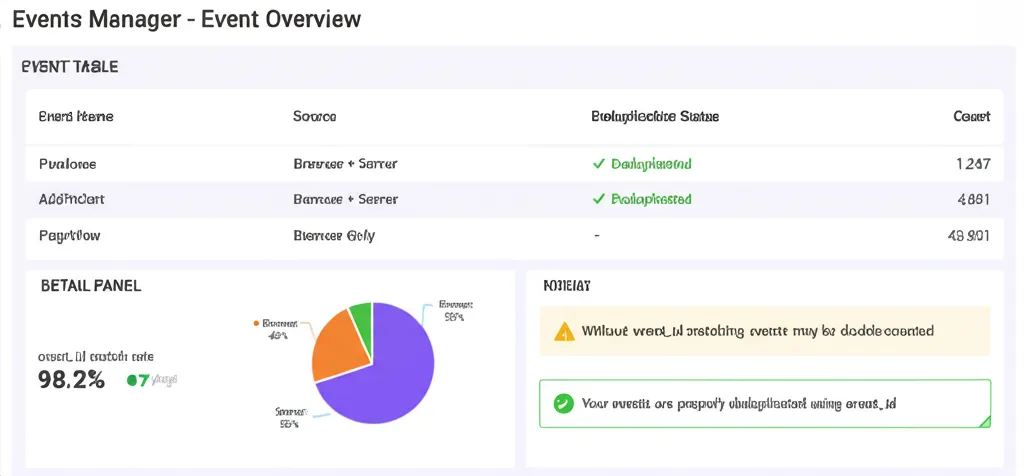
- Generate a unique event_id when the conversion happens
- Send that event_id with both the browser pixel event AND the server API event
- Meta uses the event_id to recognize they're the same conversion
- Only one event gets counted
If you don't do this correctly:
- Same conversion counts twice
- Conversion volume looks artificially inflated
- Algorithms optimize for the wrong signals
- Your ROAS calculations are wrong
Test this in Events Manager. Look for the "Deduplicated" indicator on your events.
What About Google Ads?
Google has Enhanced Conversions, which serves a similar purpose. The principles are the same:
- Send conversion data server-to-server via Google Ads API
- Include customer identifiers for better matching
- Deduplicate with transaction_id or order_id
If you're running both Meta and Google, implement server-side tracking for both. The compounding benefits of accurate data across your entire media mix are substantial.
The Implementation Roadmap
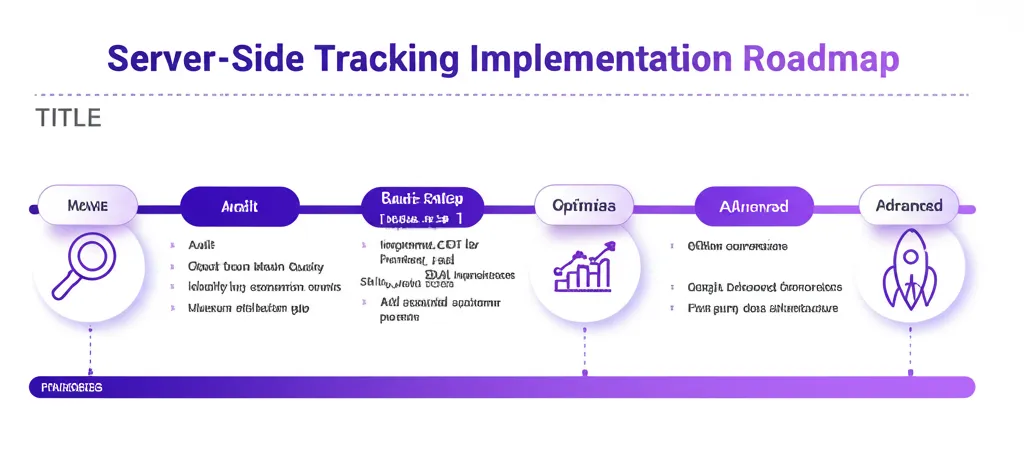
For most advertisers, here's the practical path:
Phase 1: Audit Current State (Week 1)
- Check Event Match Quality in Meta Events Manager
- Identify what conversions you're tracking
- Measure gap between platform-reported and actual conversions
Phase 2: Basic Implementation (Weeks 2-3)
- Implement Conversions API for key events (Purchase, Lead, etc.)
- Set up proper deduplication with event_id
- Add essential customer parameters
Phase 3: Optimization (Weeks 4-6)
- Add additional customer data parameters
- Monitor Event Match Quality improvements
- Test impact on campaign performance
Phase 4: Advanced (Ongoing)
- Add offline conversions
- Implement for Google Enhanced Conversions
- Build first-party data infrastructure
The Future Is Already Here
Third-party cookies are deprecated. iOS tracking requires explicit opt-in. Browsers are getting more restrictive, not less.
The advertisers who thrive in 2026 and beyond are those who:
- Treat server-side tracking as infrastructure, not an optional add-on
- Build robust first-party data collection
- Use consent management properly
- Own their data rather than renting access to it
The signal loss problem isn't going away. Server-side tracking is how you solve it.
Summary
Need help implementing server-side tracking? AdBid's unified dashboard shows both client and server-side events, with Event Match Quality monitoring built in. Try AdBid free for 14 days and see the full picture.
Related reading: Top 10 Server Side Tracking Tools